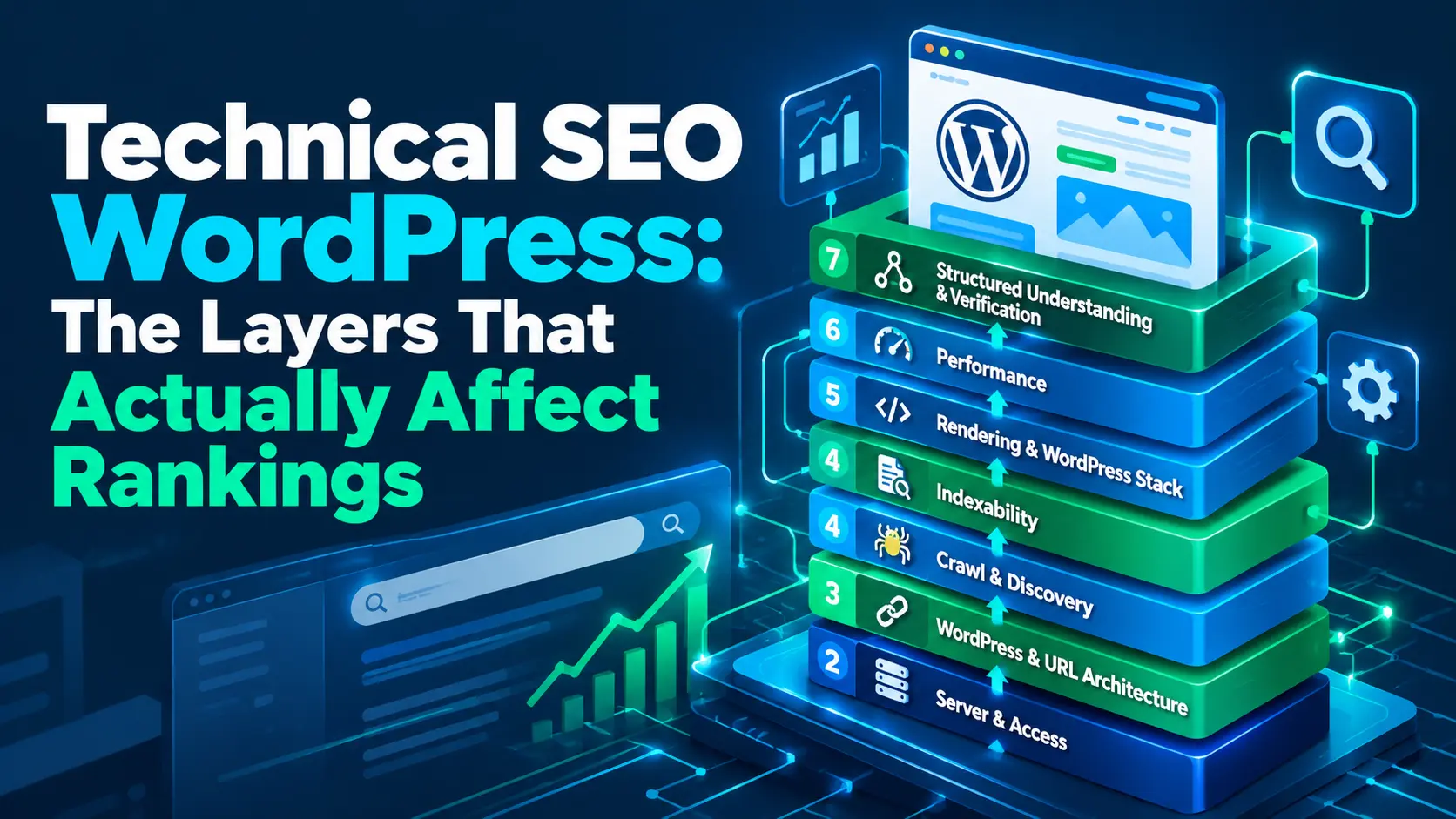
Technical SEO WordPress is the work of making sure a WordPress site can be accessed, crawled, discovered, rendered, indexed, understood, and efficiently delivered to users and search engines. That sounds like one job, but it is really a chain of connected systems: hosting and HTTP responses, URL architecture, crawling and discovery, indexability, rendering, performance, and structured understanding all have different roles.
WordPress makes many SEO controls easy to change. That convenience can also make troubleshooting misleading. A setting inside an SEO plugin may be the visible signal while the underlying problem lives in the site’s URLs, server response, template, rendering stack, or delivery path.
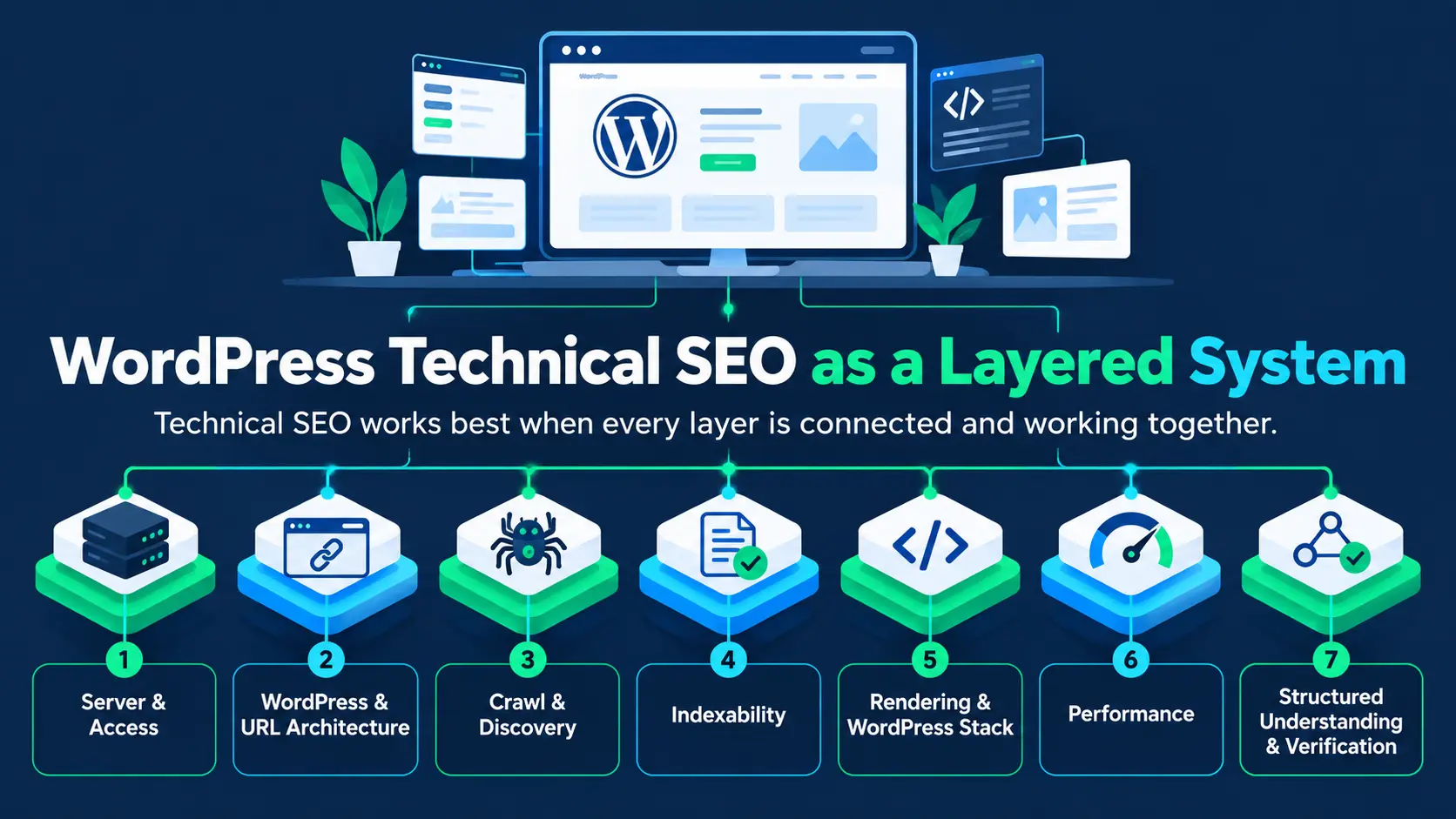
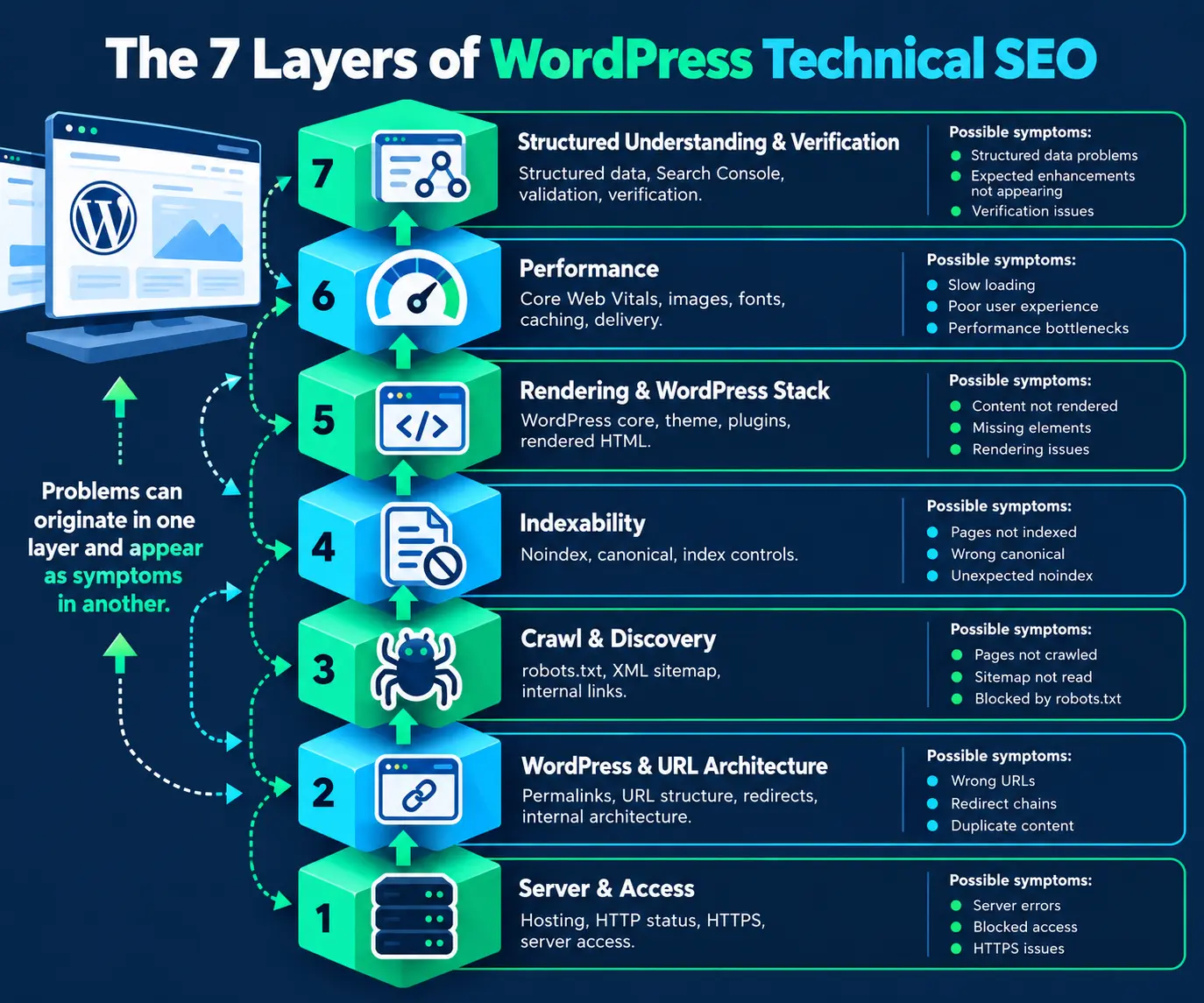
| Framework note: The seven-layer model above is a MarketLatch diagnostic framework, not an official Google classification. It is designed to help identify where a technical problem originates and which layer should be investigated first. |
What Is Technical SEO for WordPress?
Some parts of this system have a direct relationship with Google’s search systems; others primarily support crawling, processing, indexing, or search-feature eligibility. Core Web Vitals, for example, are used by Google’s ranking systems, but Google also states that good Core Web Vitals do not guarantee top rankings. Google’s page-experience guidance
That distinction matters. A technically sound WordPress site can still fail to rank because relevance, content quality, intent match, competition, authority, and other search-system considerations remain important. Technical SEO is a foundation, not a complete ranking strategy.
If you are deciding what to fix first, start with the lowest relevant dependency: confirm server access, then URL architecture, crawl and discovery, indexability, rendering, performance, and finally structured understanding and verification. Change that order when the evidence clearly points to a different root cause.
The Signal vs. the System
A useful way to troubleshoot WordPress technical SEO is to separate the signal from the system producing it.
- A canonical tag is a signal. A URL architecture that repeatedly creates duplicate URL patterns is a system problem.
- A sitemap helps with discovery. Poor internal linking can still leave important pages weakly connected within the site’s architecture.
- A caching plugin can improve delivery. It does not automatically remove an underlying hosting, rendering, asset, or page-complexity bottleneck.
- An SEO plugin can expose an index-control setting. It does not replace server-, network-, rendering-, or infrastructure-level diagnosis.
When troubleshooting, don’t stop at the signal. Find the system producing it.
The 7 Layers of WordPress Technical SEO
Layer 1 — Server & Access
Start with the layer that can make every other layer irrelevant: can the site and its important resources actually be reached?
- HTTP status codes for important URLs
- HTTPS and redirect behavior
- Server availability and response failures
- Access restrictions that unintentionally affect crawlers
- Hosting-level configuration and delivery problems
- Unexpected 4xx or 5xx responses
An SEO plugin generally cannot fix a server returning the wrong status code. Likewise, a perfectly configured canonical cannot compensate for a page that repeatedly fails to respond. If you are diagnosing a WordPress technical SEO issue, establish whether the HTTP layer is healthy before changing an SEO setting.
Diagnostic question: If a page is failing at the HTTP layer, what evidence would show that before you change an SEO setting?
Layer 2 — WordPress & URL Architecture
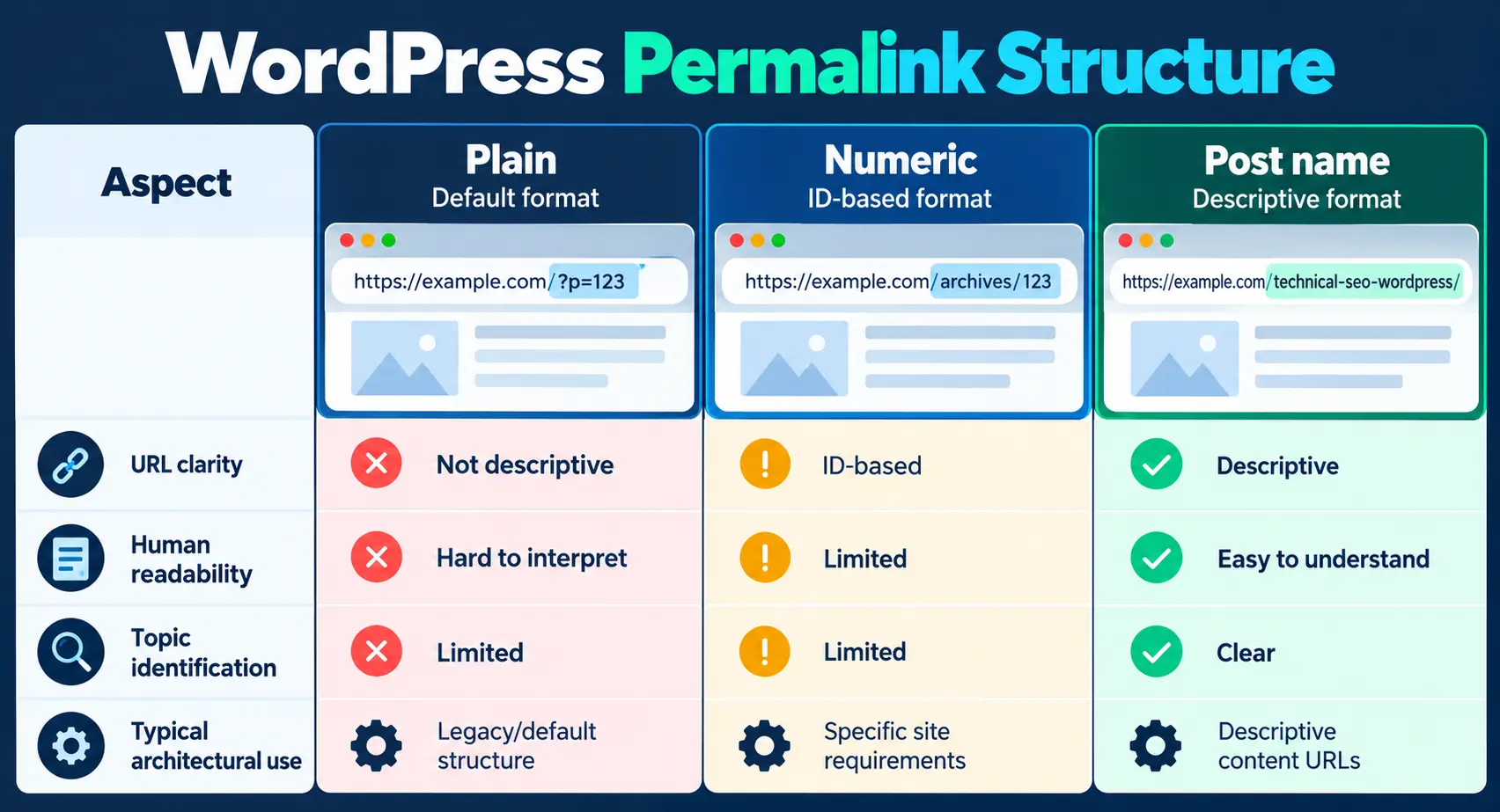
WordPress controls a large part of the site’s URL and content architecture. Permalinks, categories, tags, archives, pagination, attachment URLs, redirects, and internal links can collectively determine how many URL paths the site exposes.
Logical, stable URLs make the site easier to navigate and help maintain a consistent architecture. WordPress documents permalinks as the permanent URLs for posts, pages, categories, and tags; changing a permalink is therefore an architectural change that should be treated carefully rather than as a cosmetic SEO tweak. WordPress’s permalink documentation
Do not change an established URL simply because another structure looks cleaner. If a URL changes, investigate redirects, internal links, canonicals, sitemap references, and any external links that point to the old address.
Layer 3 — Crawl & Discovery
For Google specifically, think of Googlebot as the crawler whose access and processing you are trying to verify; the same distinction still applies between access, discovery, and later indexing.
Crawling and discovery are related, but they are not the same thing. robots.txt controls crawler access. XML sitemaps help search engines discover URLs. Internal links provide another route through the site’s architecture.
Google’s robots.txt specification explains that crawlers check the file before crawling and that its rules control crawl access. It is not an indexing directive. A URL can still appear in Google’s index even when its content could not be crawled if Google discovers the URL through other means. Google’s robots.txt specification
Likewise, a sitemap is useful for discovery, but submitting a URL does not guarantee that Google will crawl or index it. A strong WordPress architecture therefore uses the sitemap as one discovery mechanism rather than treating it as a substitute for internal linking. Google’s sitemap documentation
Robots.txt controls which URLs crawlers are allowed to request, so it belongs to the crawl-access layer of a WordPress technical SEO investigation. But a robots.txt file should be evaluated in context: its rules, response behavior, and relationship to other discovery and indexing signals all matter.
For a deeper look at how WordPress serves robots.txt, when a virtual response is appropriate, and when a static file may be justified by testing, see our guide to WordPress robots.txt.
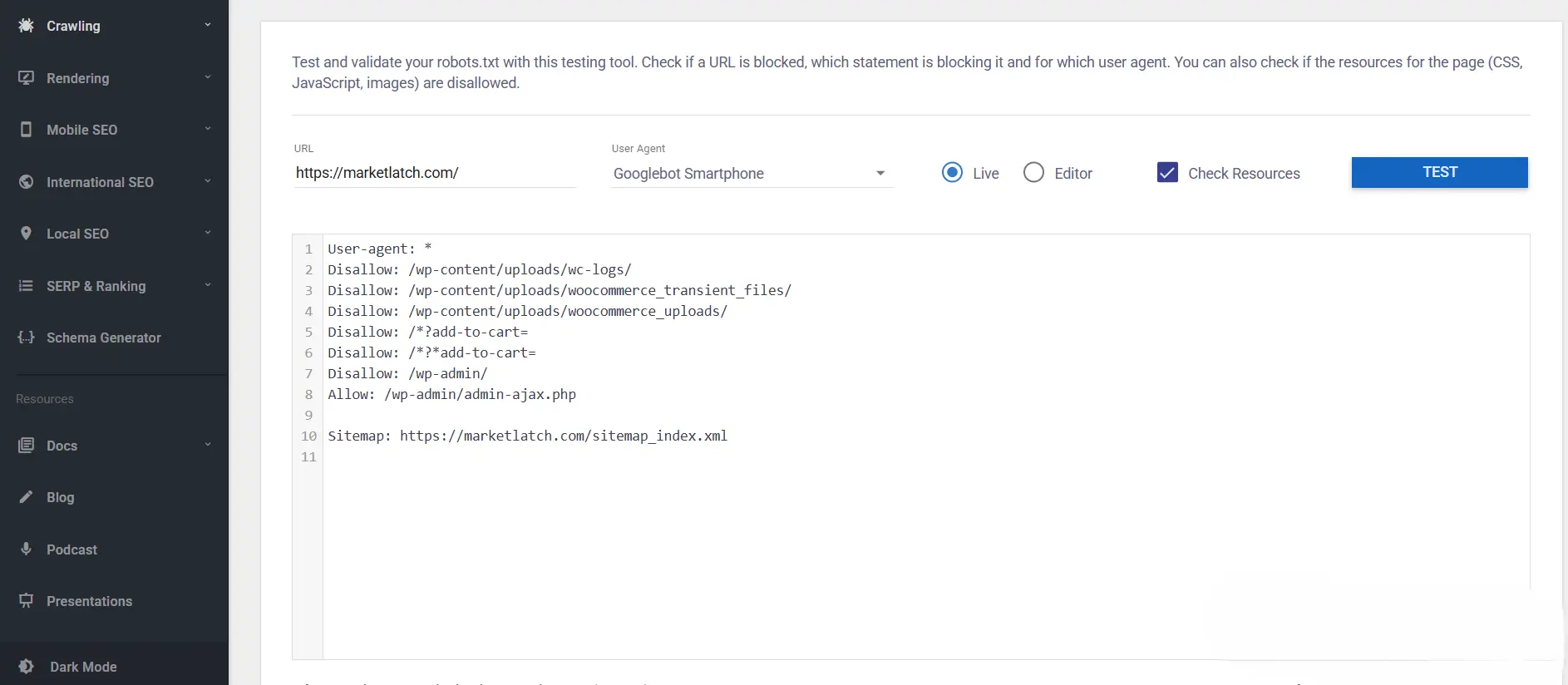
| MarketLatch first-hand test. In an earlier MarketLatch test, the WordPress-generated robots.txt response took roughly 4.4 seconds under the tested crawl-concurrency conditions, while a static-file implementation measured roughly 19 ms. That result was specific to that test environment and should not be treated as a universal WordPress robots.txt performance benchmark. Later measurements should be used to evaluate the current response behavior before concluding the delivery method. |
Layer 4 — Indexability
Once a page can be reached and discovered, the next question is whether it is available for indexing under the site’s intended rules.
- noindex directives
- canonical annotations
- robots meta directives
- HTTP-level indexing controls where applicable
- duplicate and near-duplicate URL patterns
- unintended archive or taxonomy indexing
- conflicting indexing signals
Crawlability and indexability are different questions. Crawlability asks whether a crawler can access the resource. Indexability asks whether the page can be considered for inclusion after processing.
A canonical annotation expresses which URL you prefer Google to treat as the representative version of duplicate or near-duplicate content. Google can choose a different canonical based on other signals, so the canonical tag should be treated as a preference rather than a force. Google’s canonicalization documentation
If Google Search Console reports “Alternate page with proper canonical tag,” our guide to understanding and fixing the Alternate Page with Proper Canonical Tag status explains how to compare the declared canonical with Google’s selected version and decide whether any change is actually needed.
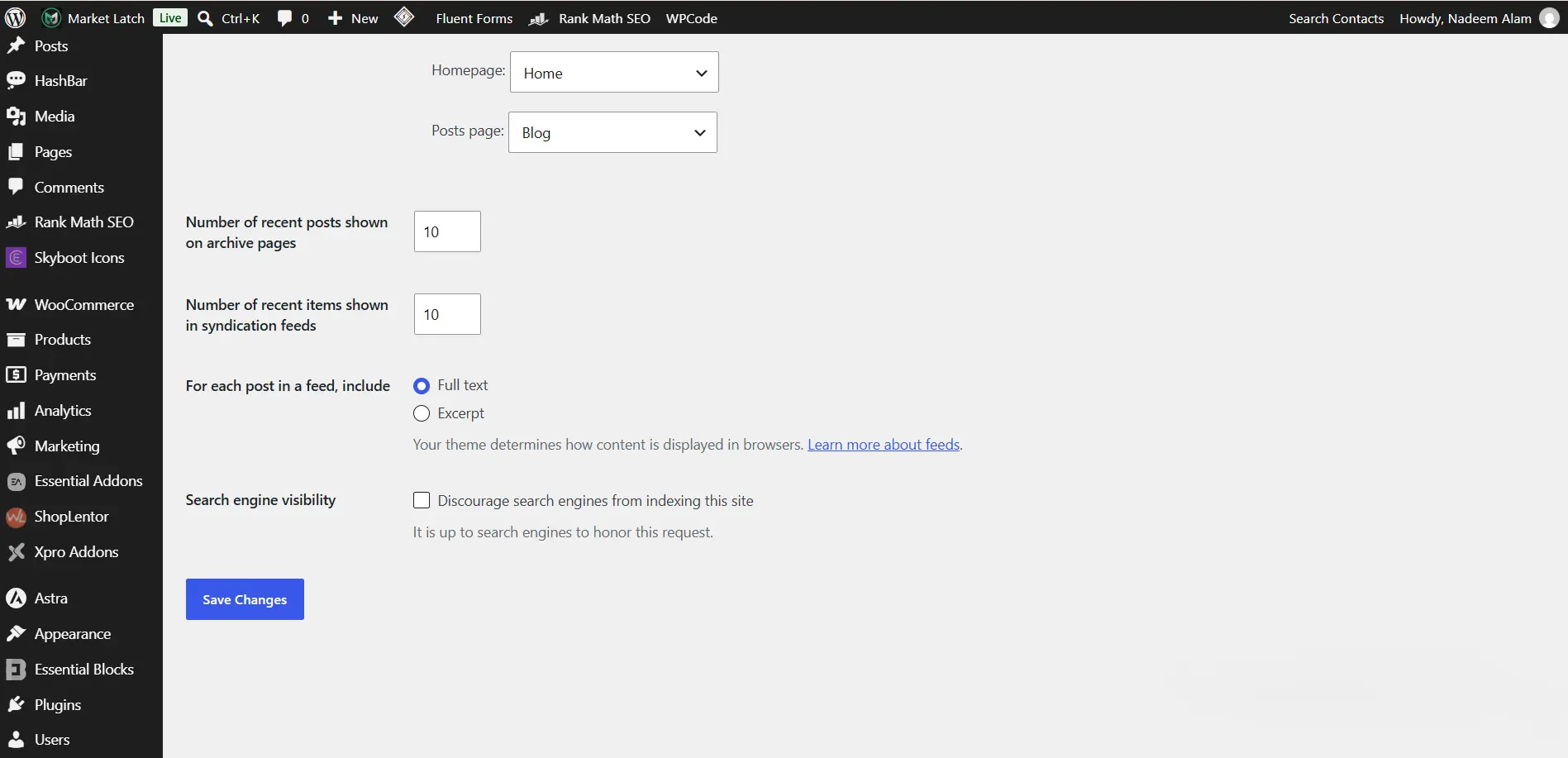
If an important page is not indexed, start with the page itself: inspect its accessibility, indexing directives, canonical, rendered content, and Search Console data before assuming that adding it to the sitemap will solve the problem. Crawled – Currently Not Indexed: What Google Means and How to Fix It
Layer 5 — Rendering & WordPress Stack
WordPress pages are assembled by several systems: core, theme, plugins, page builders, templates, and front-end assets. The HTML a search engine processes is the result of that stack, not simply the settings screen you edited.
JavaScript is not inherently a technical SEO problem. The diagnostic question is whether important content, links, metadata, and resources remain accessible and render correctly when search engines process the page. Google’s JavaScript SEO documentation
Page builders such as Elementor are therefore something to inspect, not something to blame automatically. The same principle applies to plugins. If a visible element is missing from rendered output, determine which component generated it and whether the problem survives controlled testing.
Layer 6 — Performance
Performance belongs in the technical SEO conversation because search systems use technical signals and because users experience the page through its loading, responsiveness, and visual stability.
Core Web Vitals currently focus on three user-centered metrics: Largest Contentful Paint (LCP), Interaction to Next Paint (INP), and Cumulative Layout Shift (CLS). web.dev’s Core Web Vitals documentation
Google uses Core Web Vitals in its ranking systems, but good scores do not guarantee higher rankings. The practical SEO task is therefore not to chase a score in isolation. It is to identify the actual bottleneck: server response, render-blocking resources, fonts, images, JavaScript, CSS, caching, CDN delivery, or page complexity.
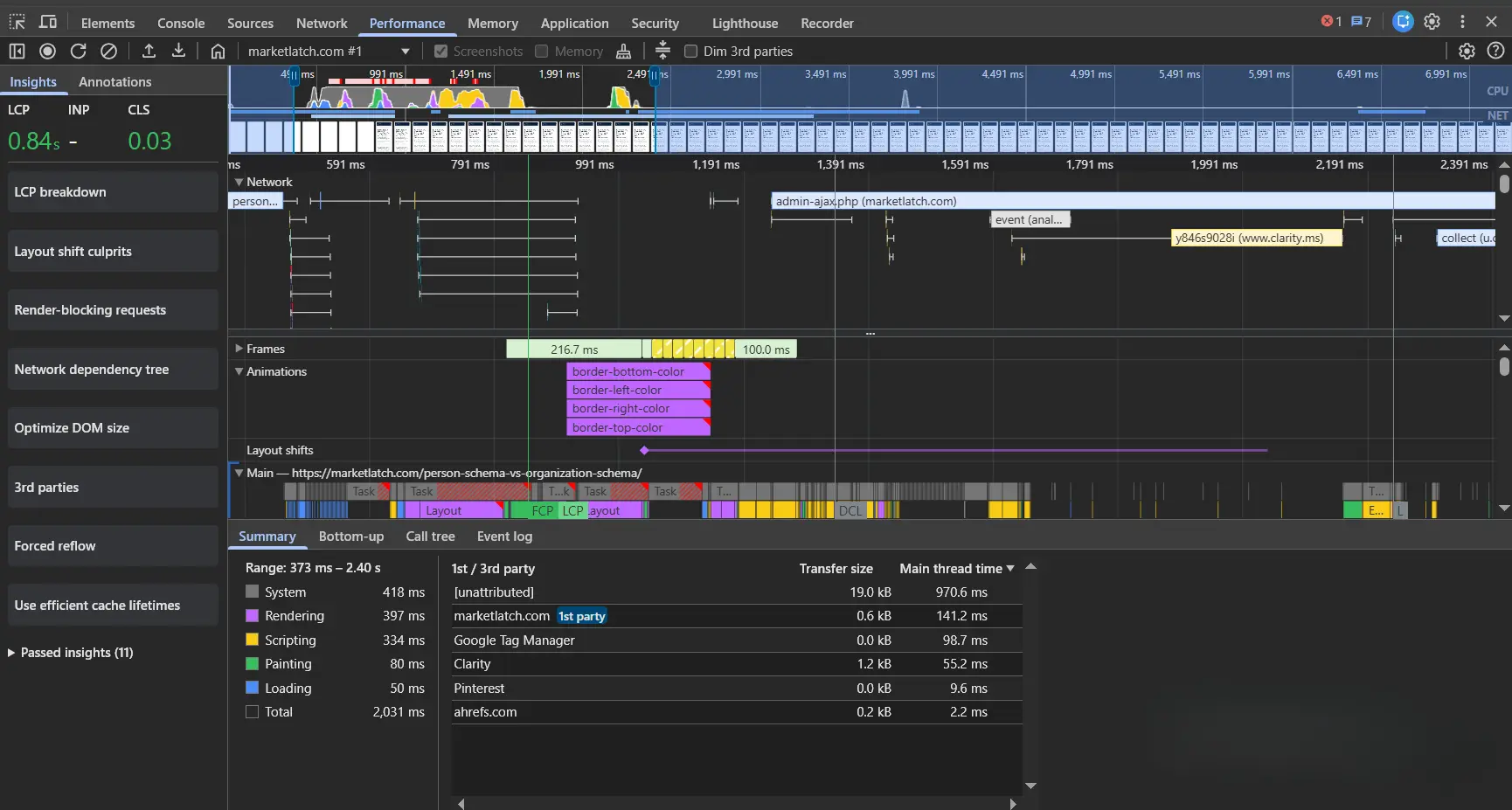
| MarketLatch performance observation: In a MarketLatch performance investigation, controlled testing showed why blaming a single WordPress component can be misleading. Different test conditions and targeted changes produced different performance results, so the investigation focused on resource timing and controlled changes rather than assuming that a particular plugin or page-builder feature was automatically the cause. |
Layer 7 — Structured Understanding & Verification
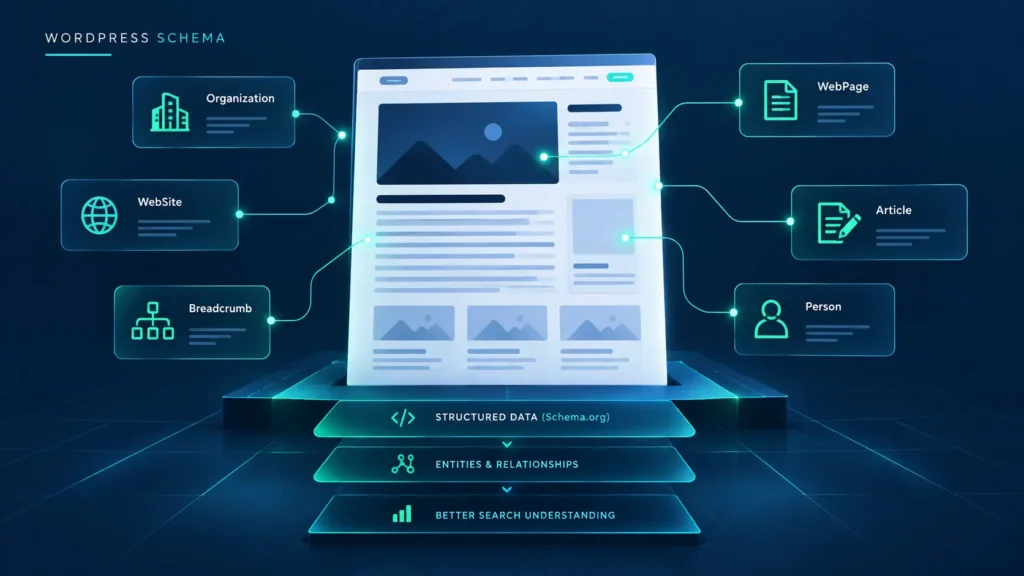
Structured data helps Google understand eligible content and can make pages eligible for supported search features. Valid structured data does not guarantee that Google will display a rich result. Google’s Article structured-data guidance
For WordPress-specific schema guidance, see Schema Markup for WordPress: What to Add and What to Skip and How to Fix Structured Data Errors in Google Search Console.
- Inspect the live page and rendered output.
- Check structured data against the visible content.
- Use the Rich Results Test where relevant.
- Use URL Inspection to see how Google processes the page.
- Review Search Console reports for indexing and search appearance issues.
- Re-test after meaningful changes instead of assuming the first fix worked.
What Your SEO Plugin Can—and Cannot—Fix
SEO plugins are useful control layers, but they should not be mistaken for complete technical diagnosis.
- Your SEO plugin can tell you that a canonical exists. It cannot necessarily explain why your site keeps generating duplicate URL patterns.
- It can generate a sitemap. It cannot determine whether your information architecture makes the right pages discoverable.
- It can expose index controls. It does not replace server-, network-, rendering-, or infrastructure-level diagnosis.
- It can add structured data. It cannot make inaccurate structured data accurate.
- It can help with metadata. It cannot substitute for analysis of hosting, rendering, performance, or site architecture.
Rank Math is especially useful for titles, meta descriptions, robots controls, schema settings, sitemaps, and other configuration tasks. Its documentation also shows that robots meta and other controls can be managed at the post level. Rank Math’s Titles & Meta documentation
But the plugin is still one layer in the system. When the symptom crosses a boundary into hosting, HTML generation, JavaScript rendering, or delivery, the diagnosis has to cross that boundary too.
In What Order Should You Fix WordPress Technical SEO Problems?
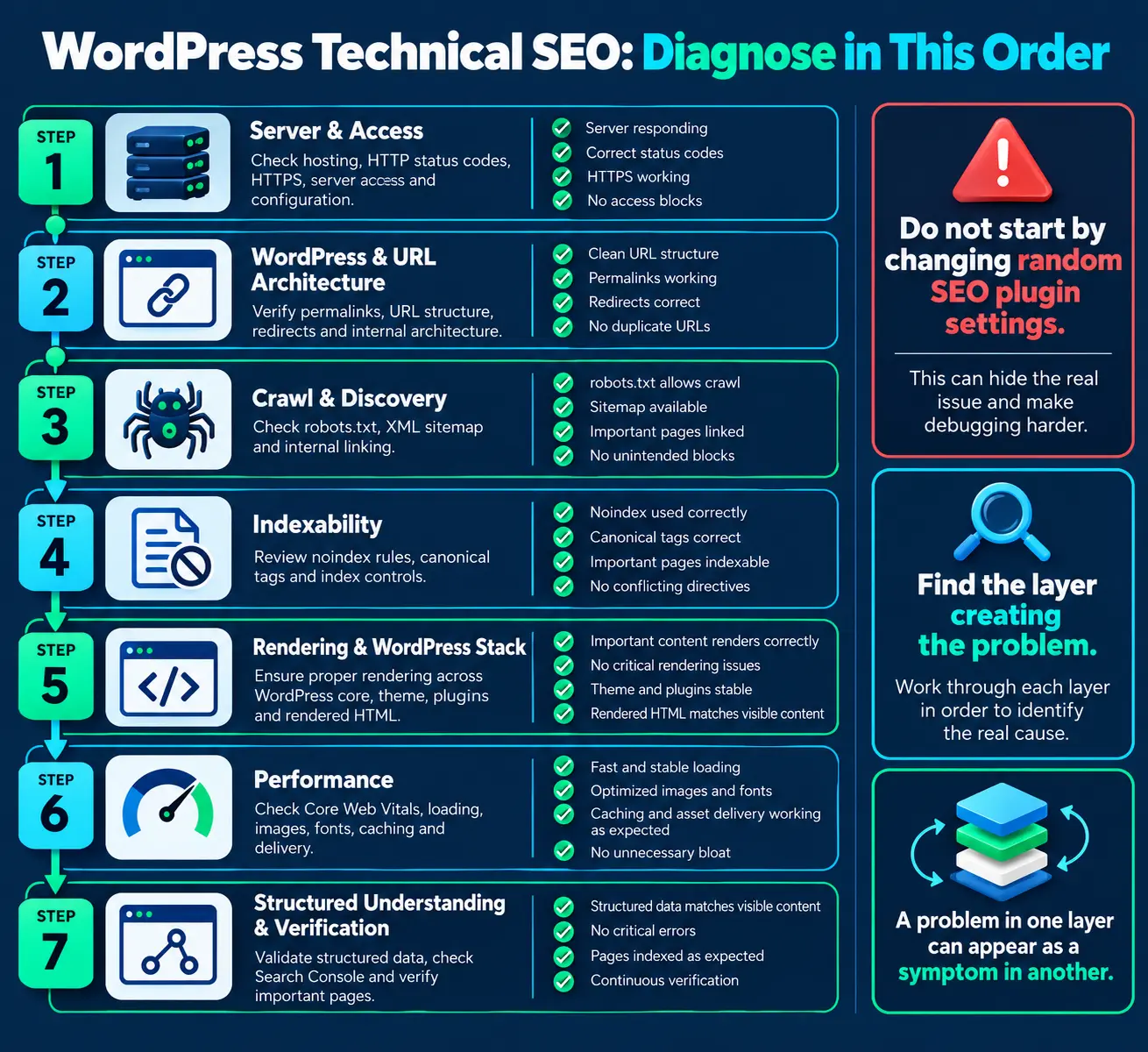
- Start with Server & Access — confirm the URL responds, HTTPS works, and no server-level block or failure is present.
- Check WordPress & URL Architecture — inspect permalinks, redirects, URL variants, and internal structure.
- Check Crawl & Discovery — verify robots.txt, sitemap availability, and internal discovery paths.
- Check Indexability — inspect noindex, canonical, duplicate patterns, and other indexing controls.
- Check Rendering & WordPress Stack — inspect rendered HTML and the interaction between core, theme, plugins, and page builders.
- Check Performance — identify the actual resource or delivery bottleneck rather than installing another optimization plugin by default.
- Check Structured Understanding & Verification — confirm structured data matches visible content and verify the processed page with appropriate validation tools.
WordPress Technical SEO Diagnostic Table
| If you observe… | Start investigating… | Don’t assume… | Evidence to collect |
| Server errors or failed requests | Server & Access | An SEO plugin caused it | HTTP status, response headers, server/CDN logs, repeated failure pattern |
| Unexpected URL variants | URL Architecture | The canonical tag is the root cause | URL list, redirects, canonical, internal links, generated variants |
| An important page isn’t being discovered | Crawl & Discovery | The page is automatically non-indexable | robots.txt, sitemap, internal links, URL Inspection/discovery evidence |
| Unexpected indexing exclusion | Indexability | Adding it to the sitemap will fix it | noindex/robots meta, canonical, duplicate signals, Search Console inspection |
| Important content is missing from rendered output | Rendering | JavaScript is inherently bad for SEO | Source HTML vs rendered DOM, failed scripts/resources, browser inspection |
| Slow or unstable page delivery | Performance | Installing another cache plugin will fix it | waterfall/resource timing, Core Web Vitals, server/delivery timing |
| Structured-data problems | Structured Understanding & Verification | Valid markup guarantees a rich result | Rendered JSON-LD, Rich Results Test, visible-content match, Search Console |
A Diagnostic Example: Symptom → Evidence → Layer → Verification
Suppose an important page is accessible to visitors, but a key section is missing from the content Google appears to process. Do not begin by changing Rank Math settings. First, compare the source HTML with the rendered DOM, check whether the missing content depends on JavaScript or failed resources, and inspect the page in Search Console. If the evidence points to rendering, investigate the theme, page builder, plugin output, scripts, and resources involved. Make one controlled change, then verify the rendered output again. The point is not the specific fix; it is the sequence: symptom → evidence → responsible layer → controlled change → verification.
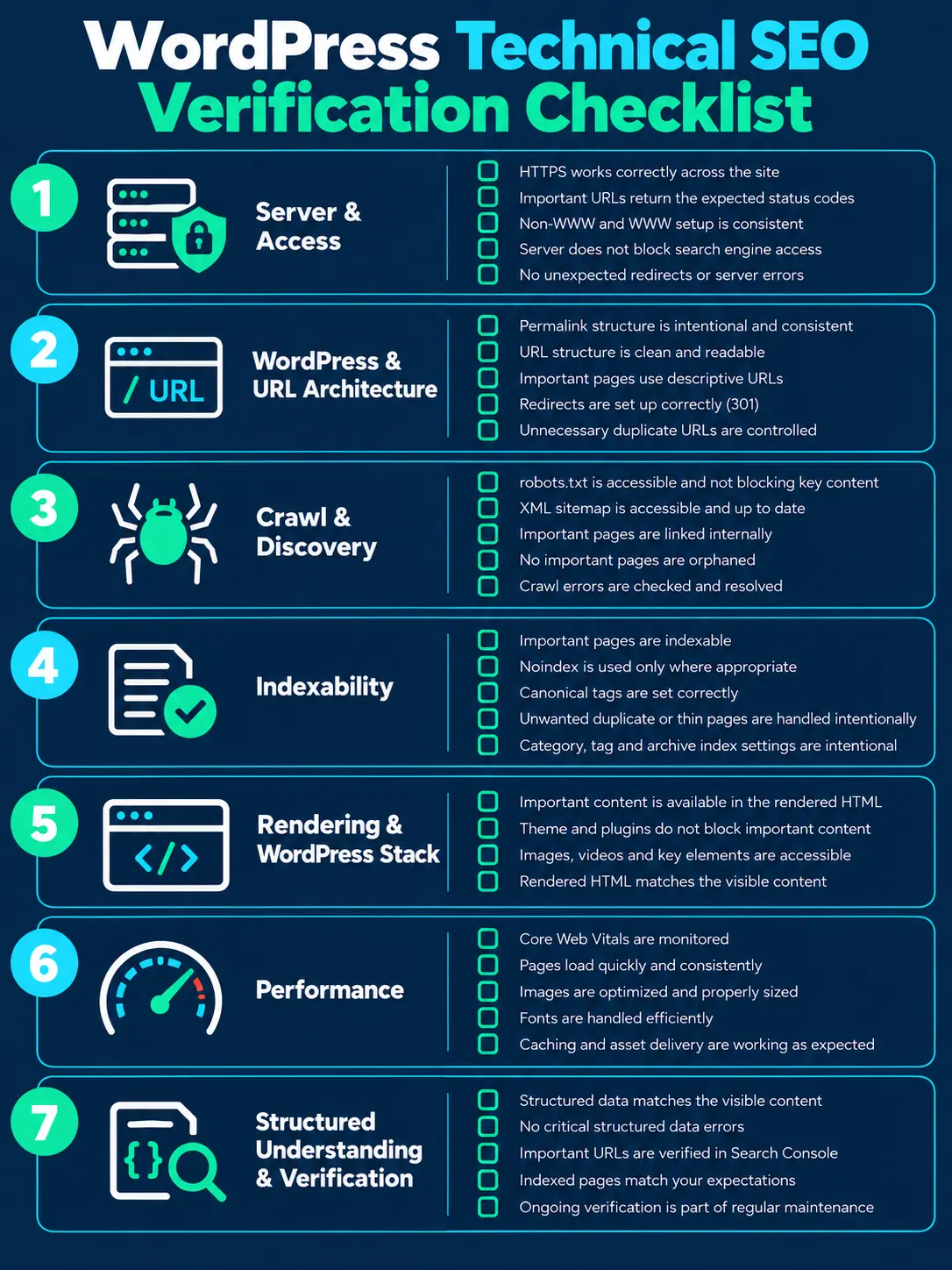
WordPress Technical SEO Verification Checklist
Use this checklist as a verification pass, not as a collection of ranking tricks. For a WordPress technical SEO review, the goal is to confirm that the system behaves as intended and that the important outputs can be verified.
Server & Access
- HTTPS works correctly across the site.
- Important URLs return the expected status codes.
- WWW/non-WWW or other host variants are intentionally configured.
- Server access does not unintentionally block search-engine crawlers.
- No unexpected redirects or server errors affect important URLs.
WordPress & URL Architecture
- Permalink structure is intentional and stable.
- Important pages use descriptive, durable URLs.
- Redirects are correct where URLs have changed.
- Unnecessary duplicate URL patterns are controlled.
Crawl, Discovery & Indexability
- robots.txt is accessible and does not unintentionally block important content.
- XML sitemap is accessible and contains the URLs you intend to submit.
- Important pages are linked internally.
- Important pages are not accidentally orphaned.
- Noindex and canonical directives are intentional and consistent.
Rendering & Performance
- Important content is available in rendered HTML.
- Theme, plugins, and page-builder output do not hide critical content.
- Images have appropriate dimensions and loading behavior.
- Core Web Vitals are monitored.
- Fonts, JavaScript, CSS, caching, and delivery are investigated when they create measurable bottlenecks.
Structured Understanding & Verification
- Structured data matches visible content.
- Schema validation has no critical errors for the intended implementation.
- Search Console inspection confirms the page can be processed.
- Canonical and robots directives match the intended indexation state.
- Changes are verified after implementation rather than assumed to be correct.
Common WordPress Technical SEO Mistakes
- Changing URLs without checking redirects and existing references.
- Fix generated problems at the system level when possible instead of editing every affected URL manually. If the same failure comes from a template or sitewide configuration, correct the source and then verify the affected URLs.
- Assuming that a sitemap guarantees indexing.
- Adding noindex or canonical changes before checking the current live output.
- Blaming JavaScript, Elementor, or a plugin without controlled testing.
- Installing multiple optimization plugins that overlap in caching, minification, schema, or redirects.
- Fixing every affected URL manually when the same generated problem exists in a template or sitewide system.
- Treating valid structured data as a guarantee of a rich result.
- Chasing a perfect SEO-plugin score instead of fixing the underlying site behavior.
How Search Console Fits Into the Process
Search Console is a verification and monitoring layer, not a single button that diagnoses “the SEO problem.” It provides reports and inspection data that help you investigate crawling, indexing, search appearance, and performance-related issues. For a WordPress technical SEO workflow, use it as evidence alongside the live page rather than as a substitute for site-level diagnosis.
Keep the broader policy context current: Google Search Essentials covers foundational Search requirements and spam policies; Google’s AI features guidance says there are no special technical requirements that replace normal Search eligibility and people-first SEO; and Google’s people-first guidance emphasizes useful content, first-hand expertise, originality, accuracy, and satisfying the reader. These are context for this article—not extra ranking tricks.
For an important URL, use URL Inspection to check accessibility, indexing status, canonical information, and Google’s processed view where available. For structured data, validate the implementation first, then use Search Console to monitor how Google processes it over time.Google Search Console documentation
A useful rule is simple: the live page is evidence of what the site is producing now; Search Console is evidence of what Google has processed. If the two appear different, record both states before changing the implementation.
Frequently Asked Questions
What is technical SEO for WordPress?
It is the technical work of making a WordPress site accessible, crawlable, discoverable, renderable, indexable, understandable, and efficiently delivered to users and search engines. It includes infrastructure, URLs, crawling, indexing, rendering, performance, and structured data.
Does WordPress need technical SEO?
WordPress provides many useful foundations, but individual sites can still develop URL, crawl, indexing, rendering, performance, plugin, theme, or server problems. The platform does not remove the need for technical verification.
What are the main parts of technical SEO?
For this guide, MarketLatch groups the work into seven diagnostic layers: Server & Access; WordPress & URL Architecture; Crawl & Discovery; Indexability; Rendering & WordPress Stack; Performance; and Structured Understanding & Verification.
What is the difference between crawlability and indexability?
Crawlability concerns whether search engines can access a resource. Indexability concerns whether a page can be considered for inclusion in the index after processing. A page can be crawlable but intentionally noindexed, or discoverable but inaccessible to the crawler.
Can Rank Math fix technical SEO?
Rank Math can control many important SEO settings, including metadata, robots controls, sitemaps, schema configuration, and other on-page signals. It does not replace diagnosis of hosting, server responses, rendering, page-builder output, network delivery, or site architecture.
Does site speed count as technical SEO?
Performance is part of technical SEO because loading, responsiveness, and visual stability affect user experience, and Core Web Vitals are used by Google’s ranking systems. But performance alone does not determine rankings.
Does an XML sitemap guarantee indexing?
No. A sitemap helps search engines discover URLs and can make crawling more efficient, but it does not guarantee crawling or indexing.
Does robots.txt prevent indexing?
No. robots.txt primarily controls crawling access. Google can still know about a blocked URL through other signals. If the goal is to prevent indexing, use an appropriate indexing control such as noindex while allowing the crawler to access the page when required.
Can a technically optimized WordPress site still fail to rank?
Yes. Technical accessibility and processing are only part of search performance. Relevance, content quality, intent match, competition, authority, and other search-system signals also matter.
What should I fix first in WordPress technical SEO?
Start at the lowest relevant dependency: server access, then URL architecture, crawl and discovery, indexability, rendering, performance, and finally structured understanding and verification. The exact sequence can change when the evidence clearly points to a different root cause.
A Practical WordPress Technical SEO Workflow
- Define the symptom precisely. Replace ‘SEO is broken’ with something observable such as ‘important URL returns 5xx,’ ‘Google selected another canonical,’ or ‘content is missing from rendered output.’
- For a WordPress technical SEO investigation, identify the lowest layer that could plausibly produce the symptom before changing a setting.
- Collect evidence before changing settings.
- Change one relevant component at a time when practical so you can observe the effect.
- Verify the live output after the change.
- Use Search Console and other appropriate validation tools to check what search engines can process.
- Document the cause and correction so the same failure is not diagnosed from scratch later.
Final Takeaway
WordPress technical SEO is easier to troubleshoot when you stop treating it as a pile of settings and start treating it as a connected system.
The seven-layer MarketLatch framework gives you a practical way to locate the problem: Server & Access → WordPress & URL Architecture → Crawl & Discovery → Indexability → Rendering & WordPress Stack → Performance → Structured Understanding & Verification.
The important part is not memorizing the seven names. It is learning to ask the right diagnostic question before making the next change. If the symptom is a server failure, investigate the server. If it is a discovery problem, investigate crawl paths and internal architecture. If it is an indexing problem, inspect directives and canonicalization. If it is a performance problem, measure the delivery path. If it is structured data, inspect what the page actually outputs.
That approach produces a cleaner technical SEO process—and usually a clearer explanation of why a WordPress site is behaving the way it is.
Continue the WordPress Technical SEO System
Once the infrastructure is understood, the next step is implementation. The MarketLatch cluster will expand this pillar with focused guides on individual systems rather than repeating the same broad checklist.
Use the AI SEO Implementation Checklist 2026 when you want a structured implementation workflow.
For site-level support, see MarketLatch SEO Services.
For additional resources, visit the MarketLatch Library.
About the author

Nadeem Alam is the founder of MarketLatch, a digital marketing agency serving clients across the USA, UK, Canada, Australia, the UAE, and Pakistan. He is a digital growth strategist and WordPress specialist with about five years of experience in SEO and digital marketing, with hands-on experience in technical SEO, on-page SEO, structured data, WordPress, WooCommerce, Elementor, Generative Engine Optimization, Answer Engine Optimization, Google Ads, and Meta Ads.
He approaches WordPress SEO through implementation and verification: inspect what the site actually outputs, identify which system produced it, test targeted changes, and verify the result rather than assuming that a plugin setting explains the whole problem.
Nadeem is also the author of the Generative Engine Optimization Book, the AEO Masterclass Guide and the AI SEO Implementation Checklist 2026. His training and certifications include Google Digital Garage, Semrush Academy, Coursera, uConnect and Virtual University (DigiSkills).