Perplexitybot user agent robots.txt settings help site owners decide whether Perplexity’s search-discovery crawler may request public pages. Use targeted Allow or Disallow rules to express your crawl policy, then verify the live robots.txt response and source-IP evidence separately. These rules do not secure private content or guarantee citations.
If you want public pages to remain discoverable, allow the crawler where appropriate. If you need to exclude selected paths, add a narrowly scoped rule. If you need to protect confidential content, use authentication and server-side access controls rather than relying on robots.txt.
For the broader strategy behind earning visibility in AI-generated answers, read our guide to ChatGPT SEO: 7 Drivers That Get You Cited.
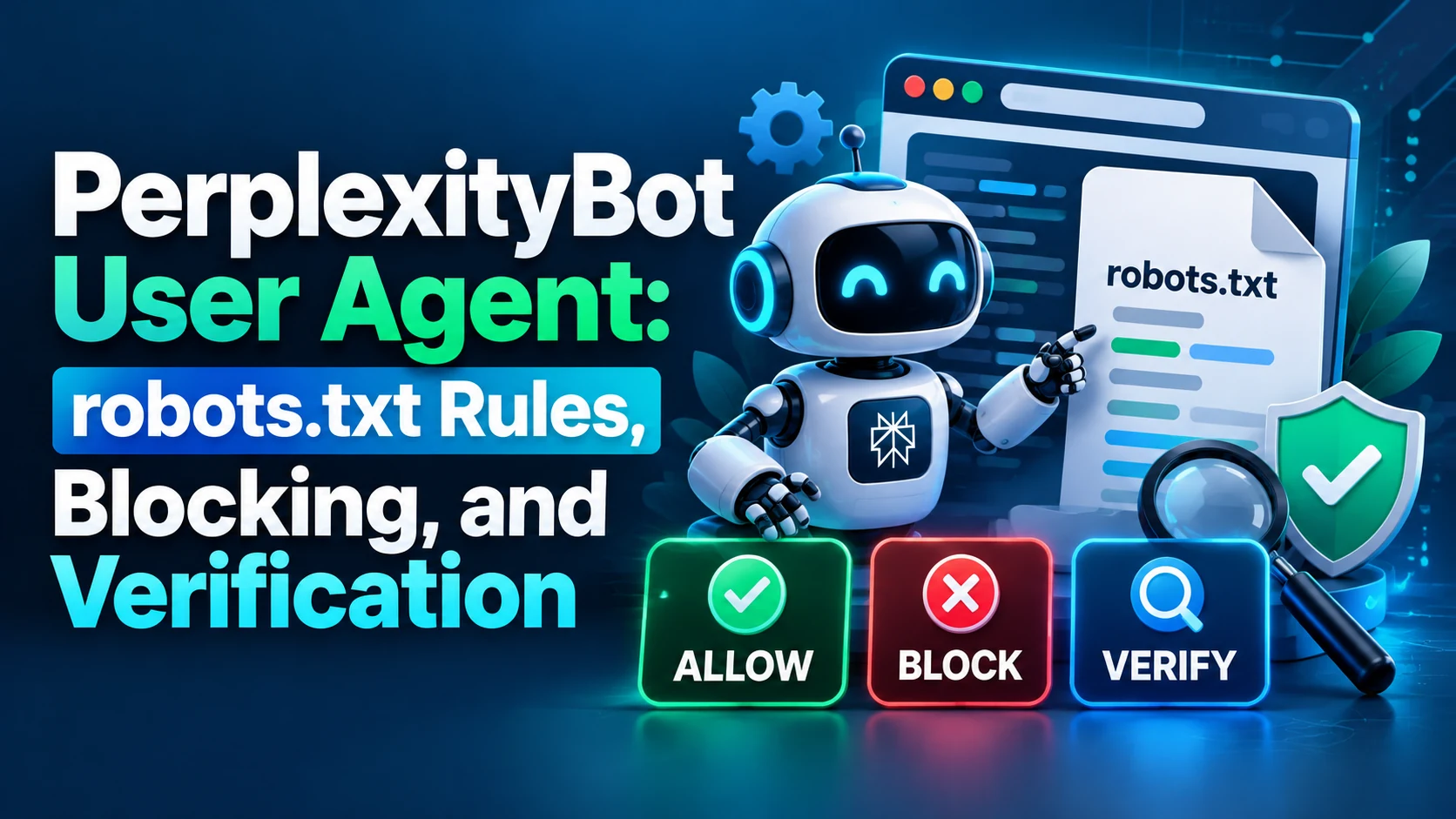
PerplexityBot User Agent robots.txt: What Does It Mean?
Perplexity describes PerplexityBot as a crawler that helps surface and link websites in Perplexity search results. Its published user-agent string is:
Mozilla/5.0 AppleWebKit/537.36 (KHTML, like Gecko; compatible; PerplexityBot/1.0; +https://perplexity.ai/perplexitybot)
In robots.txt, use the crawler token PerplexityBot, not the full browser-style string. For the current description of its purpose and behavior, consult Perplexity’s official crawler documentation.
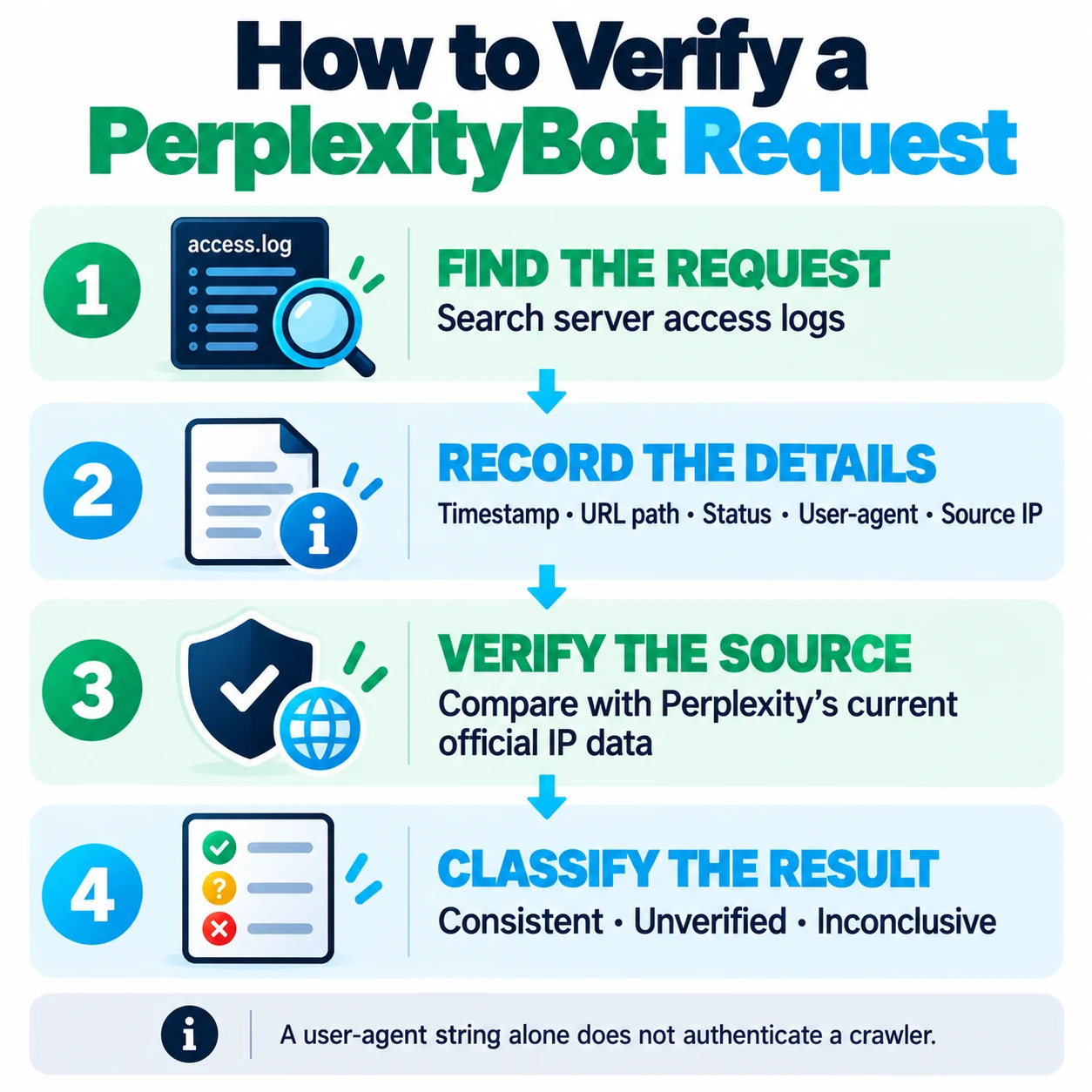
A user-agent header is not proof of identity by itself because clients can imitate it. When request authenticity matters, compare the client IP recorded by a trusted server or edge infrastructure with Perplexity’s current published PerplexityBot IP feed. Be careful to use the real client address, not an untrusted forwarded header.
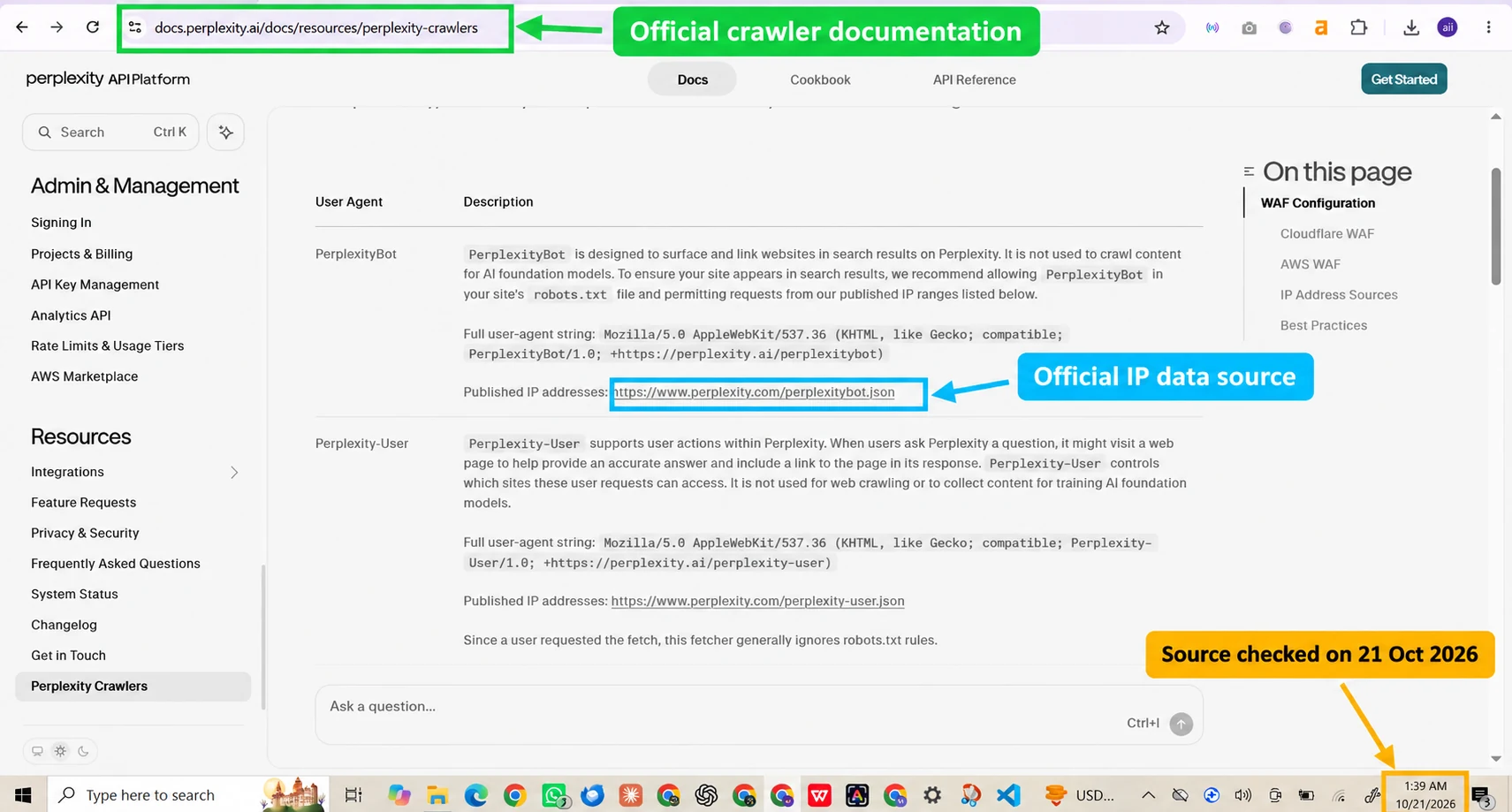
PerplexityBot vs. Perplexity-User
| Agent | Stated purpose | robots.txt behavior | Verification |
| PerplexityBot | Helps surface and link websites in Perplexity search | Perplexity publishes crawler access guidance | Check the relevant directives and source IP |
| Perplexity-User | Supports user-triggered fetching for a question | Perplexity says it generally ignores robots.txt for these fetches | Check the separate Perplexity-User IP feed and relevant server evidence |
When checking the PerplexityBot user agent documentation robots.txt requirements, use Perplexity’s official crawler documentation and confirm the crawler token against the current published guidance.
The PerplexityBot robots.txt user agent documentation distinction matters because robots.txt rules use a crawler token, while request verification requires trustworthy server logs and current official IP data.
If you need to block PerplexityBot using its user agent and robots.txt, add a targeted Disallow rule to the correct crawler group, then verify the public robots.txt response and inspect subsequent requests.
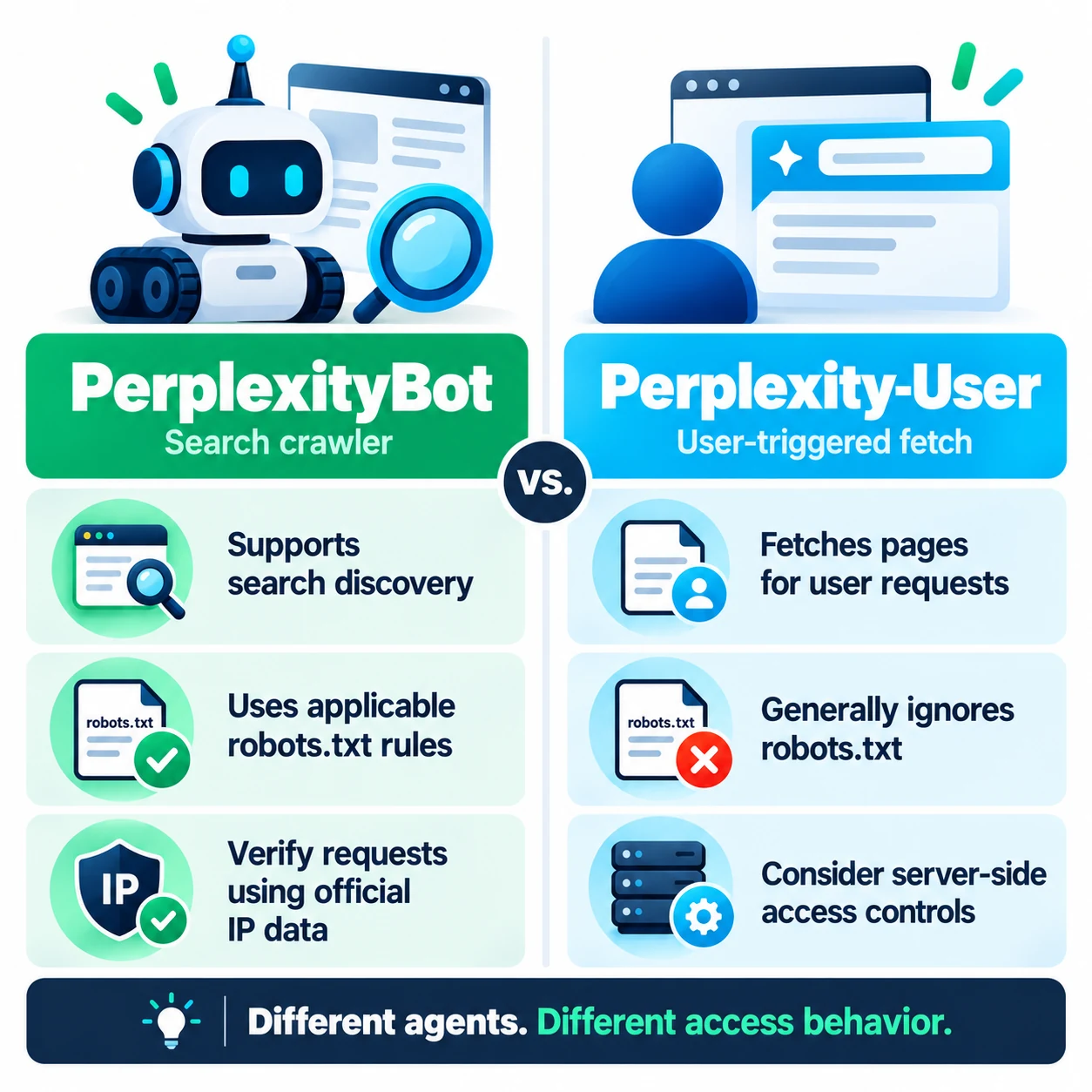
These agents should not be treated as interchangeable. Blocking PerplexityBot in robots.txt is not a dependable way to stop user-triggered fetches. If a resource must be private, enforce authentication and authorization regardless of which crawler or client requests it.
Should you allow, restrict, or block PerplexityBot?
| Your goal | Reasonable starting point | Important limitation |
| Support discovery of public articles and resources | Allow access, subject to your existing rules and security policy | Access does not guarantee inclusion, citation, or traffic |
| Exclude selected paths from this crawler | Add path-specific Disallow rules in the appropriate group | This is a crawler instruction, not a security boundary |
| Ask the crawler to avoid the site | Use Disallow: / in the PerplexityBot group | It does not block arbitrary clients or necessarily control Perplexity-User fetches |
| Protect customer, account, or confidential data | Use authentication, authorization, and server-side controls | Never rely on robots.txt for secrecy |
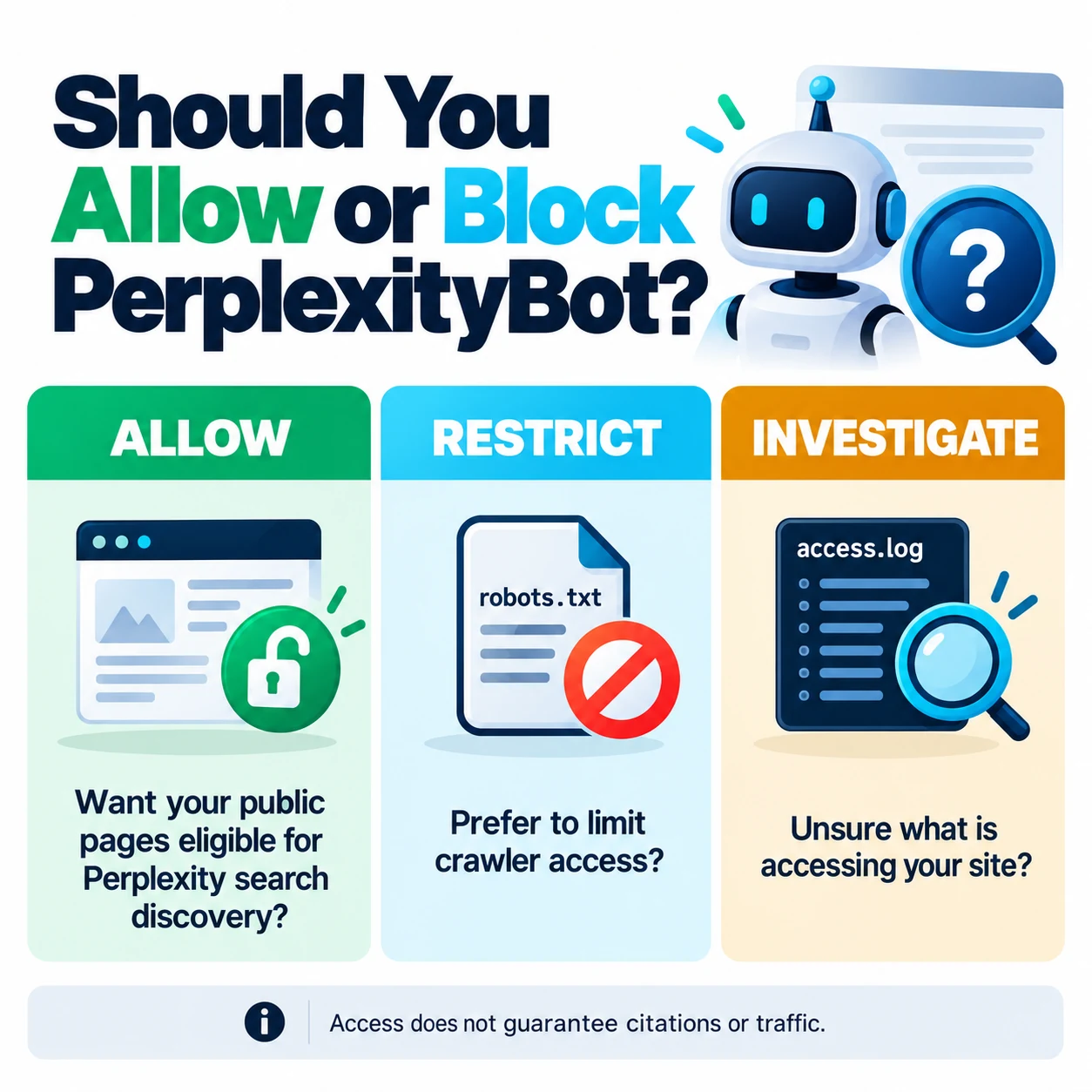
The right choice depends on the content and the outcome you want. A publisher may allow public editorial pages while restricting non-public or low-value paths. A business handling customer data must secure those resources independently of crawler preferences.
How to configure PerplexityBot in robots.txt
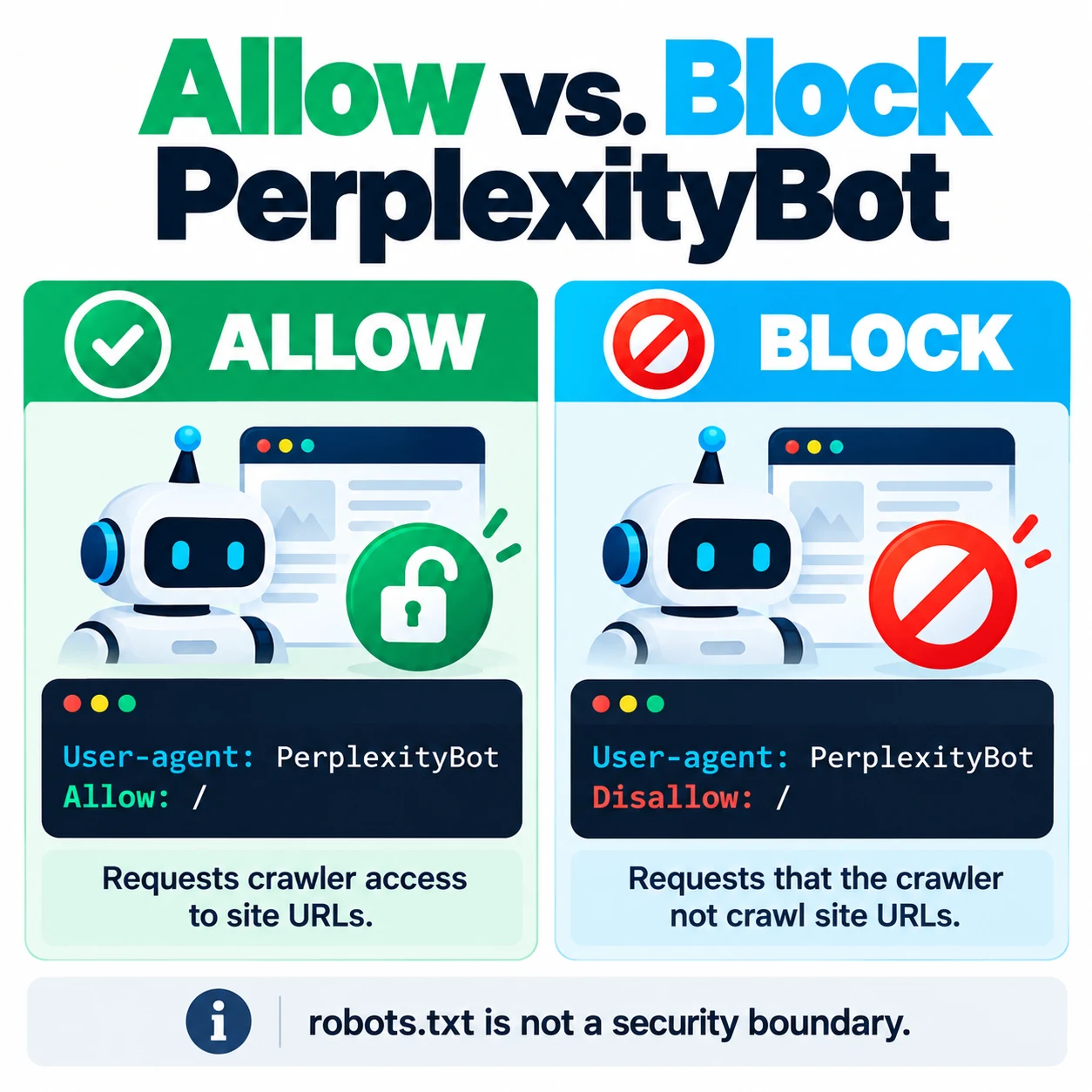
First, open https://yourdomain.com/robots.txt, replacing the example domain with your own. Review the entire public file before editing it. Preserve existing directives for other crawlers and confirm which file, plugin, or hosting configuration actually controls the public response. For the Perplexitybot user agent robots.txt configuration, add the directive to the correct crawler group and preserve your existing rules for other bots.
Allow PerplexityBot
User-agent: PerplexityBot
Allow: /
An explicit Allow: / is often unnecessary when no applicable disallow rule exists. Use it only after reviewing the rest of the file and understanding how the intended crawler interprets the group. A robots.txt allowance cannot override a firewall or server rule that denies the request.
Ask PerplexityBot not to crawl the site
User-agent: PerplexityBot
Disallow: /
This tells a compliant crawler not to crawl paths on the site. It is not an HTTP denial, an indexing-removal directive, or a security guarantee. If your goal is to prevent access, apply an appropriate server-side control as well.
Restrict selected paths
User-agent: PerplexityBot
Disallow: /members/
Disallow: /checkout/
These paths are examples, not a recommendation to expose confidential content. Do not assume that listing a path makes it private. For private pages, require authentication even if you also add crawler directives.
For the general protocol, consult the IETF Robots Exclusion Protocol (RFC 9309). Google documents its own parser behavior in its robots.txt specification guidance; do not automatically generalize every Google-specific edge case to Perplexity or other crawlers. Review Perplexity’s own documentation and the complete deployed file before relying on a rule interaction.
Make the change safely in WordPress
Back up the current rules, then edit the file using the method that actually controls the public response. Depending on the site, WordPress may serve a generated response while a hosting account also contains a physical file. Those versions may differ.
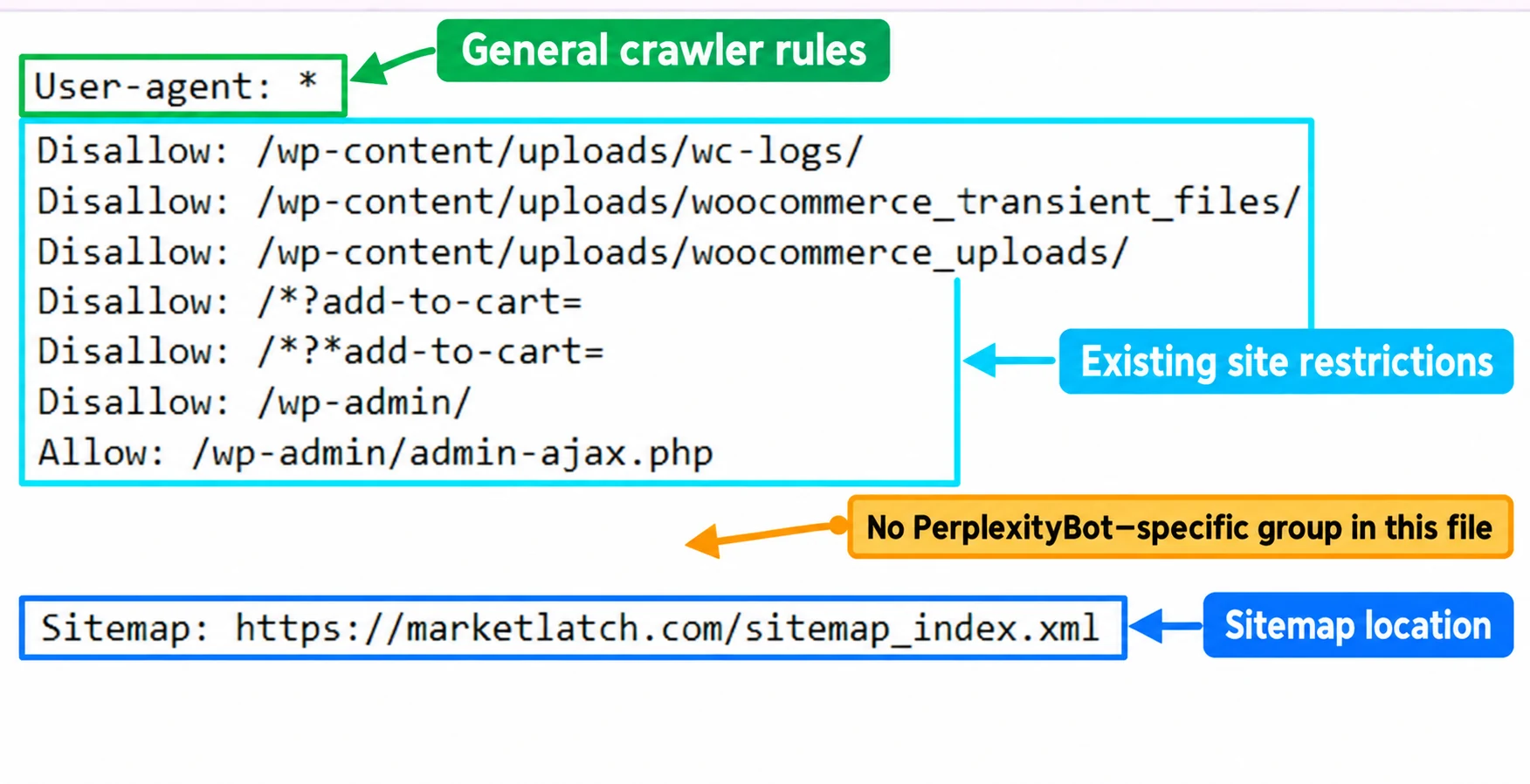
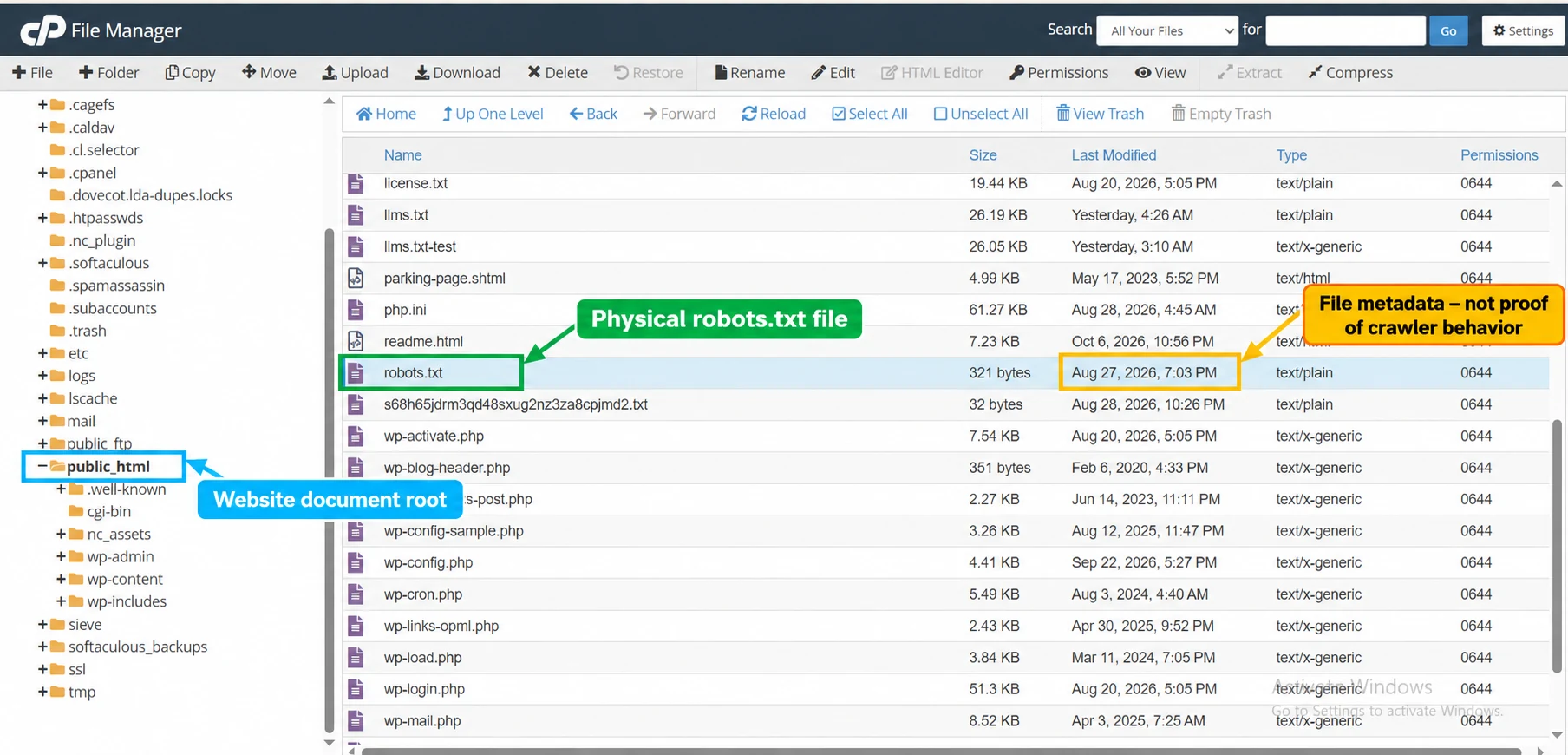
After saving, reopen the public /robots.txt URL and check the exact response. Confirm that unrelated crawler rules remain intact. If the live content does not match your changes, investigate caching, plugin behavior, hosting configuration, or a security layer before making further edits. For broader file-management steps, see the MarketLatch guide to WordPress robots.txt configuration.
Figure: The MarketLatch screenshots illustrate the hosting file location and an existing robots.txt configuration. A file shown in a hosting panel does not, by itself, prove what the public endpoint serves.
How to verify PerplexityBot requests
A reliable check separates three questions: what rules the public site serves, what request reached the server, and what evidence supports the claimed client identity. Use this sequence:
- Inspect the public robots.txt response. Check the PerplexityBot group, the path in question, and the surrounding directives. Do not rely only on a file saved in the hosting panel.
- Review trusted request logs. Record the timestamp, requested path, user-agent header, HTTP status, and client IP as established by trusted server or edge infrastructure. Understand your proxy setup before trusting forwarded-IP headers.
- Compare the source IP with the correct official feed. Use the PerplexityBot feed for PerplexityBot and the separate Perplexity-User feed for Perplexity-User. A matching user-agent label alone does not authenticate a request.
- Check security events. If a request returns 403, inspect hosting, application, rate-limit, and WAF events. The status code shows that access was refused, but does not identify the exact layer or cause on its own.
- Recheck after changes. Perplexity’s documentation says changes to its crawler settings may take up to 24 hours to reflect. That statement should not be treated as a guarantee about every hosting, cache, or WAF change. Verify the public file immediately and interpret later requests with the relevant system behavior in mind.
An HTTP 200 means the server returned a successful response for that request. It does not prove that the crawler followed the rules, that the page was indexed, or that Perplexity cited it. Treat each as a separate question requiring separate evidence.
MarketLatch log example: what the evidence shows
During my review of MarketLatch server records on October 20, 2026, I identified three requests: one for an article path, one for robots.txt, and one for an image resource. Each returned HTTP 200. I also checked the source IPs against Perplexity’s official published IP data. This is a first-party observation from MarketLatch, not a controlled experiment. The verification statement describes the site owner’s review of the source addresses; it is not an independent forensic audit.
| Evidence observed | Defensible interpretation | What it does not prove |
| The request presented a PerplexityBot user-agent label | The client claimed that identity in its request | A user-agent label alone does not authenticate the client |
| The source IP matched the official feed checked during the review | Stronger evidence that the request came from Perplexity’s published crawler infrastructure | That the request caused a later visibility outcome |
| Each response returned HTTP 200 | The requested resource was returned successfully | That the crawler followed robots.txt, or that a page was indexed or cited |
| robots.txt was requested | The client fetched the file | That it necessarily obeyed every rule |
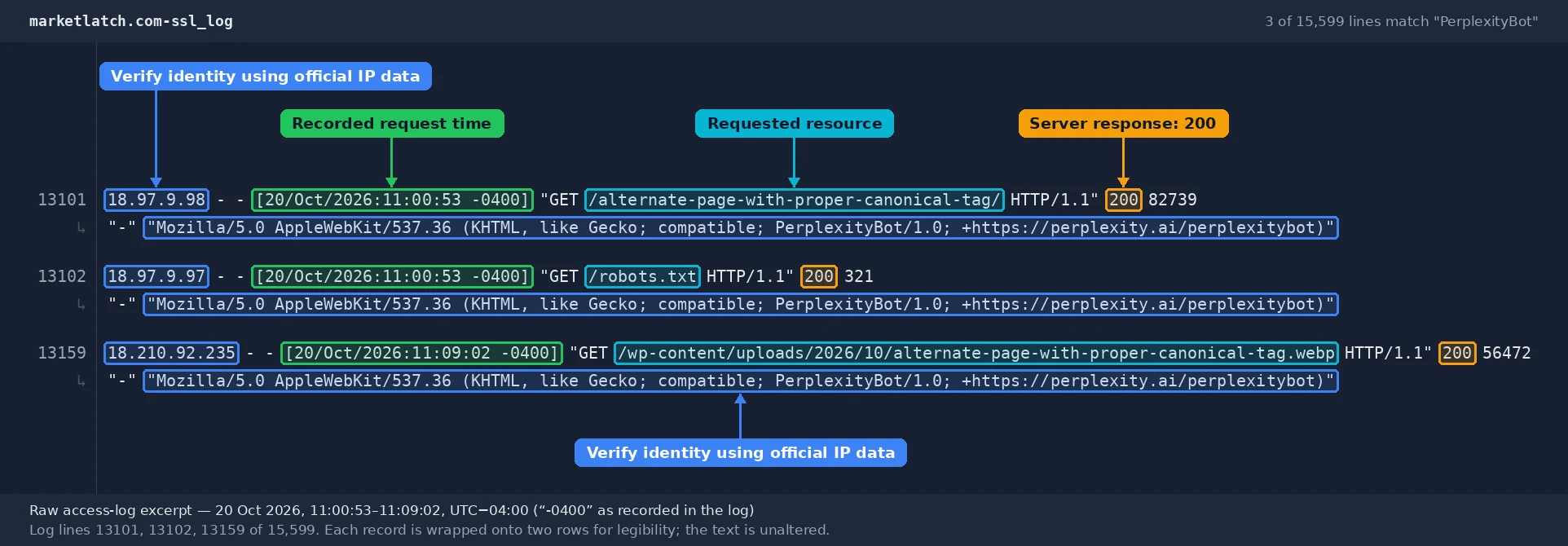
The log sample is useful because it connects a real site observation with an explicit verification method. It does not establish that these requests generated a citation, referral visit, ranking improvement, or long-term change in crawling. Keep those outcomes separate unless independent evidence supports them.
Troubleshooting common PerplexityBot problems
| Symptom | What to check next |
| The file allows PerplexityBot, but requests return 403 | Review WAF, server, plugin, and application security events; robots.txt does not grant access through those controls |
| You edited robots.txt, but the public response is unchanged | Check whether the physical file, WordPress output, plugin, cache, or hosting layer controls the response |
| Logs show PerplexityBot, but identity is uncertain | Compare the client IP from trusted infrastructure with the current official IP feed |
| The request returns 200 after a disallow rule was added | Verify the live file and request path; HTTP success alone does not prove compliance or non-compliance |
| Perplexity-User requests continue after blocking PerplexityBot | These are distinct agents; Perplexity says Perplexity-User generally ignores robots.txt for user-triggered fetches |
| Public content is still not cited | Do not assume crawler access guarantees a citation; this article’s access checks cannot diagnose all visibility factors |
When troubleshooting, change one thing at a time and record the before-and-after state. Avoid broad wildcard or site-wide changes until you understand which component is producing the response.
What robots.txt can and cannot do
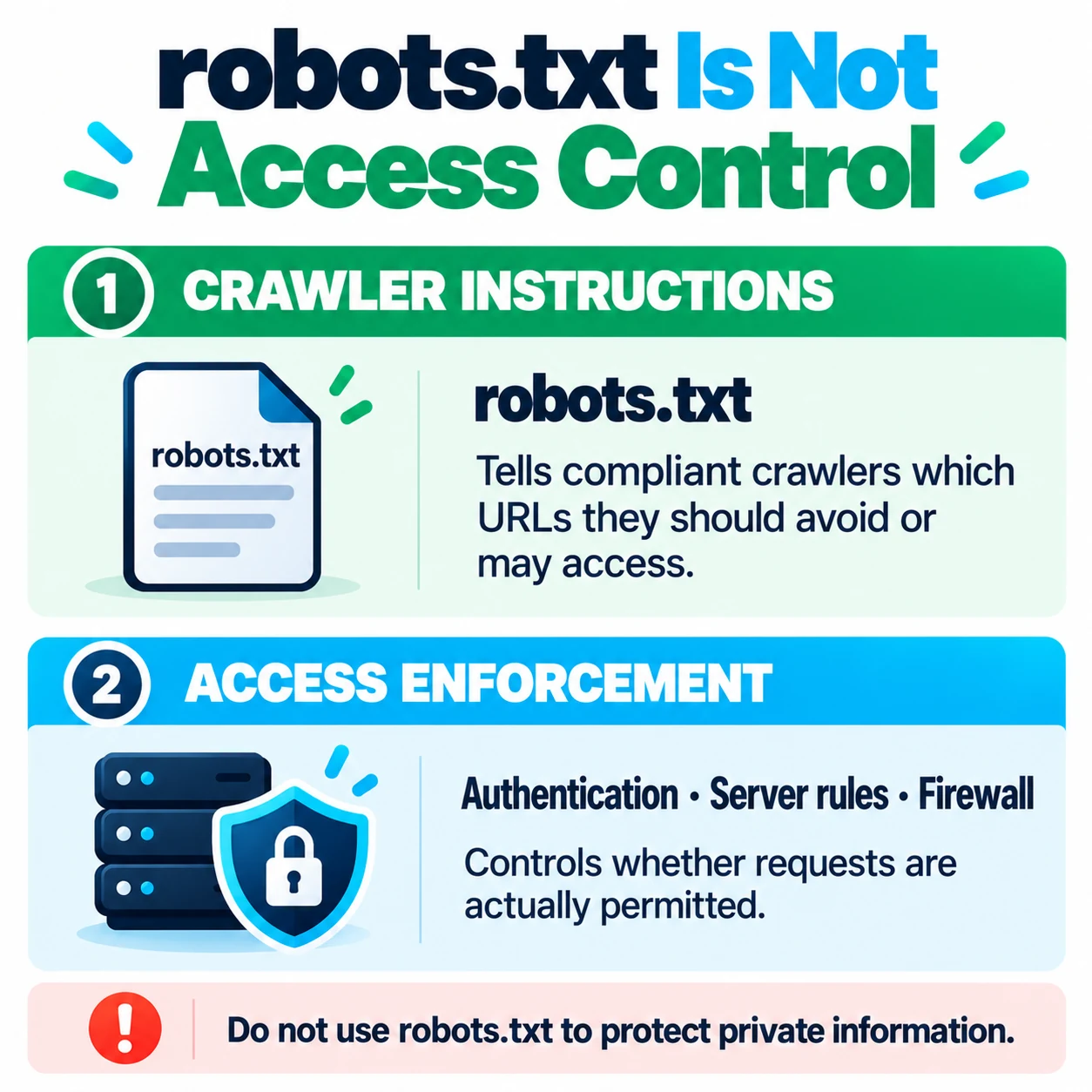
robots.txt is a public text file that communicates crawl instructions to crawlers that choose to follow them. It is not a password, authorization layer, or reliable way to hide confidential information. Google explains that a disallowed URL may still be discovered or shown in its search results, and that robots.txt is not a mechanism for keeping a page out of Google Search. Read Google’s robots.txt introduction for that Google-specific guidance.
For Google to read a page-level noindex directive, the page generally needs to remain crawlable. If information must not be available to unauthenticated visitors, protect it with authentication and authorization. Do not assume that Google’s indexing behavior or parser rules apply identically to Perplexity.
A practical example: public articles and protected paths
Imagine a small business site with public educational articles, a customer dashboard, and checkout pages. The owner wants the public articles to remain discoverable while protecting customer information.
- Protect the dashboard and customer data with authentication and authorization.
- Decide which public paths PerplexityBot may crawl.
- Add only the necessary crawler directives, preserving existing rules.
- Recheck the public robots.txt response after editing.
- Review trusted logs and WAF events if requests are denied.
- Compare the client IP with the current official feed when request authenticity matters.
This is an implementation pattern, not a report of a MarketLatch security test. The central rule is simple: crawler directives can express a crawl preference, but they cannot make an exposed customer URL private.
Frequently asked questions
What token should I use for PerplexityBot in robots.txt?
Use User-agent: PerplexityBot. The token identifies the crawler group whose directives you want to configure; use the full user-agent string only when you need to inspect the request header.
How do I block PerplexityBot in robots.txt?
Use a PerplexityBot group with Disallow: / to ask a compliant crawler not to crawl the site. This is a crawler instruction, not guaranteed HTTP enforcement.
Does allowing PerplexityBot guarantee a citation?
No. Allowing access does not guarantee search inclusion, citations, rankings, or referral traffic.
Can robots.txt block Perplexity-User?
Perplexity says Perplexity-User generally ignores robots.txt when fetching pages for user requests. Use server-side access controls when access must be restricted.
How can I verify a PerplexityBot request?
Check the request in trusted logs and compare the client IP with Perplexity’s current official IP feed. Do not rely on the user-agent string alone.
Why did I receive HTTP 200 after adding a disallow rule?
HTTP 200 means the server returned the requested resource successfully. It does not establish whether the crawler followed the rule. Check the live robots.txt file, request path, identity evidence, and relevant security events separately.
Conclusion
Choose a PerplexityBot policy based on the pages you want to expose, preserve your existing robots.txt rules, and verify the public response after every change. Use official IP data and trusted logs when request identity matters. Keep crawler instructions separate from real access control—and do not treat a successful HTTP response as proof of indexing, citations, or rankings.
For broader WordPress file-management steps, use the MarketLatch WordPress robots.txt guide. This article remains focused on Perplexity-specific access decisions and verification.
About the author

Nadeem Alam is the founder of MarketLatch and a digital growth strategist specializing in technical SEO, WordPress, WooCommerce, and AI search optimization. His work spans crawler accessibility, robots.txt configuration, structured data, Generative Engine Optimization (GEO), and Answer Engine Optimization (AEO).
His technical SEO approach is implementation-first and verification-driven: he examines live website configurations, checks crawler directives and request evidence, identifies the source of technical issues, and recommends targeted changes based on verifiable evidence—not plugin settings alone.
Nadeem authored the Generative Engine Optimization Book, AEO Masterclass Guide, and AI SEO Implementation Checklist 2026. His training and certifications include Google Digital Garage, Semrush Academy, Coursera, uConnect, and Virtual University (DigiSkills).
Primary sources and further reading
- Perplexity — Official crawler documentation: crawler purposes, user-agent strings, IP feeds, settings, and WAF guidance.
- PerplexityBot — Official IP feed: current published addresses for source verification.
- Perplexity-User — Official IP feed: separate feed for user-triggered fetches.
- IETF — Robots Exclusion Protocol (RFC 9309): protocol-level specification.
- Google Search Central — Introduction to robots.txt: Google guidance and limitations.
- Google — robots.txt specification interpretation: Google-specific parser behavior.