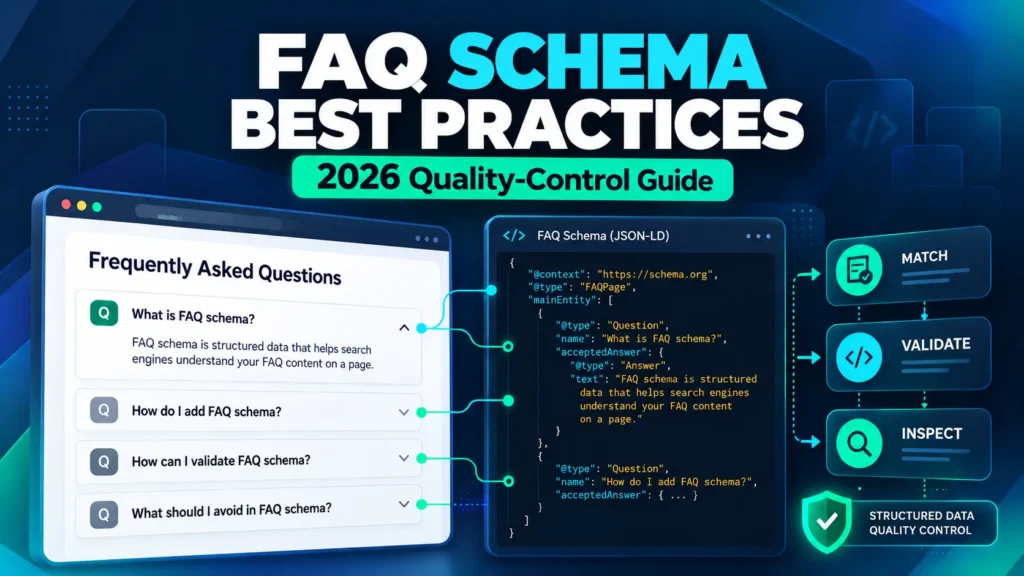
FAQ schema didn’t disappear in 2026. The Google FAQ rich result did.
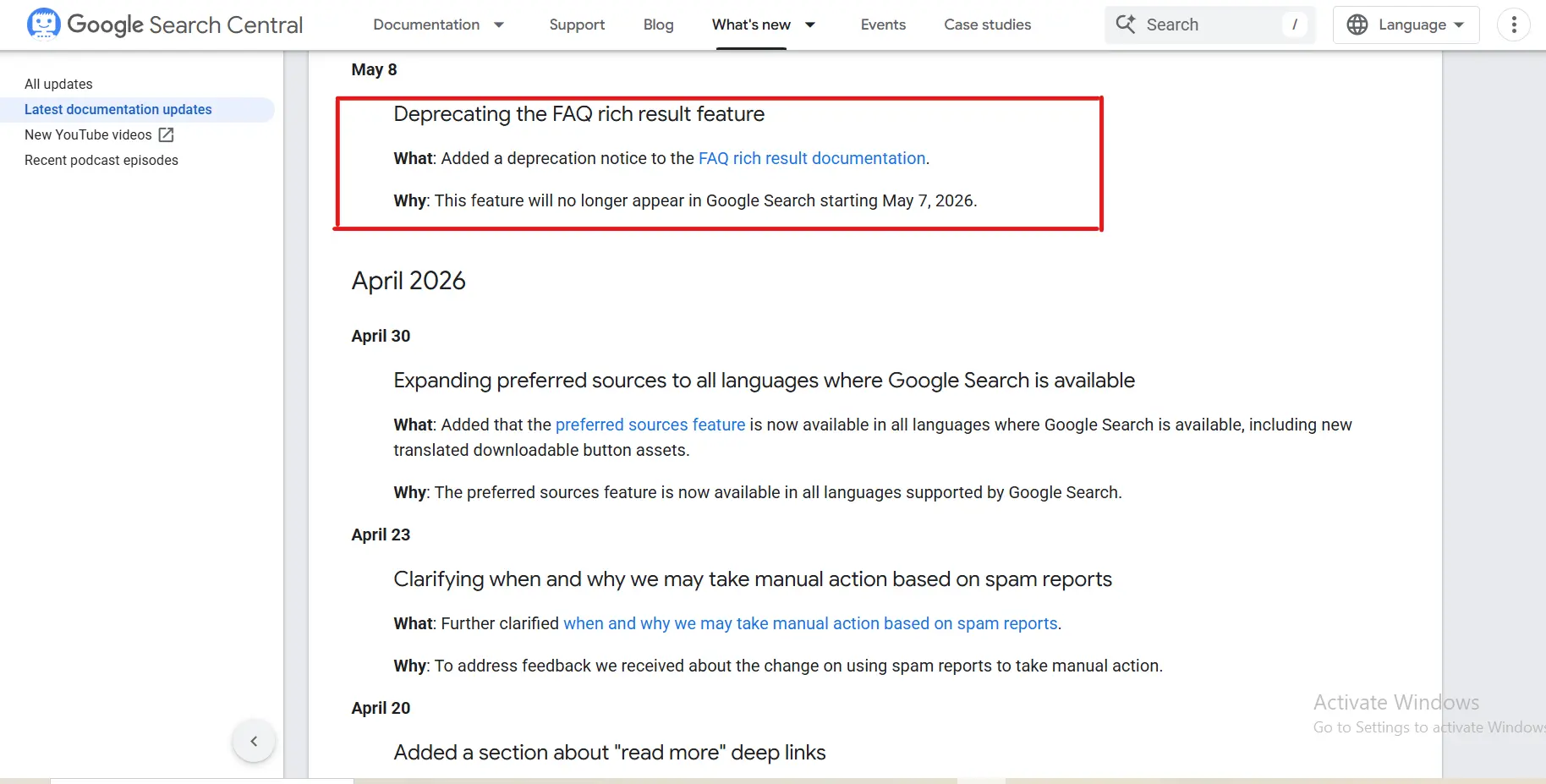
That distinction matters more than it first appears. Google says the FAQ rich-result feature stopped appearing in Google Search starting May 7, 2026. The related Search documentation was subsequently changed as Google retired that search feature. So if you are looking for an FAQ schema generator because you want the old expandable FAQ treatment in Google’s results, you are working from an outdated assumption.
Google documents the change in its Search documentation updates.
But FAQPage itself is not the same thing as Google’s former rich-result feature. Schema.org still defines FAQPage as a WebPage presenting one or more frequently asked questions. The practical job today is therefore more precise: create structured data that accurately describes real FAQ content, validate the markup, implement it cleanly, and understand what the markup does—and does not—promise.
In my WordPress SEO work, I have found that generating the JSON-LD is usually the easy part. The harder part is making sure the markup actually matches the content on the page, avoiding duplicate schema from different systems, and checking the implementation after it goes live. That is why I treat generation, validation, implementation, and final verification as separate steps.
What Is an FAQ Schema Generator?
An FAQ schema generator is a tool or workflow that turns a set of questions and answers into structured data—usually JSON-LD using Schema.org’s FAQPage, Question, and Answer vocabulary.
In practical terms, an FAQPage schema implementation is the machine-readable version of a real FAQ section on a page. The generator helps with the code; it doesn’t decide which questions deserve to be asked or whether the answers are genuinely useful.
Instead of hand-writing every bracket, quotation mark, comma, and nested property, you enter the FAQ content and let the generator construct the machine-readable representation. That can reduce syntax mistakes, but it does not remove the need for editorial or technical checks.
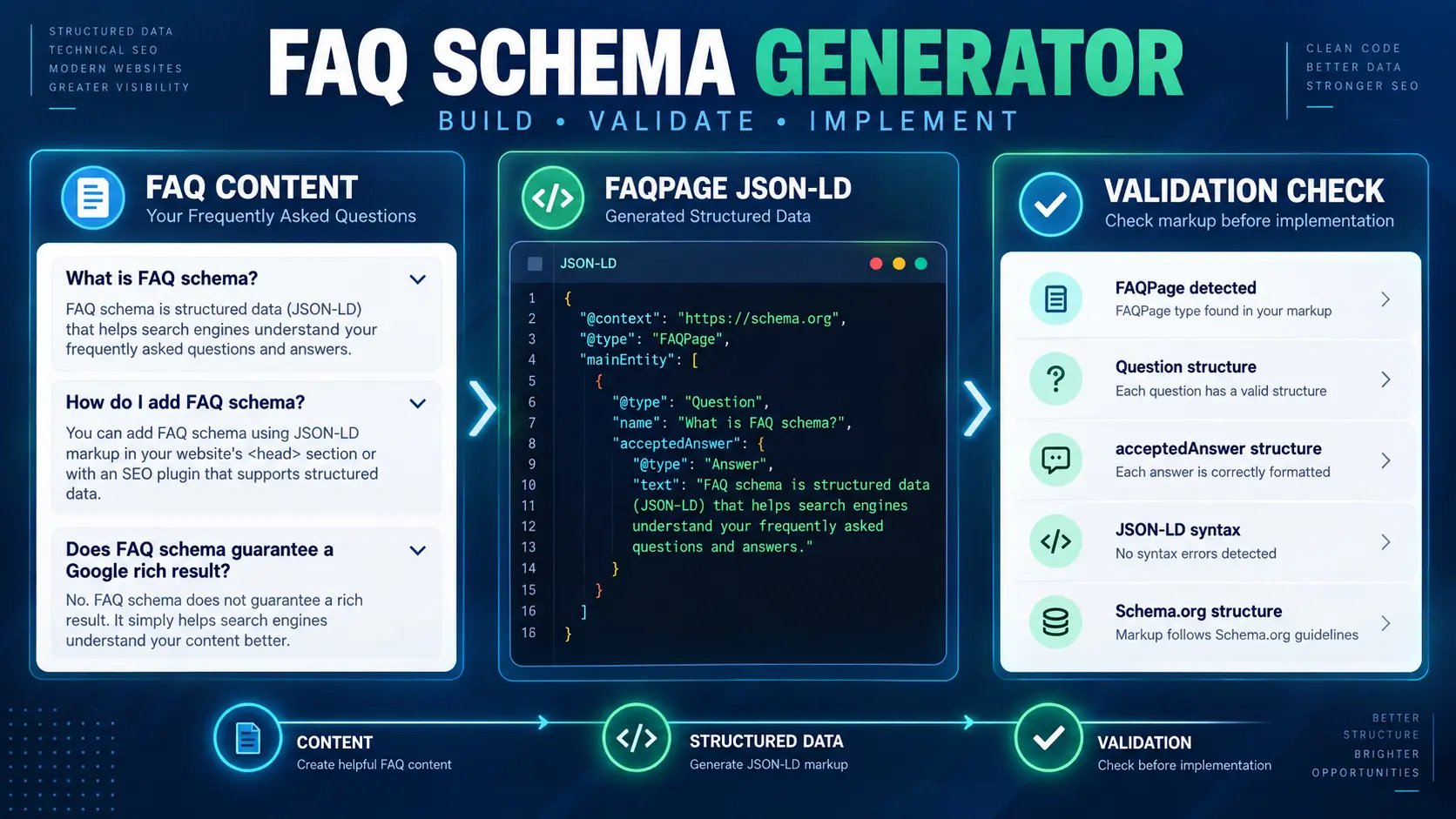
The simplest way to think about the workflow is:
- Write the FAQ content users actually need.
- Generate FAQPage JSON-LD from that content.
- Validate the resulting markup.
- Implement it on the appropriate page.
- Check the published page to make sure the markup still matches the visible content.
The generator is therefore the middle of the process, not the whole process. A clean-looking code block is useful only when it represents the right content and is implemented on the right page.
To explore the broader toolset used in the MarketLatch workflow, see the MarketLatch SEO and digital marketing tools.
Is FAQ Schema Still Relevant in 2026?
Yes—but not for the reason many older tutorials give.
Google’s current documentation confirms that the FAQ rich-result feature was deprecated in 2026 and stopped appearing in Search from May 7. That means an implementation should not be sold as a way to earn the old FAQ dropdown treatment in Google’s search results.
See Google’s 2026 Search documentation updates for the change.
At the same time, Schema.org still defines FAQPage as a type for a webpage presenting one or more frequently asked questions. That makes an important distinction:
| The 2026 reality: FAQPage structured data and Google’s former FAQ rich result are two different things. A valid FAQPage implementation should not be described as a guarantee of a particular Google Search appearance. |
You can verify the current vocabulary in Schema.org’s FAQPage definition.
The practical takeaway is simple: use structured data because it accurately describes the page and fits the content model—not because an old screenshot promises a search feature that no longer exists.
FAQ Schema Example: What the JSON-LD Actually Looks Like
The useful part of an FAQ schema generator is not the word ‘generate.’ It is the structure it produces. For a normal site-written FAQ page, the hierarchy is straightforward:
| FAQPage └── mainEntity ├── Question │ ├── name │ └── acceptedAnswer │ └── Answer │ └── text └── Question ├── name └── acceptedAnswer └── Answer └── text |
Here is a complete example using three questions. The important thing is that the questions and answers in the structured data should correspond to the FAQ content users can access on the page.
You can use the example below as a simple copy-and-edit FAQ schema generator template: replace the sample questions and answers with your own content, keep the same Question → acceptedAnswer → Answer structure, then validate the finished JSON-LD before publishing. Do not add questions only to insert keywords; the markup should describe real FAQ content on the page.
| <script type=”application/ld+json”> { “@context”: “https://schema.org”, “@type”: “FAQPage”, “mainEntity”: [ { “@type”: “Question”, “name”: “What is an FAQ schema generator?”, “acceptedAnswer”: { “@type”: “Answer”, “text”: “An FAQ schema generator creates FAQPage structured data from a set of questions and answers.” } }, { “@type”: “Question”, “name”: “Does FAQPage schema guarantee a Google rich result?”, “acceptedAnswer”: { “@type”: “Answer”, “text”: “No. Valid FAQPage structured data does not guarantee a particular Google Search appearance, and Google retired the FAQ rich-result feature in 2026.” } }, { “@type”: “Question”, “name”: “Where should FAQ structured data be added?”, “acceptedAnswer”: { “@type”: “Answer”, “text”: “FAQ structured data should describe FAQ content that is actually available to users on the relevant webpage.” } } ] } </script> |
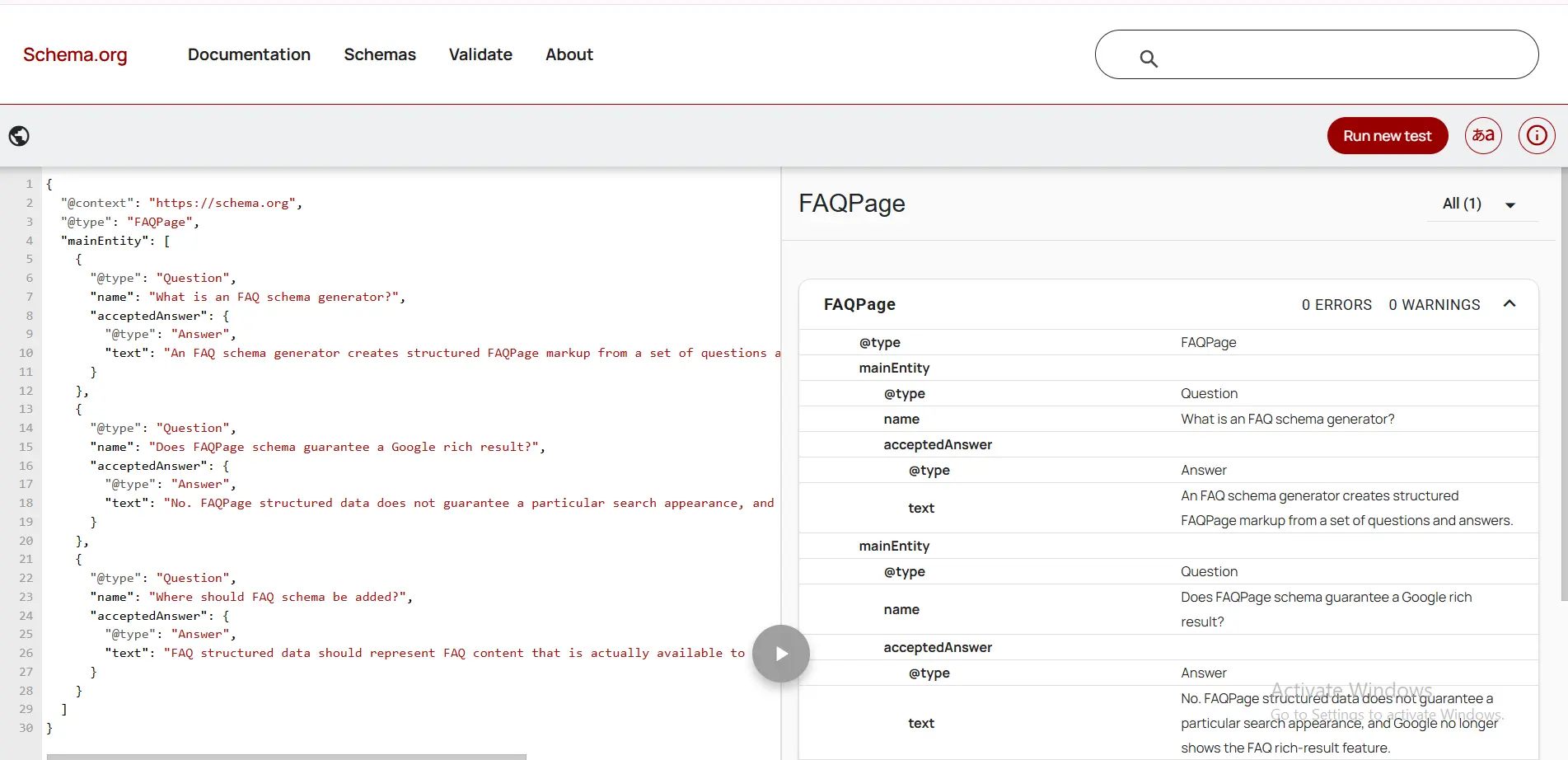
The underlying vocabulary is documented by Schema.org’s Question type and Schema.org’s acceptedAnswer property.
Understanding the FAQPage JSON-LD Properties
| Property | What it represents |
| @context | Identifies the Schema.org vocabulary being used. |
| @type | Identifies the top-level item as an FAQPage. |
| mainEntity | Contains the questions represented by the page. |
| Question | Represents an individual FAQ question. |
| name | Contains the actual question text. |
| acceptedAnswer | Connects the Question to its accepted Answer. |
| Answer | Represents the answer object. |
| text | Contains the answer content. |
This is also why blindly copying a generator’s output is not enough. If you understand the hierarchy, you can inspect the code when something looks wrong instead of treating the JSON-LD as an opaque block.
A Real FAQ-to-Schema Example
For this guide, I used a real MarketLatch FAQ implementation as the content example rather than building the entire explanation around a fictional interface. The visible FAQ comes first; the structured data is then treated as a machine-readable representation of that content.
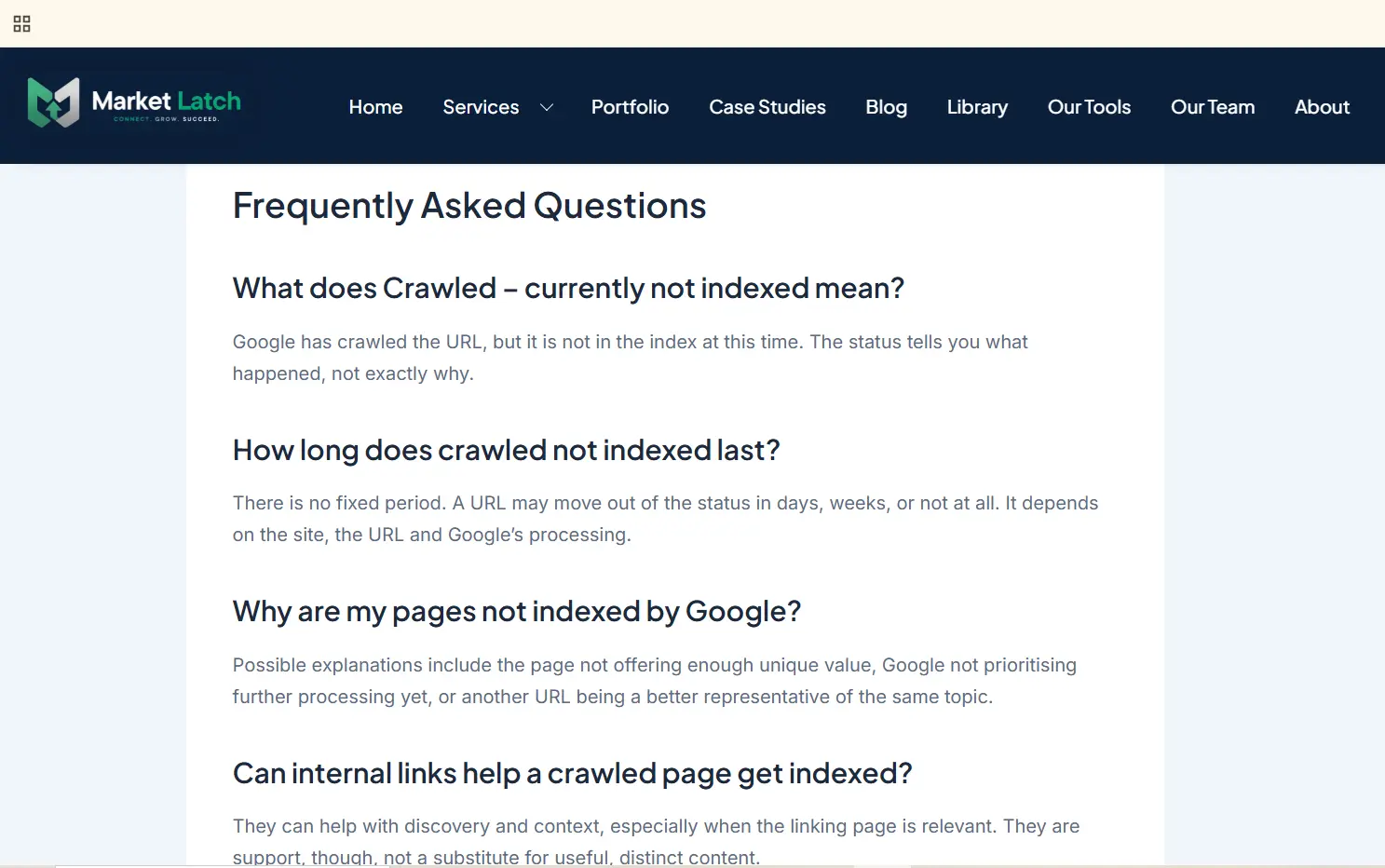
That order matters. The page should be useful to a person before structured data is added. Schema is a description layer; it should not become a substitute for the content itself.
How to Validate FAQ Schema
Generation and validation solve different problems. A generator can produce syntactically neat JSON-LD, but you still need to check whether the markup is structurally valid and whether the published implementation matches the page.
For Schema.org vocabulary validation, the Schema.org Validator can show how the markup is interpreted. In the MarketLatch test used for this article, the FAQPage structure was parsed with the Question and Answer relationships visible in the validator.
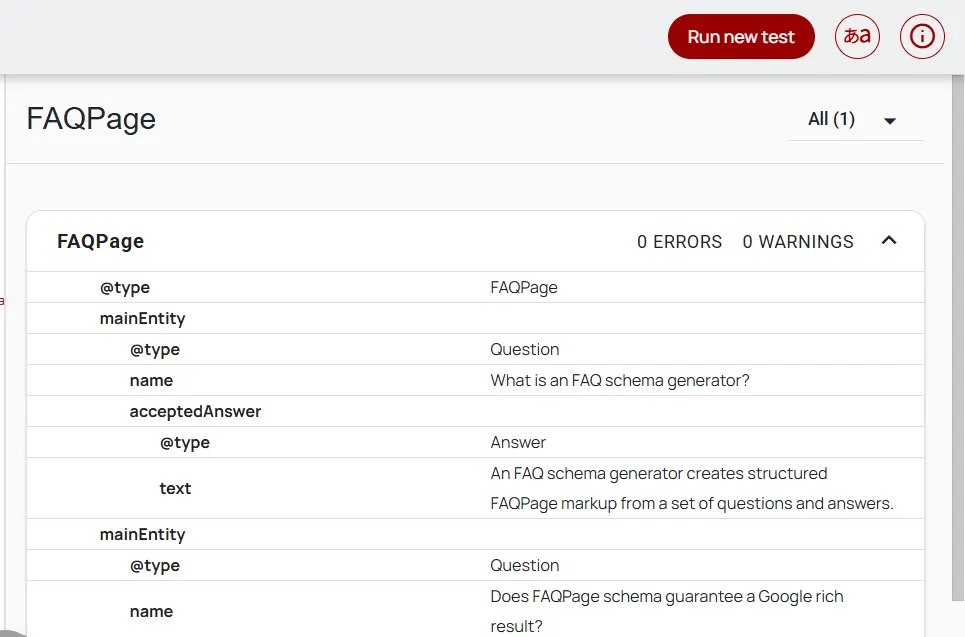
The screenshot shows 0 errors and 0 warnings for that particular test. That is evidence that the validator could parse the tested structure without reporting those issues; it is not a statement that Google has approved the page or will display a particular search feature.
For Google’s broader explanation of structured data and Search features, see Google’s structured data documentation.
One important distinction: the Schema.org Validator checks whether the vocabulary and relationships can be interpreted as Schema.org data. Google Search has its own supported structured-data features and eligibility rules. Because Google retired the FAQ rich-result feature in 2026, a FAQPage implementation should not be judged by whether it produces the old Google FAQ search appearance.
After implementation, perform a second check on the live page. Inspect the published source or rendered implementation and confirm that the FAQPage markup still exists, that it describes the same questions and answers users can access, and that another plugin or custom script has not introduced an unnecessary second implementation. For a broader WordPress schema decision framework covering what to keep, add, fix, or skip, see our Schema Markup for WordPress guide.
For a production check, also confirm that the page is crawlable, indexable, canonically correct, and internally linked from relevant pages. These are page/site SEO requirements beyond the FAQ markup itself.
FAQ Schema Validator vs FAQ Schema Checker
The terms are often used interchangeably, but the practical jobs are slightly different.
- A generator creates new FAQ markup from your questions and answers.
- A checker examines an existing page or implementation to help you find what is already there.
- A validator tests whether the markup can be parsed and understood according to the relevant vocabulary or testing framework.
- A final implementation check confirms that the published page still matches the markup.
The workflow is therefore better expressed as: Generate → Validate → Implement → Verify. That is more useful than treating ‘valid’ as a synonym for ‘will rank’ or ‘will appear as a rich result.’
How to Add FAQ Schema in WordPress
WordPress gives you several implementation paths. The right one depends on how your FAQ content is built and which SEO or content plugins are already active.
Method 1: Use an SEO or FAQ plugin
Plugins can create the visible FAQ and the corresponding structured data together, or they can provide an FAQ schema builder that you connect to existing content. Rank Math, for example, documents both an FAQ block and a Schema Generator workflow.
See Rank Math’s FAQ Schema documentation for its current implementation options.
Method 2: Use an FAQ block or content component
If your WordPress setup already has a component for presenting questions and answers, use the same content source for the structured data when the tool supports it. That reduces the risk of changing the visible FAQ while leaving an older JSON-LD version behind.
Method 3: Add controlled JSON-LD manually
Manual JSON-LD can make sense when you need precise control or when your page builder already handles the visible FAQ and you want to add the structured-data layer separately. The trade-off is that you become responsible for keeping the two versions synchronized.
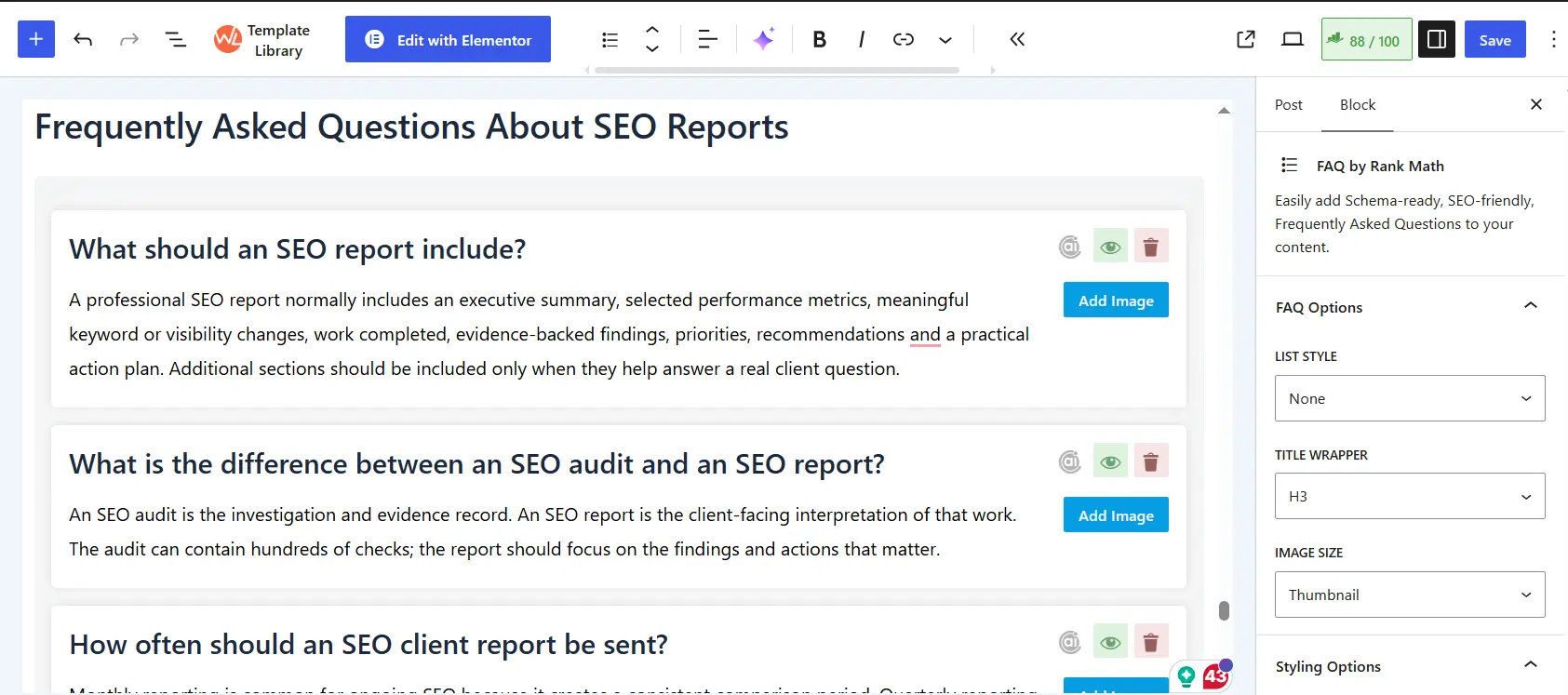
The screenshot above is intentionally presented as a WordPress content example rather than as a screenshot of a specific Rank Math Schema Builder panel. Your exact interface will vary depending on your editor, theme, and plugins.
| Watch for duplicate FAQ schema. If a FAQ plugin, an SEO plugin, and a manually inserted JSON-LD block all describe the same FAQ, inspect the final page rather than assuming every system should output its own copy. The goal is one coherent implementation that matches the visible content. |
For the broader technical WordPress work behind the implementation, see MarketLatch WordPress Development.
FAQPage vs QAPage: Don’t Use the Wrong Schema
This is one of the easiest places to make a conceptual mistake. FAQPage and QAPage both involve questions and answers, but they describe different content models.
- FAQPage is appropriate for a page presenting multiple frequently asked questions with site-provided answers.
- QAPage is designed around one main question followed by its answers, where users can submit answers.
- A normal site-written FAQ page should not be marked up as a QAPage simply because it contains questions and answers.
Google’s QAPage documentation explicitly distinguishes user-submitted Q&A pages from ordinary FAQ pages.
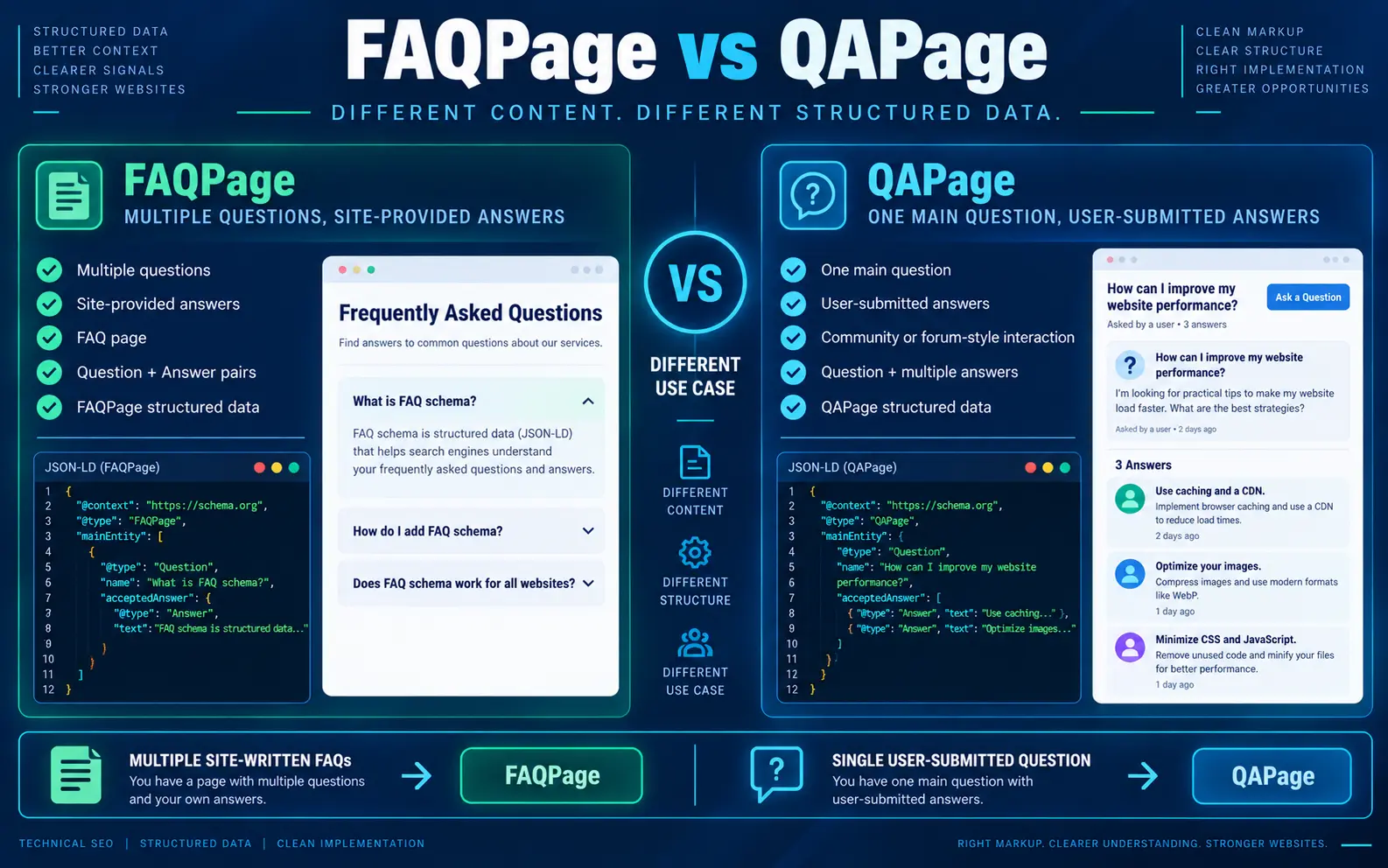
A useful rule of thumb is: multiple site-written FAQs point toward FAQPage; a single user-submitted question with community or user answers points toward QAPage.
The FAQ Schema Workflow
Once you separate content, generation, validation, and implementation, the workflow becomes much easier to repeat.
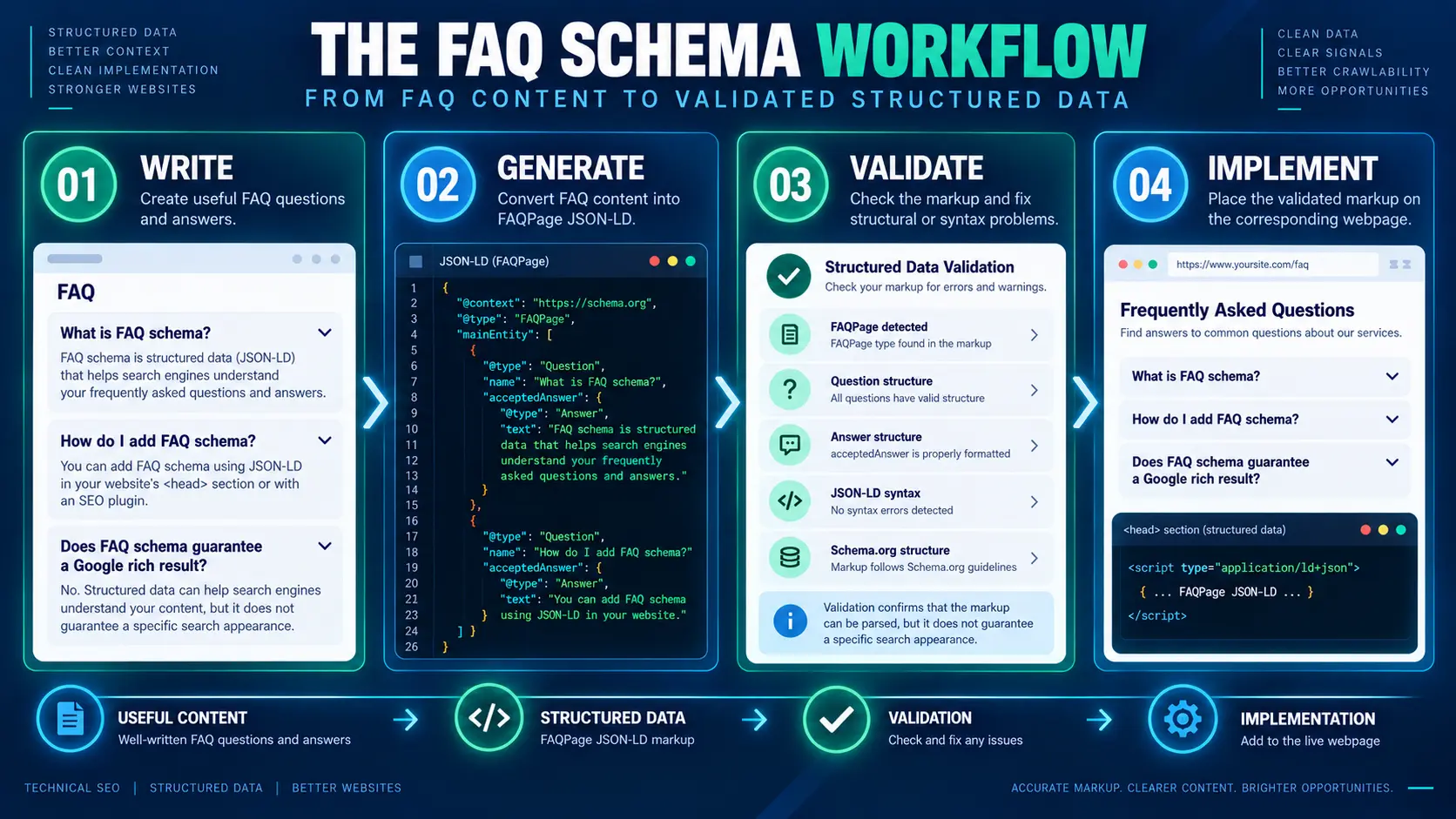
- WRITE — Create useful questions and answers that solve real user problems.
- GENERATE — Convert the content into FAQPage JSON-LD using a generator, plugin, or controlled manual implementation.
- VALIDATE — Check the markup structure and fix syntax or modeling problems.
- IMPLEMENT — Add the validated markup to the appropriate webpage.
- VERIFY — Check the live page and confirm that the structured data still corresponds to the visible FAQ.
That final verification step is the one most easily skipped. A page can change after publication, a plugin can be replaced, or a question can be edited in the visible FAQ without anyone remembering to update a manually maintained JSON-LD block.
5 FAQ Schema Mistakes to Avoid
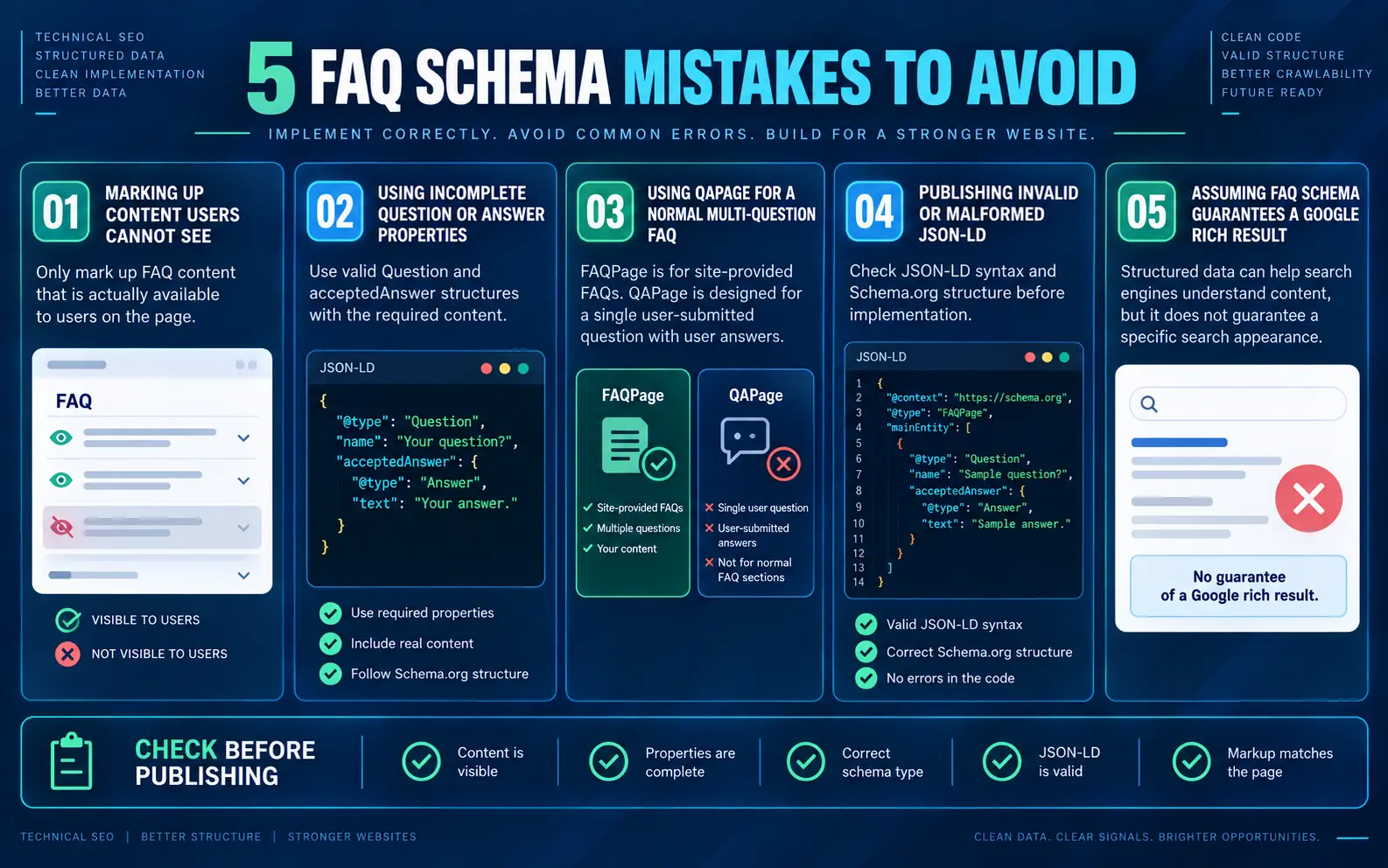
1. Marking up content that does not actually match the page
Structured data should accurately represent the content available to users on the relevant page. The safest approach is to create the FAQ first, then generate or maintain markup from that same content source. Do not invent FAQ entries in JSON-LD simply because they contain useful keywords.
2. Using incomplete Question or Answer properties
A Question needs its question text, and the answer relationship needs to point to an Answer with the actual answer content. If you are hand-editing JSON-LD, inspect the nesting carefully instead of assuming that a visually tidy code block is structurally correct.
3. Using QAPage for a normal multi-question FAQ
A multi-question FAQ written and answered by the site is not the same content model as a user-submitted Q&A page. Use the schema type that describes the page you actually have.
4. Publishing malformed JSON-LD
Missing commas, broken quotation marks, invalid nesting, or the wrong property type can make otherwise good markup unusable. A validator is cheap insurance when you have generated or edited the code manually.
5. Assuming FAQ schema guarantees a Google rich result
This is the biggest outdated assumption. Google retired the FAQ rich-result feature in 2026. Even in situations where a structured-data feature is supported, valid markup does not create a universal guarantee of a particular search appearance. One pattern I pay particular attention to during implementation is the relationship between the visible FAQ and the structured data. A technically neat JSON-LD block is not enough if it describes something the page does not actually contain.
Does FAQ Schema Improve Rankings or AI Visibility?
It should not be presented as a ranking shortcut or an AI-citation guarantee.
Structured data gives search systems machine-readable information about a page. Google says it uses structured data to understand page content and that specific search features have their own requirements. That is very different from saying that FAQPage markup automatically improves rankings or puts a page into an AI answer.
For Google’s current overview of structured-data-supported search features, see Google Search Appearance documentation.
The same caution applies to AI search. There is no defensible reason to promise that adding FAQPage will make a page appear in Google AI Overviews, ChatGPT, or another generative system. Treat structured data as one part of a broader, people-first SEO system rather than a visibility switch.
Google’s current guidance for generative AI features says the same foundational SEO practices still apply and that there is no special schema markup required for AI Overviews or AI Mode. Google’s AI Search guidance. The stronger investment is useful, non-commodity content, clear technical structure, crawlability, and a good page experience.
For a broader discussion of AI-search optimization, you can also read MarketLatch’s ChatGPT SEO guide.
If you are comparing terminology, remember that “FAQ schema,” “FAQPage schema,” and FAQPage JSON-LD usually refer to the same underlying implementation concept in this article.
If you need help applying structured data and broader AI-search optimization across a WordPress site, see our GEO & AEO Services.
FAQ Schema Pre-Publish Checklist
- The FAQ answers real user questions and is useful without the schema.
- The questions and answers are actually available on the page.
- The top-level type is FAQPage when the page genuinely represents an FAQ.
- mainEntity contains the relevant Question items.
- Each Question has the appropriate name and acceptedAnswer relationship.
- Each Answer contains the actual answer text.
- The JSON-LD validates without syntax or structural errors.
- The final page does not contain unnecessary duplicate FAQPage implementations.
- The markup matches the visible FAQ after publication.
- The page itself is crawlable and indexable, with no unintended noindex or blocking configuration.
- The preferred URL is canonicalized correctly, and the page works well on mobile without intrusive elements blocking the main content.
- The implementation is not being used as a promise of rankings, rich results, or AI citations.
If you need a practical reference for crawlability and indexation checks, see MarketLatch’s guide to Crawled – Currently Not Indexed.
Frequently Asked Questions
What is an FAQ schema generator?
An FAQ schema generator is a tool or workflow that converts questions and answers into FAQPage JSON-LD. It reduces the need to write the nested markup manually, but the output should still be checked against the visible FAQ and validated before implementation.
Is FAQ schema still relevant in 2026?
FAQPage remains a Schema.org vocabulary for representing a webpage with frequently asked questions. What changed in 2026 is Google’s FAQ rich-result feature: Google stopped showing it in Search from May 7, 2026.
Does FAQ schema still produce Google FAQ rich results?
No. Google retired the FAQ rich-result feature in 2026. A valid FAQPage implementation should not be marketed as a way to obtain the old expandable FAQ treatment in Google Search.
What is the difference between FAQPage and QAPage?
FAQPage describes a page containing multiple site-provided FAQs. QAPage describes a page focused on one main question with user-submitted answers. Google specifically says not to use QAPage for ordinary multi-question FAQ pages.
How do I add FAQ schema in WordPress?
You can use an FAQ or SEO plugin that generates the markup, use a content component that keeps the visible FAQ and structured data together, or add controlled JSON-LD manually. Whatever method you choose, check the final rendered page for accuracy and duplicate implementations.
How do I validate FAQ JSON-LD?
For Schema.org vocabulary validation, you can use the Schema.org Validator to inspect the parsed FAQPage, Question, and Answer structure. After implementation, also inspect the live page to confirm that the published markup matches the visible content.
Can FAQ schema improve AI Overview or ChatGPT visibility?
There is no guarantee. FAQPage can describe question-and-answer content in a machine-readable way, but it should not be presented as a direct ticket into AI Overviews, ChatGPT, or another generative search system.
Can I generate FAQ schema manually without a tool?
Yes. FAQPage JSON-LD is simply structured data in a defined format. A generator is a convenience, not a requirement. Manual implementation is reasonable when you understand the structure and have a reliable validation and maintenance process.
About the author

Nadeem Alam is the founder of Market Latch, a digital marketing agency working with clients across the USA, UK, Canada, Australia, the UAE and Pakistan. He is a digital growth strategist and WordPress specialist with around 5 years in search, covering technical, on-page, off-page and local SEO, generative engine optimization and answer engine optimization, WooCommerce and Elementor development, and Google and Meta Ads.
He is the author of the Generative Engine Optimization Book, the AEO Masterclass guide and the AI SEO Implementation Checklist 2026, and holds certifications from Google Digital Garage, Semrush Academy, Coursera, uConnect and Virtual University (DigiSkills).
Published: 17 September 2026.
Article-specific experience note: The FAQ schema workflow described in this article is based on practical WordPress SEO implementation and the MarketLatch FAQ/structured-data validation workflow. The screenshots include MarketLatch website examples and demonstration data; they do not contain confidential client information. If you want this technical work handled as part of a broader SEO system, explore MarketLatch SEO Services
Ready to Go Deeper?
FAQ markup is only one part of a broader answer-engine and structured-data workflow. If you are building a more complete system for how your website is understood across search and AI surfaces, the MarketLatch AEO Masterclass goes deeper into structured data, answer optimization, and WordPress implementation. Explore the AEO Masterclass →