| The short answer Schema markup in WordPress is structured data that describes a page, product, organization or other entity using Schema.org vocabulary. Before adding it, identify what the page represents, check what Rank Math, WooCommerce or the theme already outputs, and add only accurate markup supported by visible page content. |
If you manage a WordPress site, understanding schema markup in WordPress is usually harder than writing the JSON-LD itself. The harder part is deciding what your site should represent, what should be left alone, and what WordPress or your plugins already generate.
The safest approach is to audit first, then decide. Your page purpose, primary entity, visible evidence, existing structured data, ownership of each entity, and current Google support should determine what you keep, add, fix, or skip. This schema markup WordPress guide focuses on the decisions that matter before implementation.
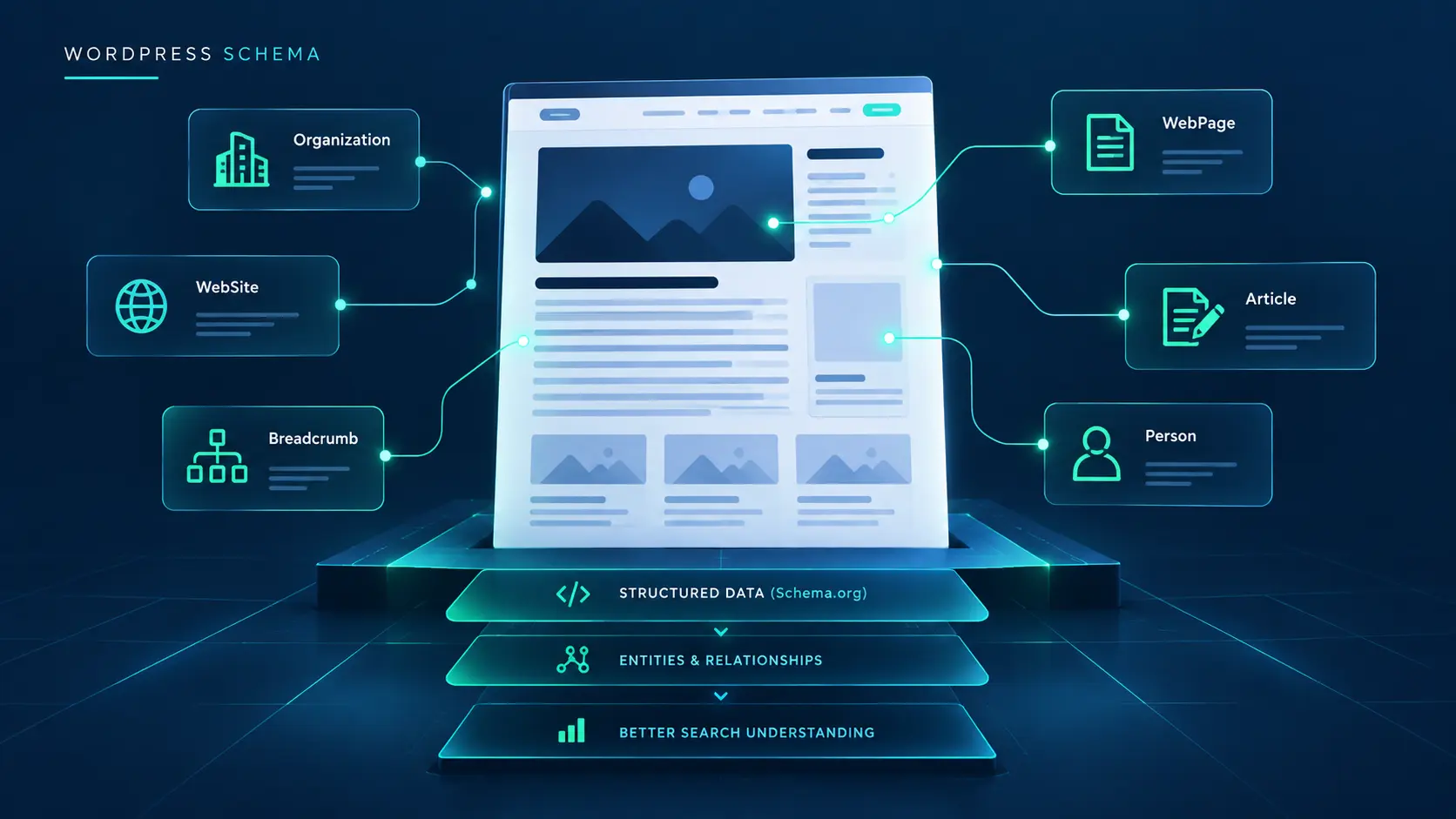
What Is Schema Markup in WordPress?
Schema markup in WordPress is the common SEO term for structured data that describes the meaning and characteristics of a web page using a vocabulary such as Schema.org. On WordPress, that markup is often generated automatically by an SEO plugin, a theme, WooCommerce, a dedicated schema plugin, custom code, or a combination of these.
Structured data gives search systems machine-readable information about entities on a page. For example, an article can identify its headline, author, publisher, dates, and primary image. A product can describe product-specific information. A breadcrumb can describe the page’s position in a site hierarchy.
The important distinction is that structured data describes information that actually exists. Google’s structured data guidance emphasizes accurate representation rather than markup added simply because a plugin suggests it.
Schema.org, Structured Data, and JSON-LD: What’s the Difference?
| Term | What it means | Practical WordPress meaning |
| Schema.org | A vocabulary for describing entities and relationships. | Types and properties such as Article, Person, Organization, or Product. |
| Structured data | Machine-readable markup communicating information about a page. | The markup actually delivered in the page HTML. |
| JSON-LD | A format used to express structured data. | A common WordPress implementation format. |
| Schema markup | Common industry shorthand for structured data using Schema.org vocabulary. | The term used across WordPress SEO tools and guides. |
Google supports JSON-LD, Microdata, and RDFa. Google generally recommends JSON-LD when practical. The format matters, but accuracy and relevance matter more than choosing the most complicated implementation.
For a broader approach to entity relationships and semantic content architecture, see the MarketLatch Semantic SEO guide.
Run a WordPress Schema Preflight Before Adding Anything
This is the most important step in the process. Don’t generate schema first. Audit the existing WordPress schema stack first.
| 5-Minute WordPress Schema Preflight 1. What is this page? 2. What is its primary entity? 3. What schema already exists? 4. Which plugin, theme, or code generates it? 5. Are there duplicate entities? 6. Does the markup match visible content? 7. Is the relevant Google feature currently supported? 8. Should this be KEEP, ADD, FIX, or SKIP? |
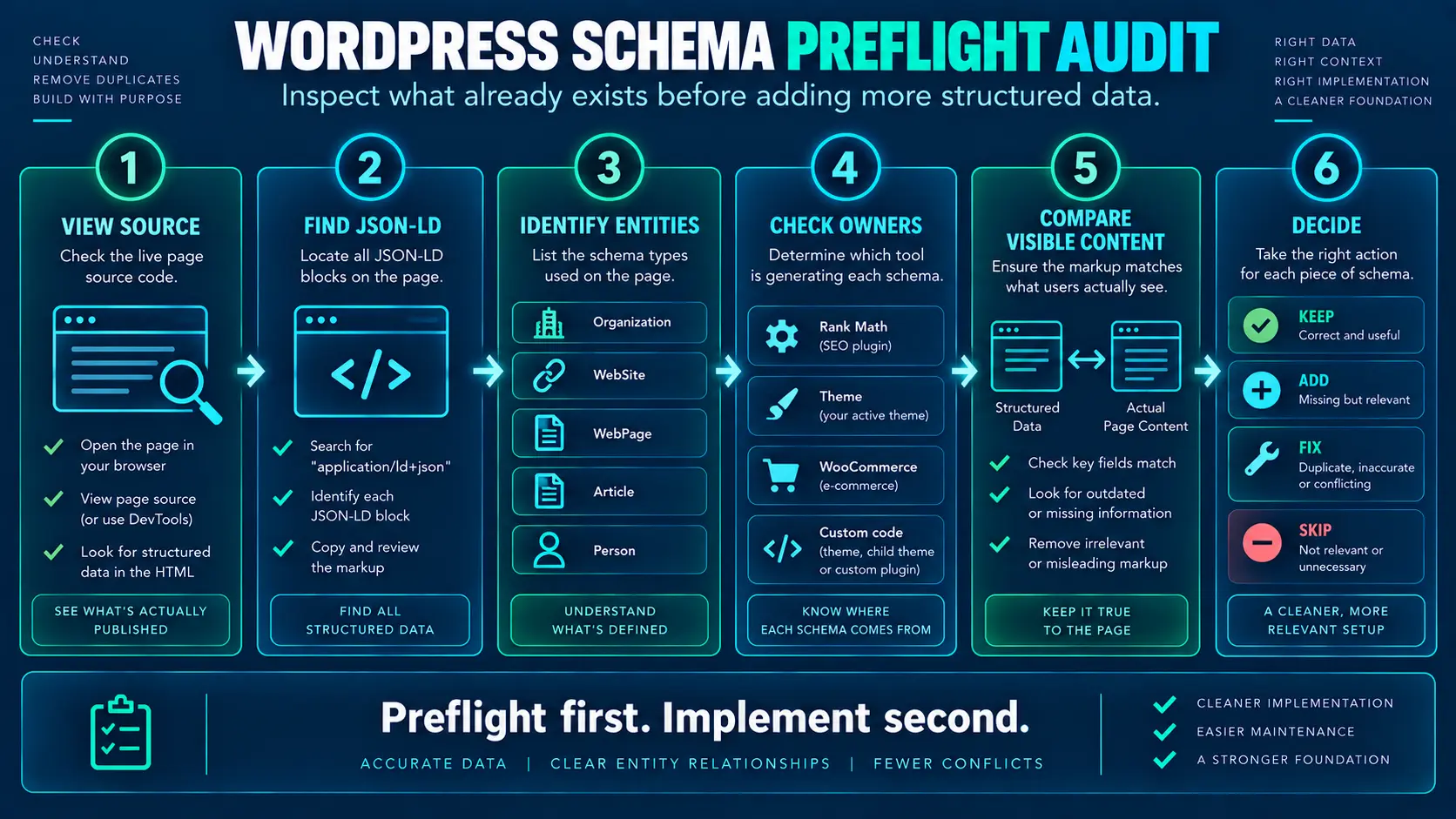
1. Identify Page Purpose
Start with what the page is for. A blog guide, product page, service page, local business page, author profile, and video page do not have the same semantic purpose.
2. Identify Primary Entity
Ask what the page is primarily about. For an article, the main entity may be the Article. For a product page, it may be the Product. For an author profile, it may be the Person.
3. Check Visible Evidence
Every important structured-data claim should have evidence on the page. Markup should accurately represent the information users can see.
4. Inspect Existing JSON-LD
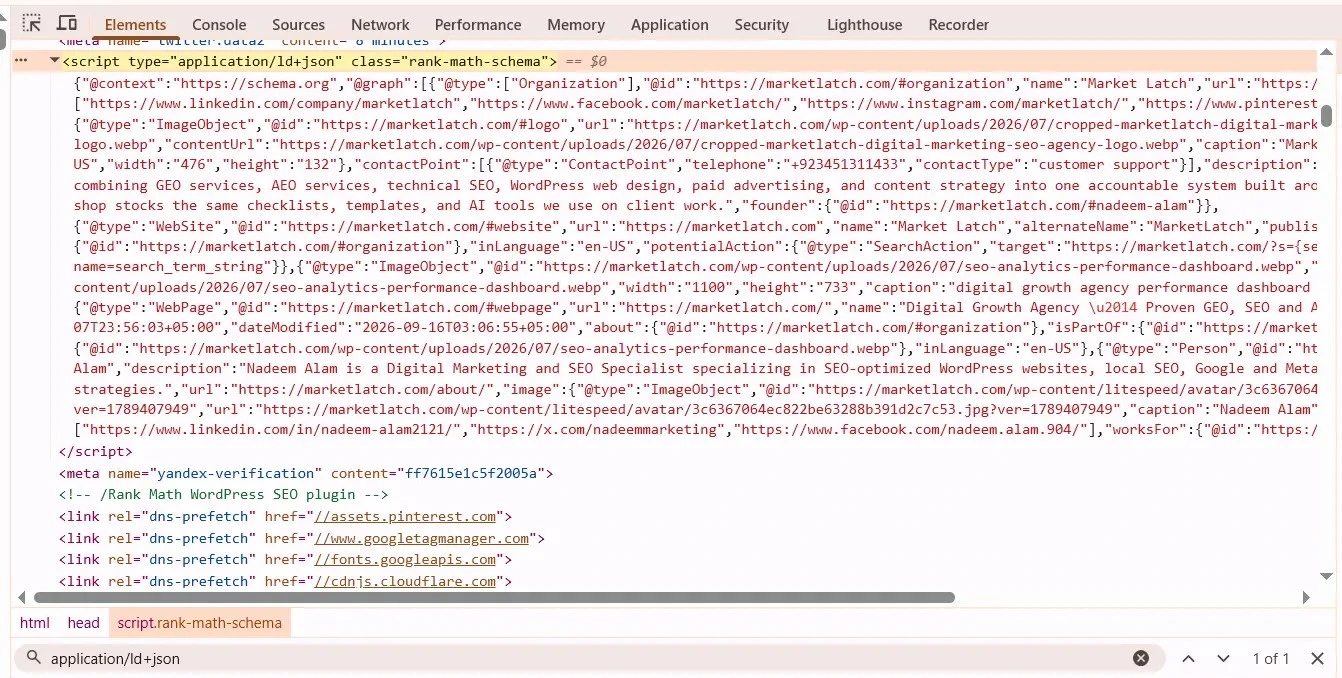
Open the live page source and search for application/ld+json. Test the published HTML, not only the WordPress editor. In practice, I check the published source before changing Rank Math settings because the editor configuration alone does not tell you everything the final page is outputting.
5. Identify the Generator
Determine whether Rank Math, another SEO plugin, WooCommerce, the theme, a page builder, custom code, or a dedicated schema plugin is generating each block.
6. Check Conflicts and Duplicates
Check repeated Article, WebPage, BreadcrumbList, author, publisher, and other important entities and inspect their relationships.
7. Check Current Google Support
A Schema.org type is not automatically a Google rich result. Google decides which structured-data types and search features it supports, and that support can change.
8. Choose KEEP, ADD, FIX, or SKIP
Only after the audit should you decide what to do.
How to Add Schema Markup to WordPress Without Creating Duplicates
There are three common implementation paths: an SEO plugin such as Rank Math, a dedicated schema plugin, or controlled custom JSON-LD. The method matters less than ownership. Before adding new markup, identify which system already generates the entity and modify or extend that output instead of creating a second competing graph.
If your implementation is producing warnings or conflicting structured data, see our fix structured data errors in Google Search Console guide.
| WordPress situation | Best approach |
|---|---|
| Rank Math already outputs the correct schema | Keep and configure it |
| WooCommerce owns product data | Let WooCommerce/SEO integration own Product data |
| Theme outputs duplicate schema | Remove or disable the conflicting source |
| No suitable automatic output | Add controlled JSON-LD |
| Custom entity relationship needed | Extend the existing graph carefully |
| Multiple plugins output the same entity | Choose one owner |
Schema Markup WordPress: Decision Framework
When making schema markup decisions in WordPress, the page’s purpose should drive every implementation choice.
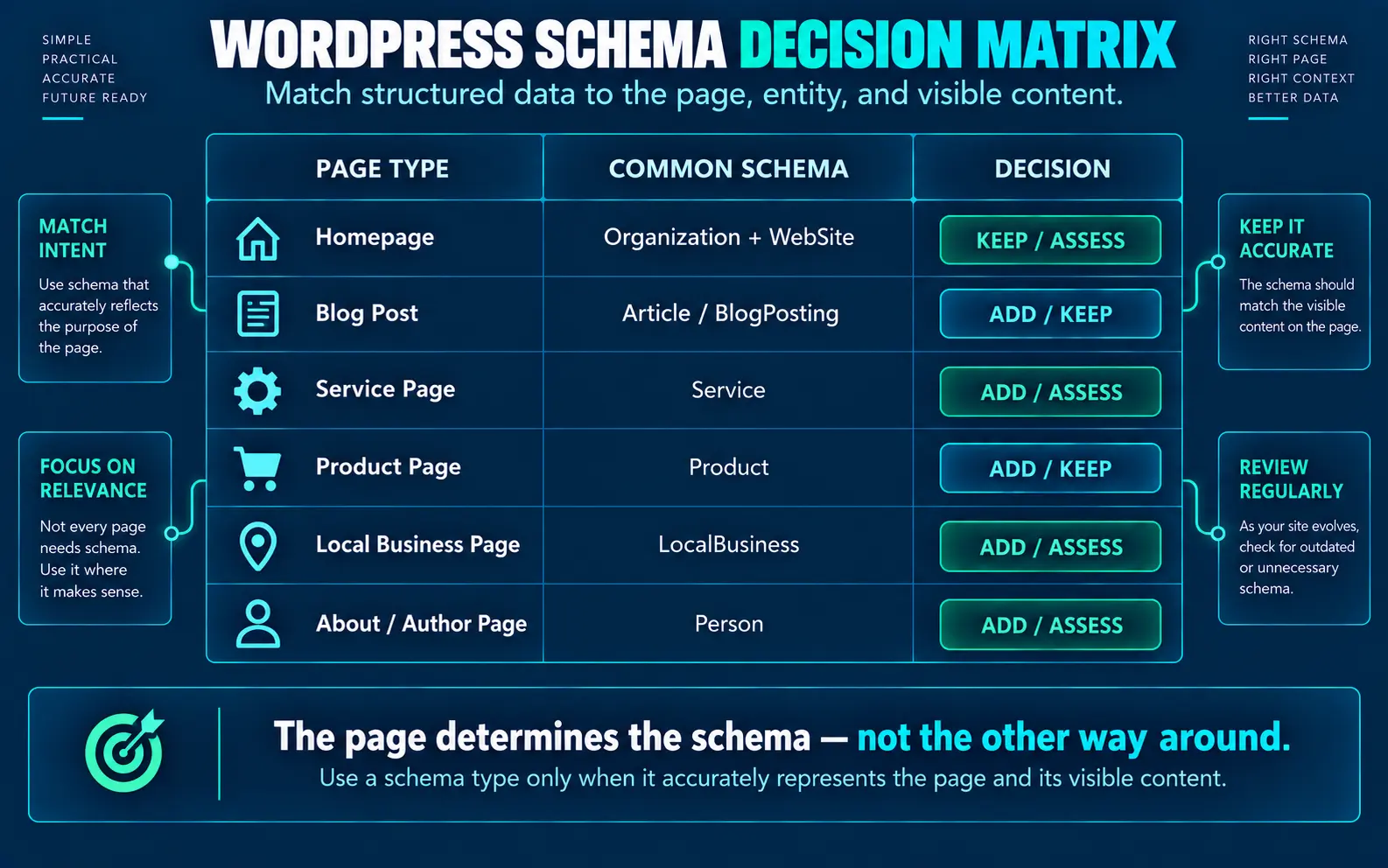
| Page purpose | Likely relevant schema | Decision rule |
| Blog/article | Article or BlogPosting | Use the type that accurately represents the content; NewsArticle is for genuine news content. |
| Site identity | Organization, WebSite | Usually site-level entities owned by the site’s SEO/system layer. |
| Page hierarchy | WebPage, BreadcrumbList | Keep accurate relationships and one clear breadcrumb generator. |
| Product | Product | Use on genuine product pages; let the commerce system own product data where appropriate. |
| Service | Service | Use when the page genuinely represents a service. |
| Local business | LocalBusiness | Use when the page represents a real local business entity. |
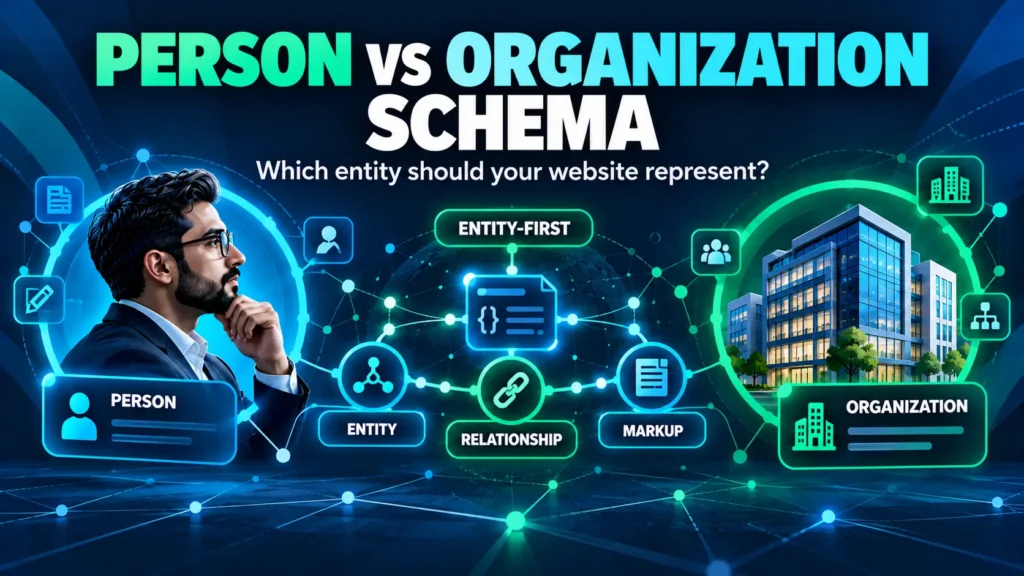
| Author/profile | Person, ProfilePage | Use when the page genuinely represents the person/profile. |
| Video | VideoObject | Use when the page genuinely contains and describes a video. |
| FAQ content | FAQPage | A visible FAQ can remain useful, but do not add it solely for Google’s old FAQ rich result. |
| How-to guide | HowTo | Do not implement it as a current Google rich-result tactic. |
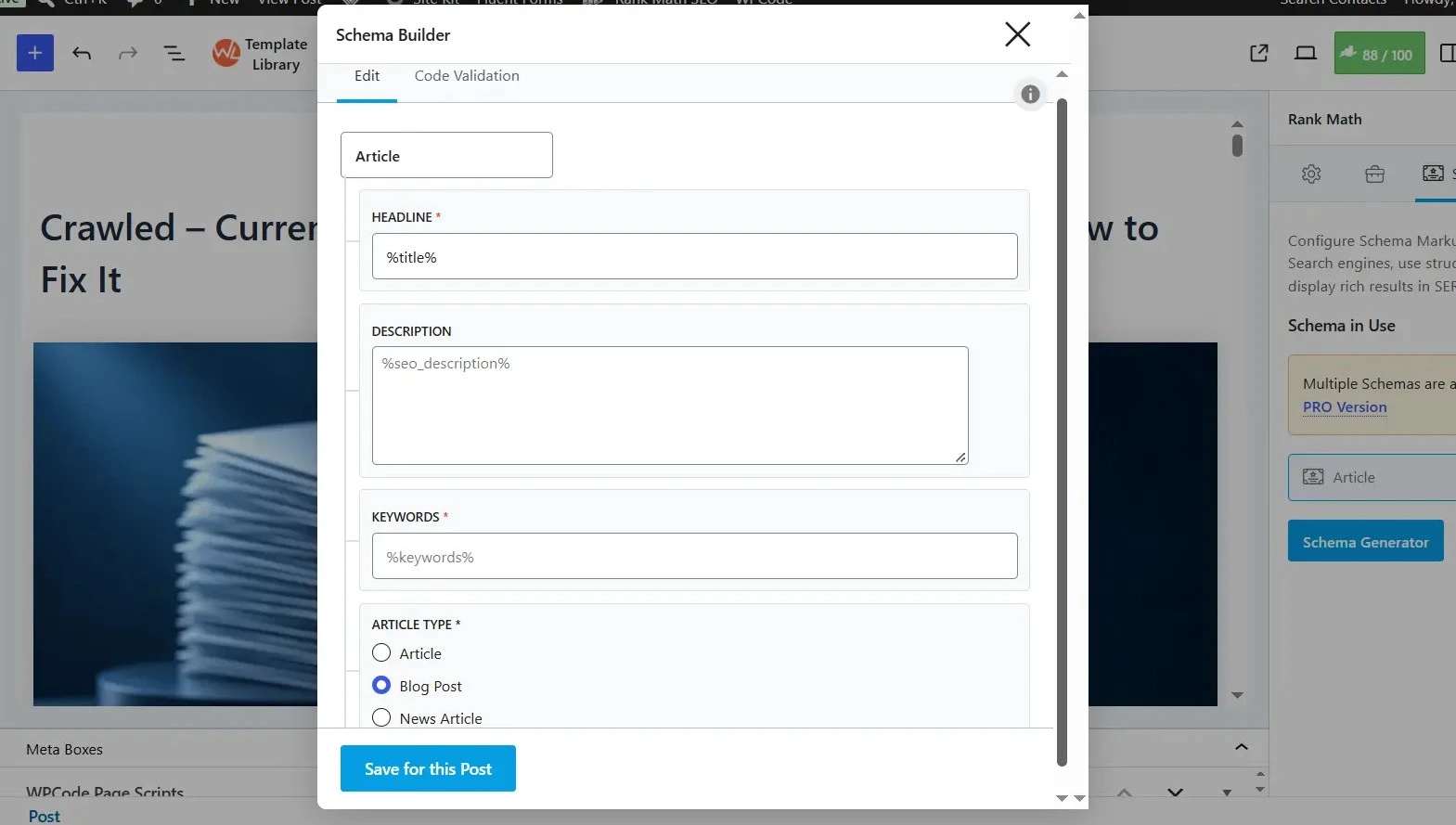
Why Valid Schema Can Still Be the Wrong Schema
A schema validator can confirm that markup is syntactically valid without proving that it accurately represents the page. The correct implementation is the smallest set of structured data that matches the visible content, page purpose and real-world entity being described.
What Schema Should You Usually Keep?
Organization
Organization markup can describe the organization behind a site. Keep it accurate and consistent with visible site information; it is normally a site-level identity rather than something to reinvent on every article.
WebSite and WebPage
WebSite describes the site entity, while WebPage describes an individual page. Their value comes from clear relationships, not simply from adding more JSON-LD blocks.
Article or BlogPosting
For a normal blog guide, use Article or the more specific BlogPosting when it accurately represents the content. Google’s Article documentation covers the properties that can apply to article content. NewsArticle should be reserved for genuine news content.
BreadcrumbList
Breadcrumb structured data can help Google understand site hierarchy. Google’s Breadcrumb documentation explains the required structure and validation workflow. The markup should match the visible breadcrumb trail.
Product
Product structured data belongs on genuine product pages. Google’s Product documentation explains product snippet and merchant-listing use cases. An educational article should not receive Product markup simply because the site sells something.
What Schema Should You Add Only When the Page Supports It?
Service
Use Service-related structured data only when the page genuinely represents a service and the markup describes it accurately. Treat Schema.org vocabulary support separately from Google’s currently documented Search features.
LocalBusiness
Use LocalBusiness for pages representing a real local business entity and follow Google’s current LocalBusiness documentation. Do not add it merely to informational articles.
ProfilePage
Use ProfilePage when the page genuinely represents a profile and the content supports that entity. Google documents ProfilePage for creator/community profile contexts; do not add it merely because an article has an author.
Video
VideoObject can make sense when a page genuinely contains and describes a video.
Review
Review-related markup should represent genuine review content and comply with relevant guidelines. Never manufacture reviews or ratings.
What Schema Should You Skip, Remove, or Treat Carefully?
Duplicate Schema Generators
Multiple generators are a common WordPress implementation problem. But never remove a generator blindly. Disabling a plugin or code block may remove legitimate entities along with duplicate output.
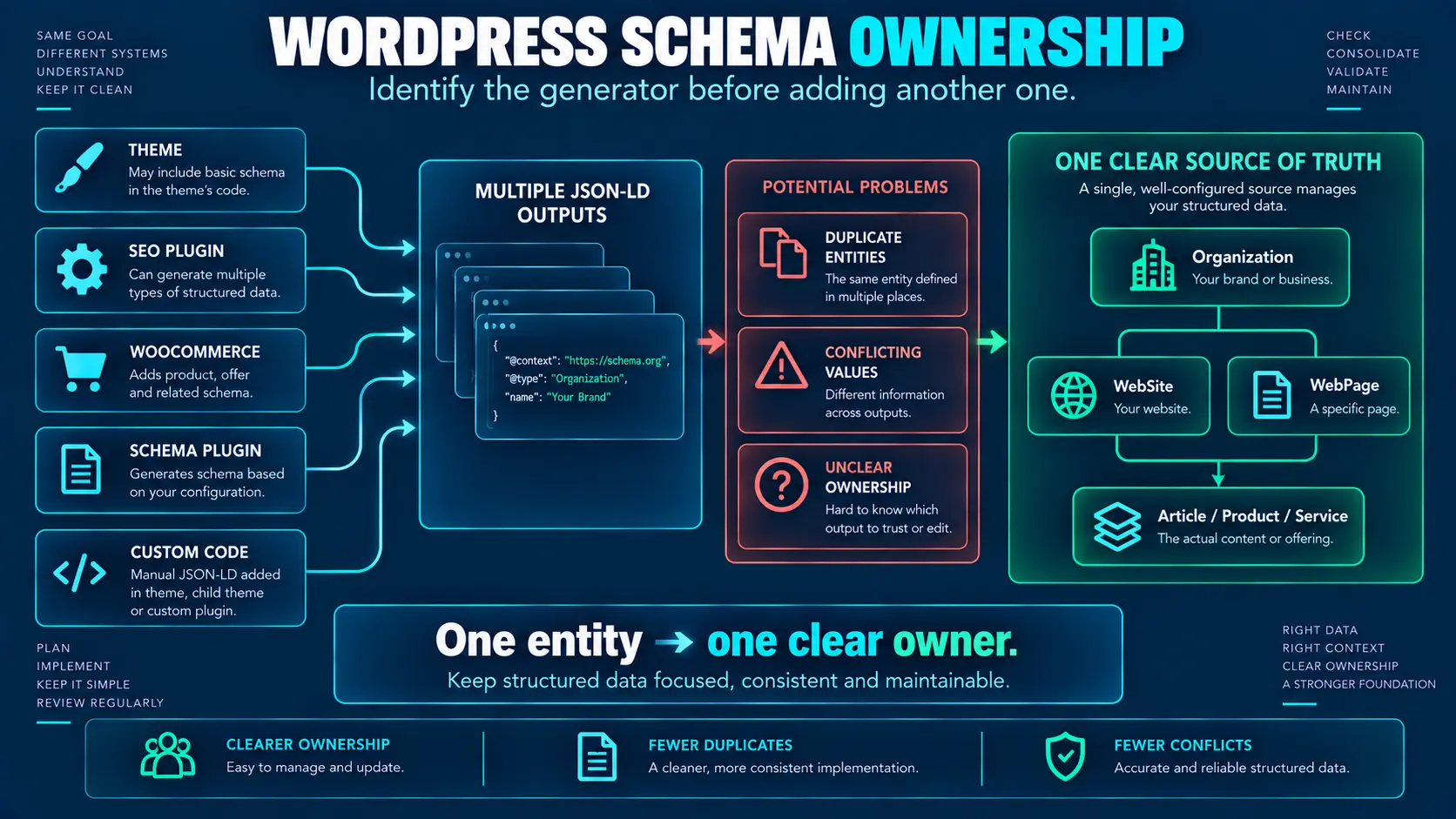
| A realistic duplicate-generator scenario Rank Math → Article Theme → WebPage Custom code → Article Breadcrumb plugin → BreadcrumbList The first question is not “How do I delete duplicate JSON-LD?” The better question is “Which system should own each entity, and are the relationships consistent?” |
Invisible or Unsupported Information
Do not mark up information that is materially different from what users can see or that does not accurately describe the page. Google’s structured-data policies are the reference point for accuracy, accessibility, and compliance.
Schema Stuffing
More schema is not automatically better. Complete, accurate properties are more useful than an exhaustive collection of poorly supported data.
FAQPage for Old Rich-Result Expectations
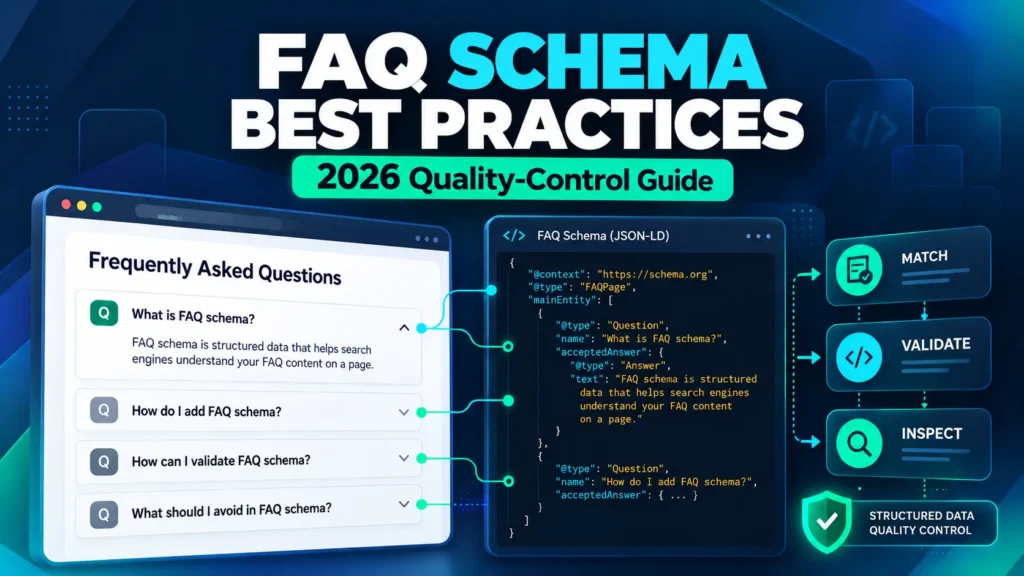
A useful visible FAQ can remain. The mistake is adding FAQPage solely because you expect the old Google FAQ rich result, which is no longer a current general Search feature.
For a deeper 2026-specific treatment of FAQ structured data, see our FAQ schema best practices.
HowTo for Deprecated Search Features
How-to content can remain useful, and HowTo remains a Schema.org vocabulary type, but do not implement it as a current Google rich-result tactic.
Plugin-Suggested Schema Without Judgment
A plugin suggestion is a prompt to evaluate an option, not proof that the option belongs on the page.
KEEP, ADD, FIX, or SKIP: Practical Examples
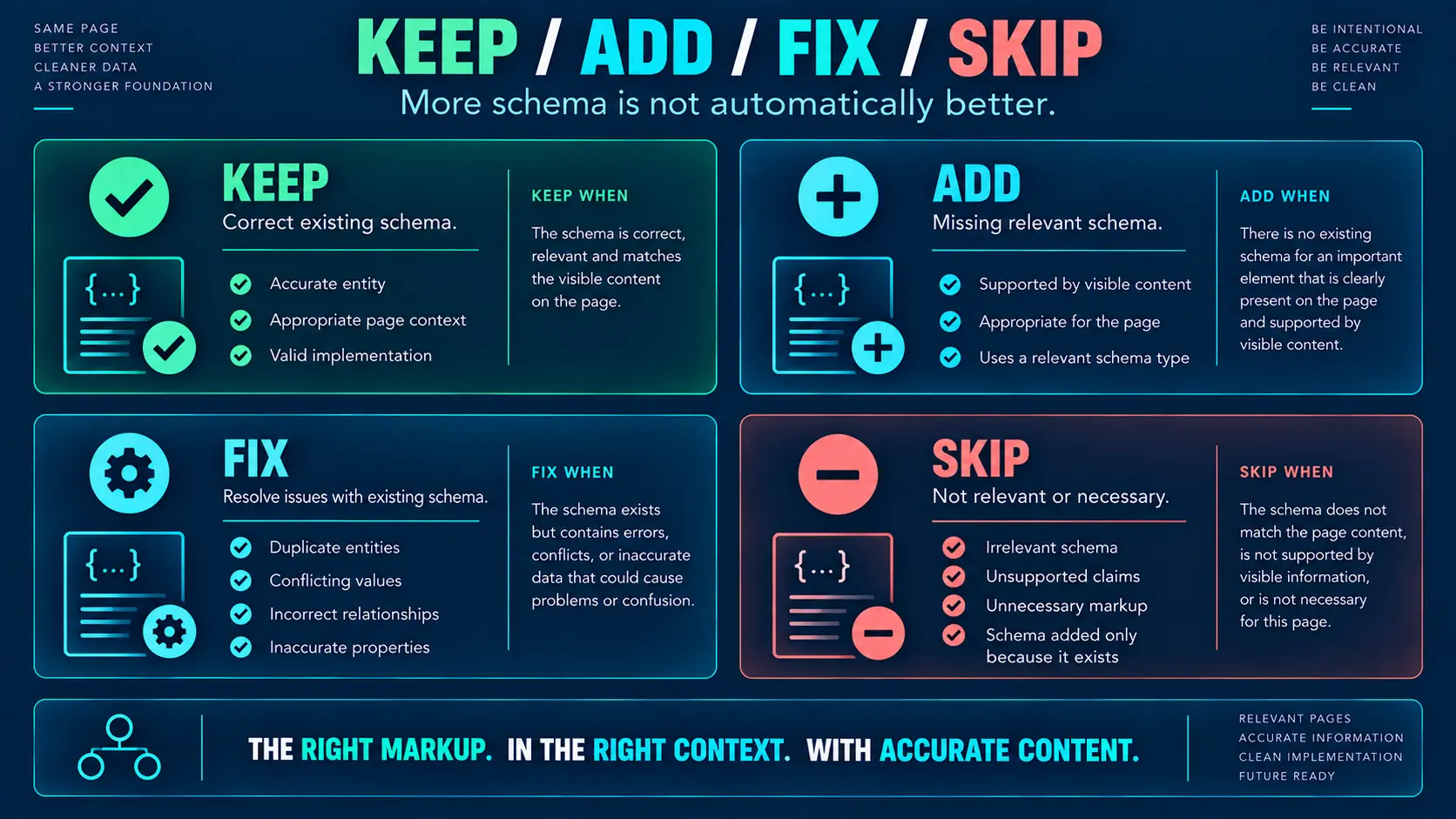
| Situation | Decision | Reason |
| Rank Math already outputs accurate Article markup. | KEEP | No need for a second Article generator. |
| A legitimate entity is missing from the current system. | ADD | Add only what the page supports. |
| Two systems output conflicting Article entities. | FIX | Determine ownership and reconcile the graph. |
| A plugin suggests FAQPage only for the old rich result. | SKIP | The old general FAQ rich-result strategy is no longer current. |
| A competitor uses more schema types. | SKIP | Competitor markup is not evidence your page needs the same types. |
| An article mentions a product but is not the product page. | SKIP | Keep Product markup on the genuine product page. |
A Real-World WordPress Schema Audit
In my WordPress SEO work, I’ve seen schema problems caused less by missing markup than by overlapping generators. A page can have Rank Math producing Article data while another system adds WebPage or another Article entity. The problem isn’t simply “too much JSON-LD”; it’s unclear ownership and inconsistent relationships.
A weak approach is to immediately disable one system. A stronger approach is to map the entities first: determine which Article is authoritative, which WebPage describes the URL, which system owns breadcrumbs, and whether Article, WebPage, Person, and Organization relationships are coherent.
Then make one controlled change at a time. Purge cache, inspect live HTML again, validate the result, and only then move to the next change.
| Schema Ownership Map Organization → site-level SEO/system WebSite → site-level SEO/system Article → content/SEO system Product → WooCommerce BreadcrumbList → one breadcrumb system Author/Profile → appropriate author/profile system Custom entity → controlled custom implementation This is a MarketLatch implementation principle, not a Google rule: give each important generated entity a clear owner. |
How to Add Schema Markup in WordPress
Use Your Existing SEO Plugin
For many WordPress sites, the existing SEO plugin is the simplest implementation layer. If Rank Math already produces accurate Article, WebPage, WebSite, Organization, or breadcrumb relationships, use that system rather than creating parallel manual markup.
Use a Dedicated Schema Plugin
A dedicated schema plugin can be appropriate when the existing stack cannot accurately represent a legitimate requirement. Base the decision on a specific implementation gap, not on the assumption that a second plugin automatically produces better SEO.
Add Manual JSON-LD
Manual JSON-LD is useful when you need controlled custom entities or relationships that the current system cannot represent correctly. It is not automatically better than plugin-generated markup.
Use Dynamic Schema When Necessary
Dynamic generation makes sense when values change across products, locations, authors, or other page types. Generated values must remain accurate and consistent with the page.
How to Connect WordPress Entities with JSON-LD
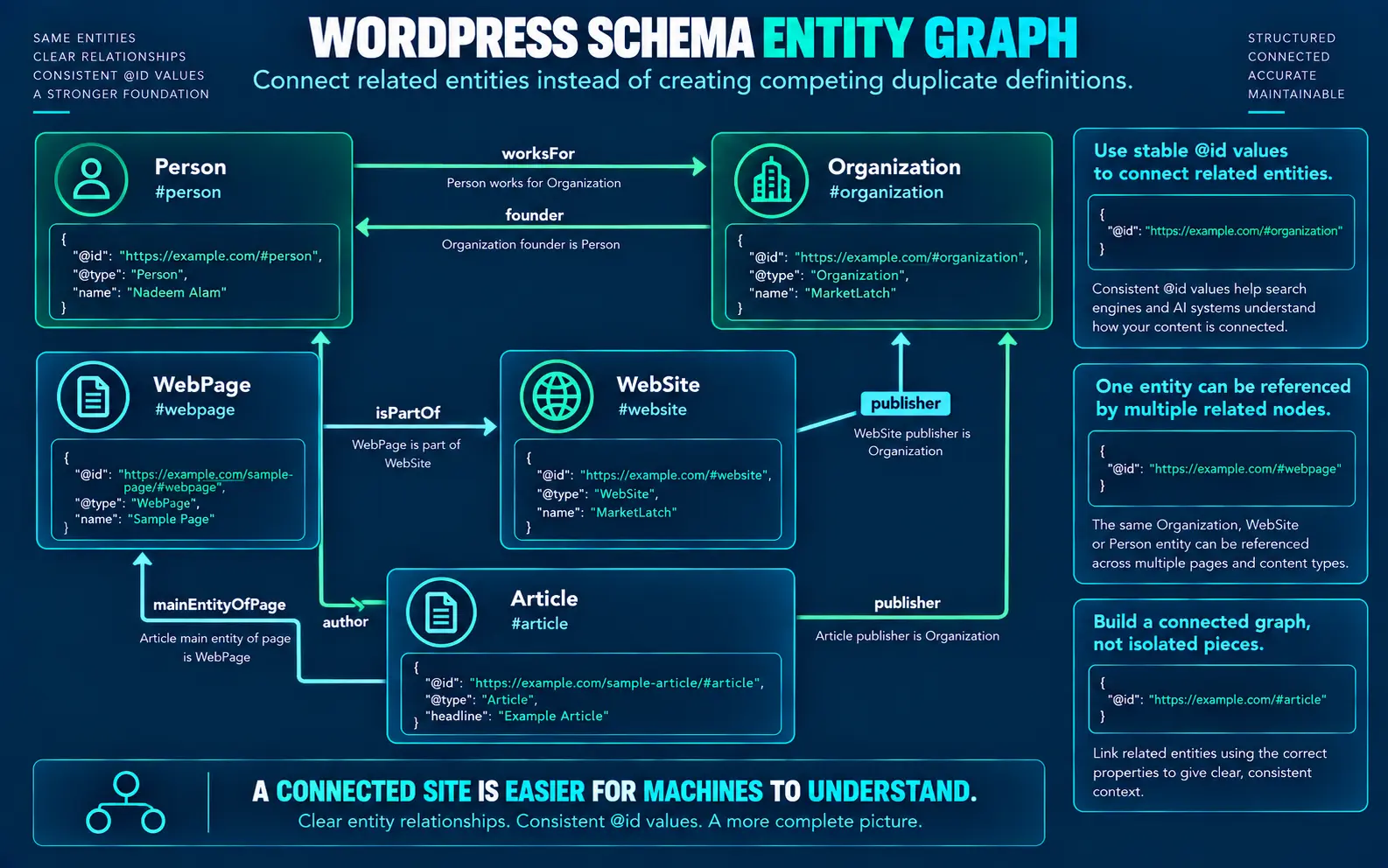
| Entity | Relationship | Entity |
| WebSite | publisher | Organization |
| WebPage | isPartOf | WebSite |
| Article | mainEntityOfPage | WebPage |
| Article | author | Person |
| Article | publisher | Organization |
| WebPage | breadcrumb | BreadcrumbList |
| Person | worksFor | Organization |
| Organization | founder | Person |
The objective is not to create the most complicated graph possible. It is to make the relationships between entities understandable, consistent, and supported by the page.
| Entity consistency rule Use consistent names, URLs, identifiers, authorship, and publisher information for the same entity across your site unless there is a legitimate reason for them to differ. |
Plugin vs. Manual JSON-LD: Which Approach Fits?
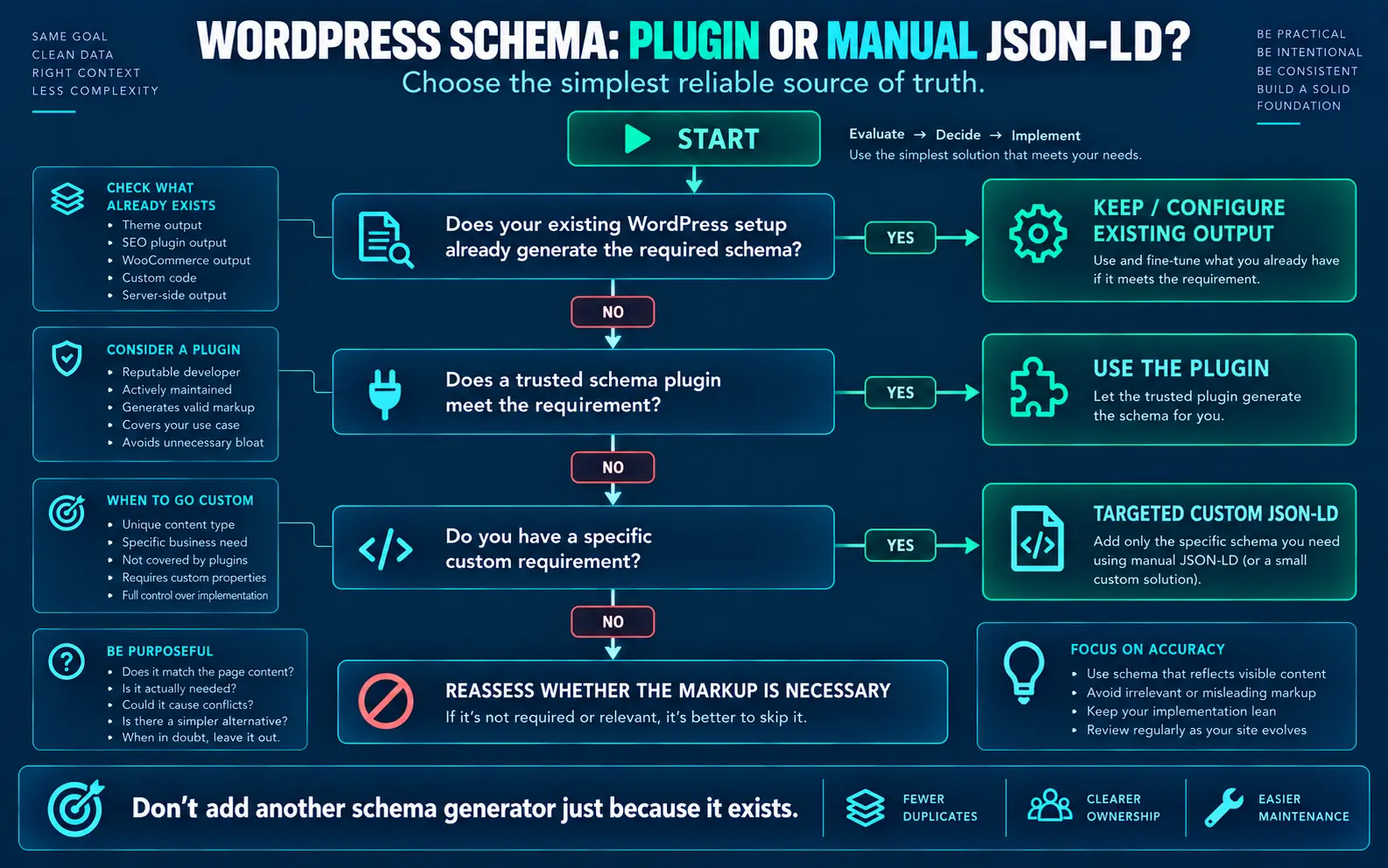
| Approach | Use it when | Watch for |
| Existing SEO plugin | It already represents the page accurately. | Duplicate markup beside it. |
| Dedicated schema plugin | There is a real capability gap. | Plugin overlap and conflicting ownership. |
| Manual JSON-LD | You need controlled custom entities or relationships. | Template changes, duplicate entities, stale values, maintenance. |
| Dynamic generation | Values legitimately vary by page. | Generated values must remain accurate. |
Manual code is useful when it solves a real implementation requirement. It is not automatically superior to plugin-generated schema. The simplest accurate system with clear ownership is usually easier to maintain.
How to Validate WordPress Structured Data
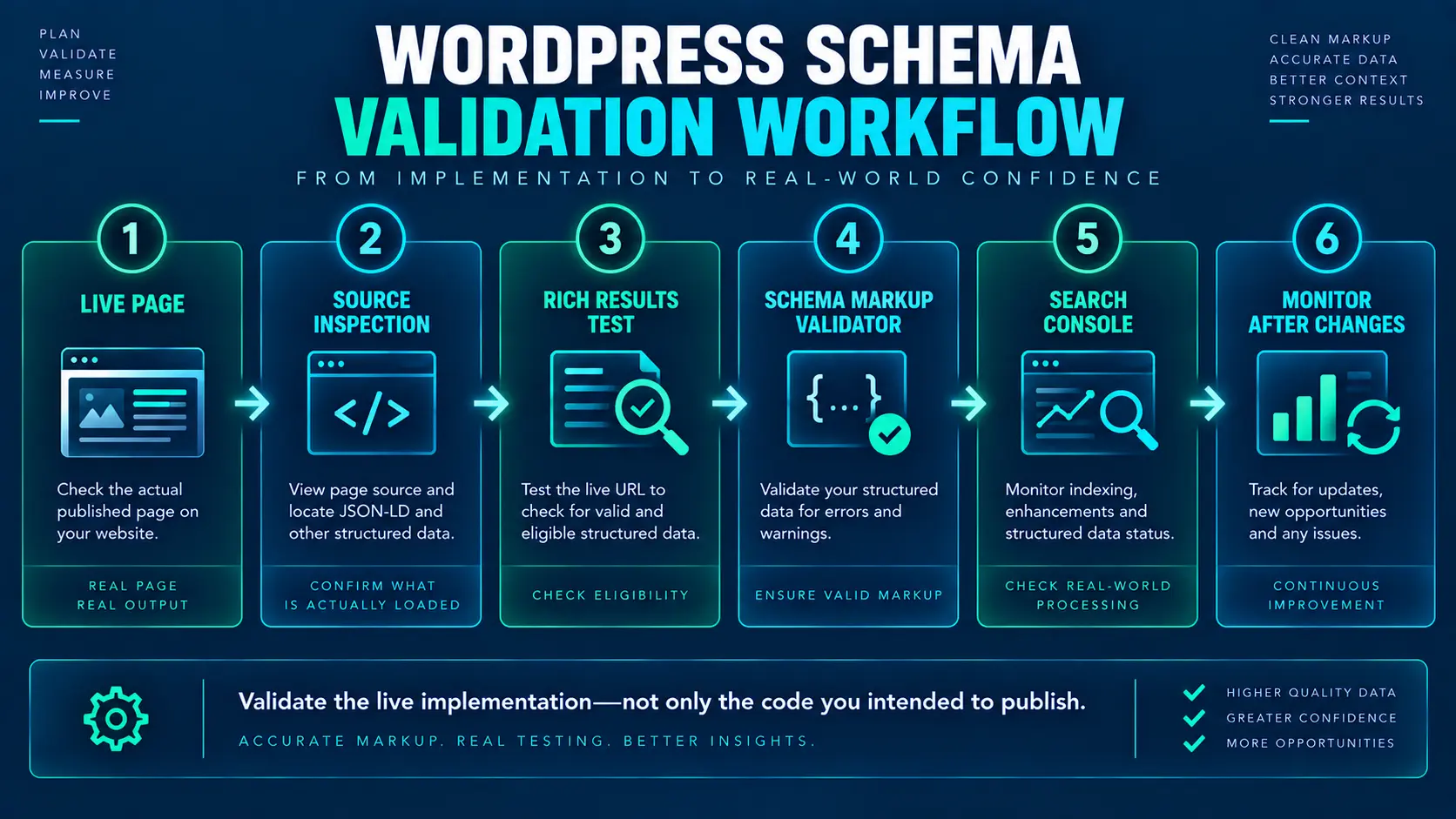
1. Inspect the Live HTML
To validate schema markup in WordPress, search the published page source for application/ld+json. Confirm the expected entities are present in the version users and crawlers can access.
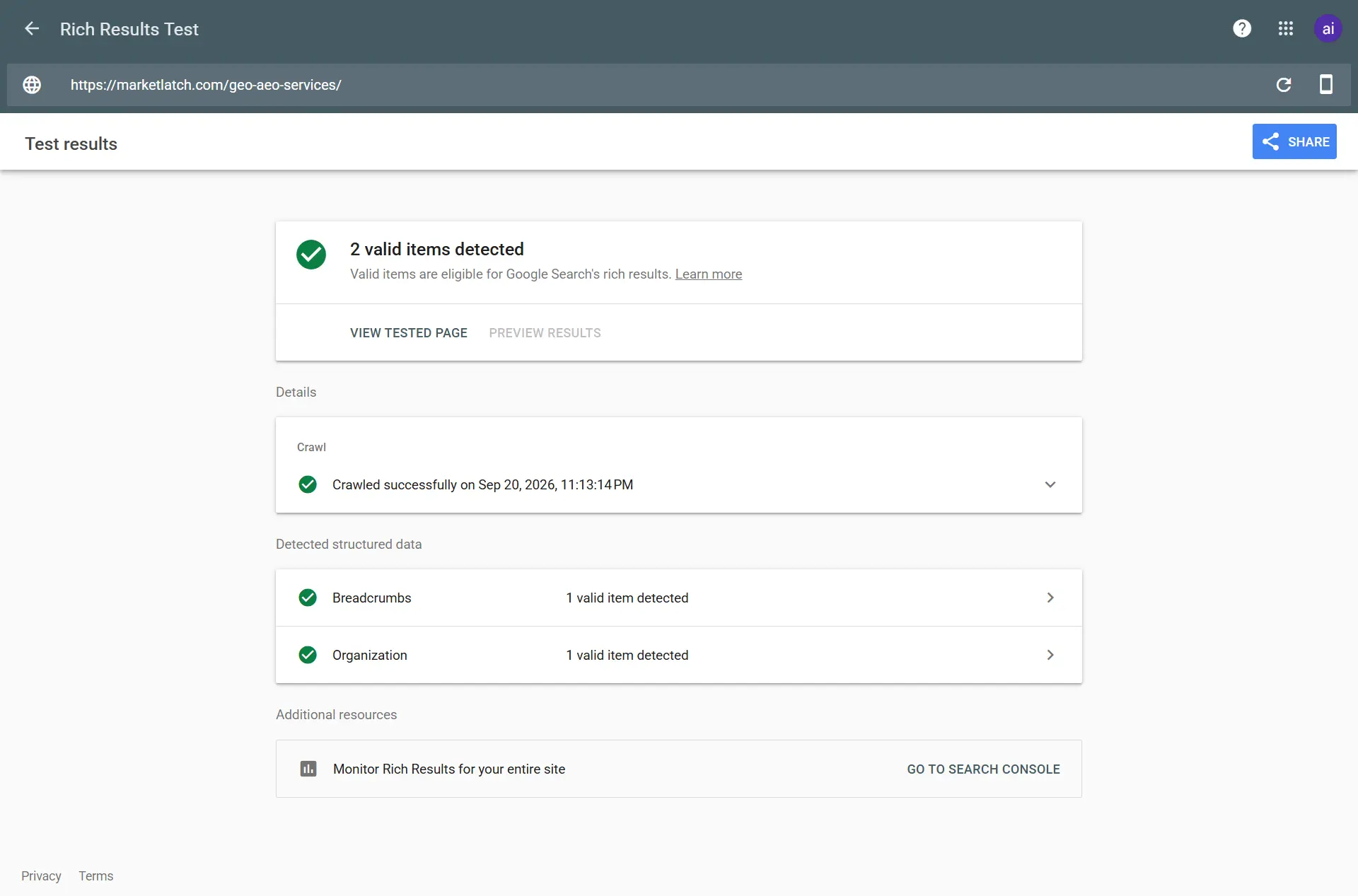
2. Use Google Rich Results Test
Check whether the structured data is eligible for any currently supported Google rich-result feature that actually applies to the page. A valid test does not guarantee that a feature will appear.
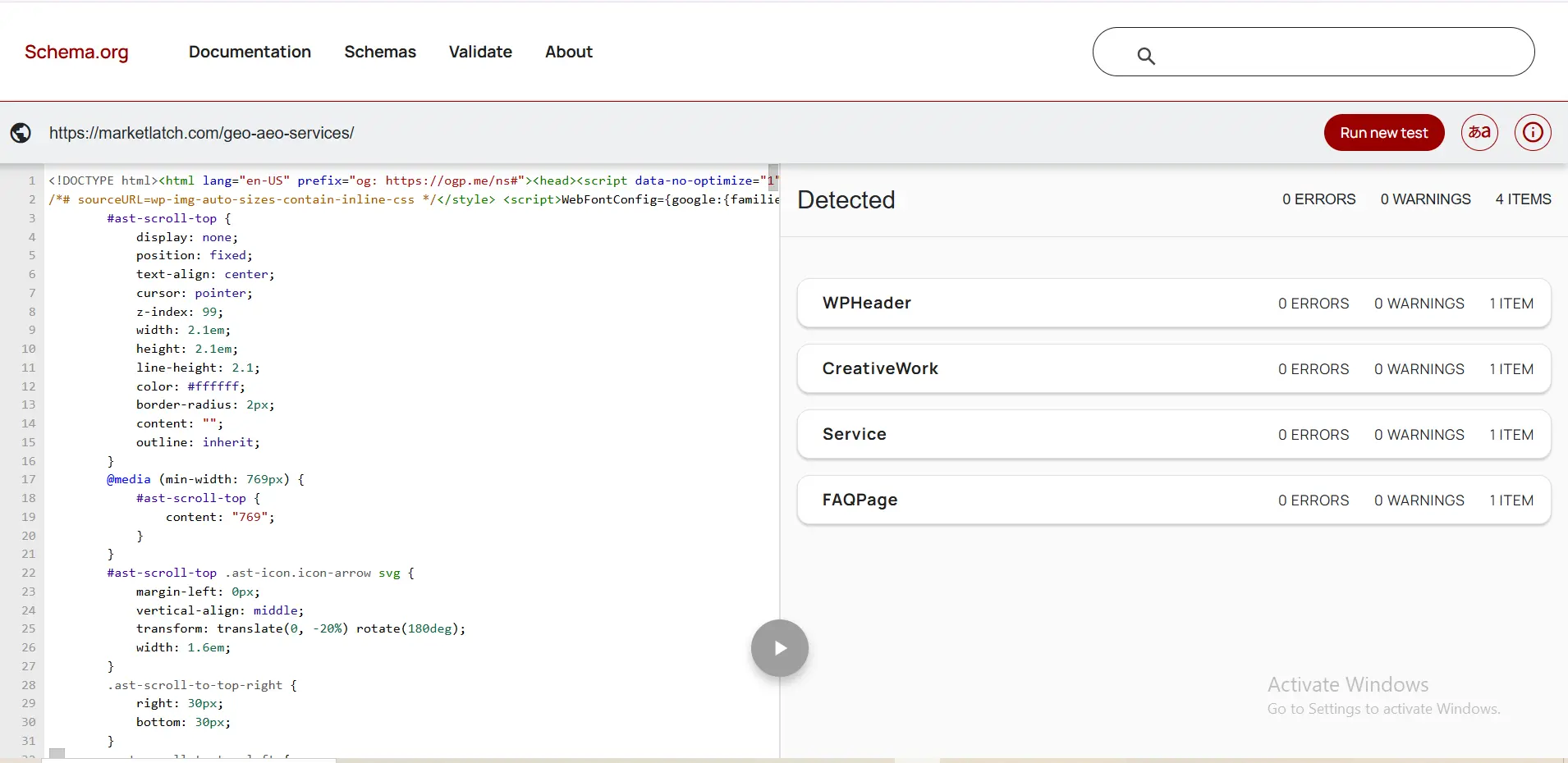
3. Use Schema Markup Validator
Inspect Schema.org structured data beyond Google’s rich-result-specific feature support.
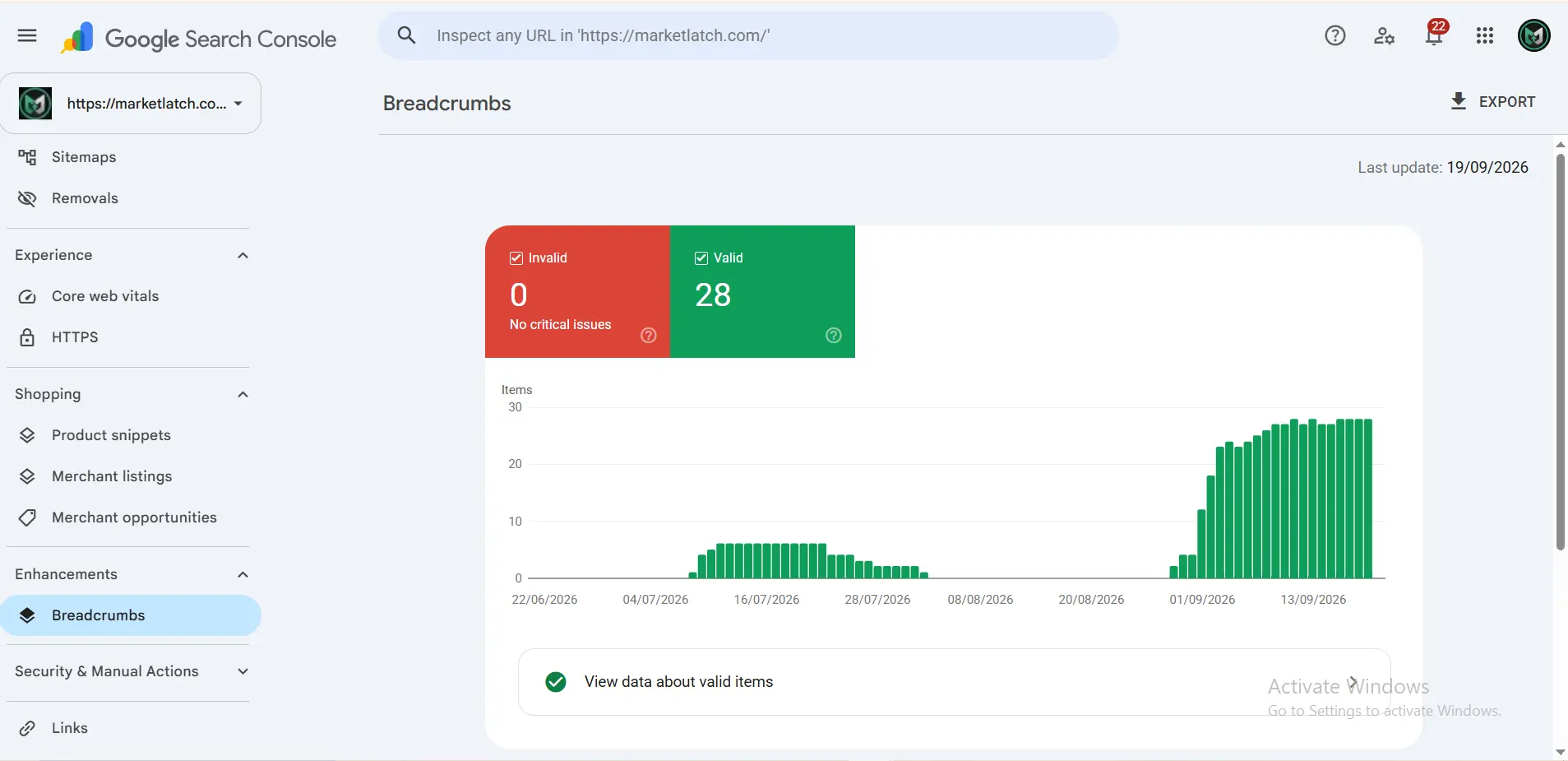
4. Use Search Console and URL Inspection
Check how Google can access the page and monitor supported structured-data features. Allow time for crawling and re-indexing.
Valid vs Eligible vs Displayed
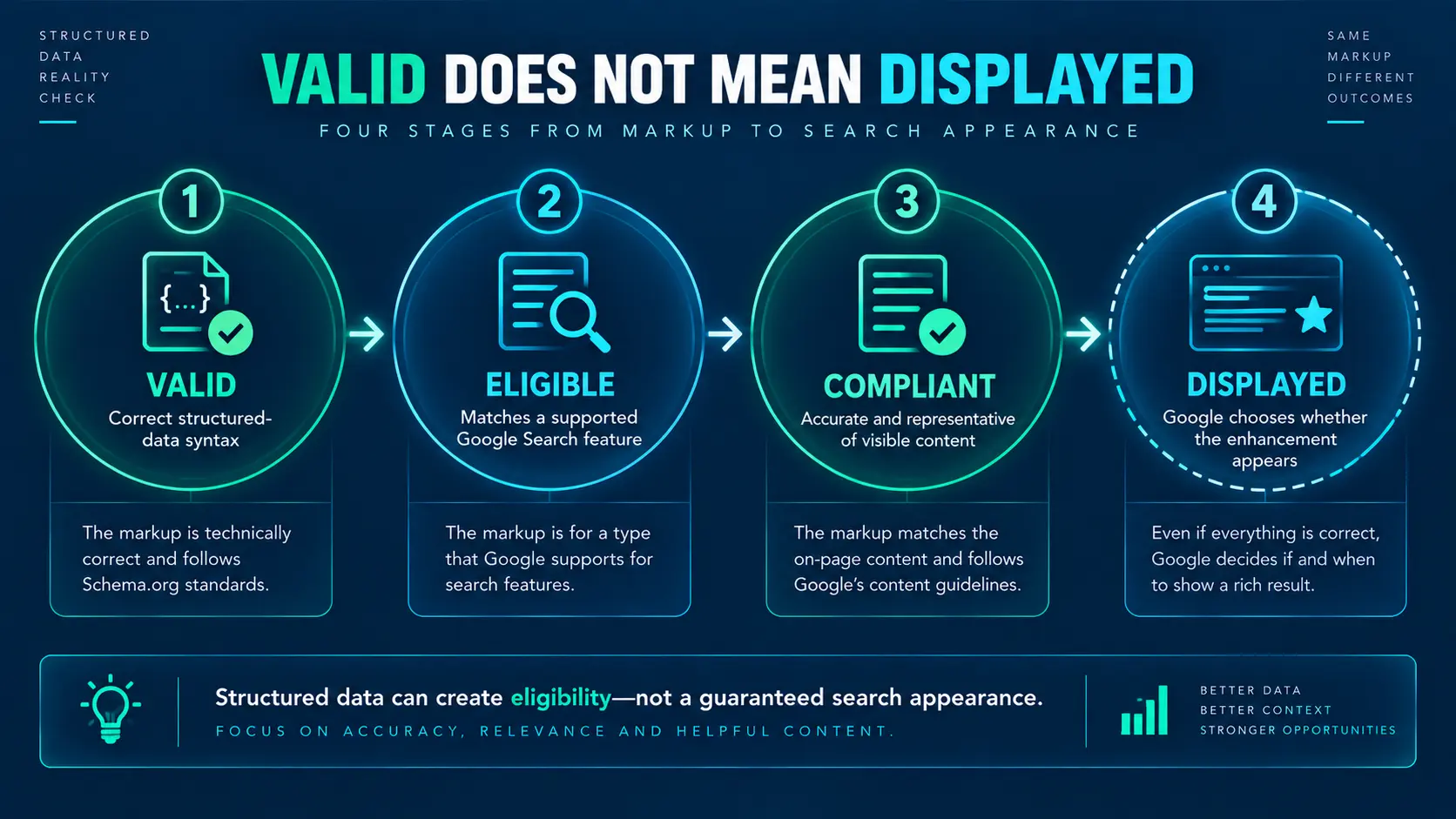
| Stage | What it means | What it does NOT mean |
| Valid | Markup can be parsed and passes relevant technical checks. | It does not guarantee a rich result. |
| Eligible | Page and markup meet conditions for a supported Google Search feature. | It does not guarantee Google will display it. |
| Displayed | Google chooses to show the enhanced appearance. | It is not a permanent promise. |
A successful validation test is a technical milestone, not a ranking or visibility guarantee.
Does Schema Markup Improve SEO Rankings?
Do not treat schema markup as a guaranteed direct ranking boost. Its primary value is helping search systems interpret information and, for supported features, making pages eligible for enhanced search appearances.
Better search presentation may matter commercially because it can affect how people interact with a result, but valid schema itself is not a reason to expect higher organic rankings. The practical question is not “How much schema can I add?” but “What information should this page communicate clearly, and what structured data helps represent it accurately?”
Schema Markup and AI Search in 2026
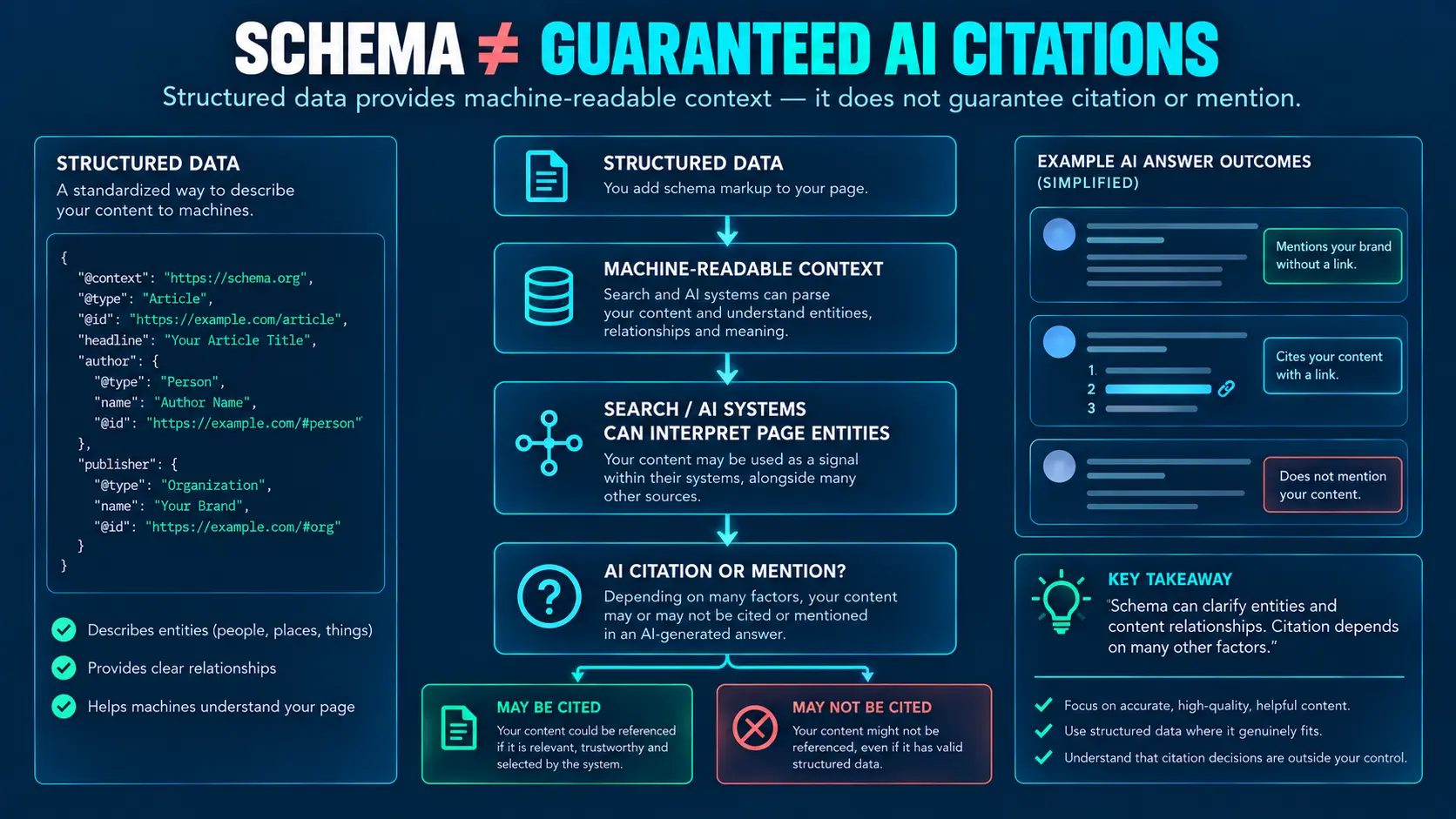
Google’s current guidance does not require special AI schema for AI Overviews or AI Mode. Google’s AI features guidance explains that the same foundational SEO principles remain important.
Schema can make information more explicit to search systems, but AI-search visibility depends on broader factors such as whether the page can be discovered, understood, retrieved as relevant information, and considered useful by the search system.
| What AI Search does NOT require • No special AI schema • No artificial content chunking • No keyword-variation stuffing • No fake mentions of entities or brands • No assumption that llms.txt improves Google Search visibility • No promise that JSON-LD produces AI citations |
What Actually Matters for AI Search?
| Layer | What to improve |
| Discoverable | Crawlability, indexability, internal links, canonical URLs, accessible pages. |
| Understandable | Clear page purpose, explicit entities, consistent names, accurate structured data, meaningful relationships. |
| Answerable | Direct answers, definitions, headings, tables, examples, steps, clear conclusions. |
| Citation-worthy | Original frameworks, evidence, expert reasoning, authoritative references, and value beyond commodity summaries. |
Google has clarified that llms.txt is not needed for Google Search and does not provide a positive or negative visibility effect there. Other AI systems may have their own policies, so Google’s position should not be generalized to every AI platform.
For ChatGPT Search specifically, publishers who want public websites to be discoverable and potentially surfaced can review OpenAI’s publisher guidance, including access for OAI-SearchBot. Discovery or citation is not guaranteed.
Independent 2026 evidence also supports a cautious interpretation: Ahrefs’ matched schema study of 1,885 pages that added JSON-LD found no clear positive citation lift in Google AI Mode or ChatGPT; the authors also note that the study does not establish what happens for pages with no prior AI visibility.
The practical lesson is simple: build pages that are easy to discover, easy to understand, useful to answer from, and strong enough to deserve citation. Schema supports that system; it does not replace it.
Common WordPress Schema Mistakes
| Mistake | Why it causes problems |
| Adding schema before auditing | You may create duplicates or conflict with an existing generator. |
| Choosing schema because a plugin suggests it | Suggestions do not replace page-purpose analysis. |
| Marking up invisible information | Structured data should accurately represent the page. |
| Using every available schema type | Complexity without evidence does not create better meaning. |
| Assuming valid means displayed | Google can choose not to show an eligible feature. |
| Treating schema as a ranking shortcut | Structured data is not a substitute for useful content and sound SEO. |
| Adding FAQ schema for old rich-result expectations | The general FAQ rich result is no longer a current Google Search feature. |
| Using HowTo for a deprecated rich result | Do not implement it as a current Google rich-result tactic. |
| Adding manual JSON-LD beside a plugin without ownership planning | You can create overlapping or conflicting entities. |
| Changing multiple schema systems at once | You lose the ability to identify which change caused the result. |
When You Should NOT Touch Schema
Sometimes the correct optimization is no change. Leave the implementation alone when:
- Existing markup already accurately represents the page.
- Another system clearly owns the entity and there is no actual capability gap.
- The proposed schema has no visible evidence on the page.
- The type does not fit the page’s purpose.
- A plugin suggests markup that does not solve a real requirement.
- You are trying to recreate a deprecated Google rich-result feature.
- You are copying a competitor simply because they have more markup.
- The real goal is a ranking or AI-citation shortcut rather than better machine-readable information.
WordPress Schema Maintenance Checklist
- Recheck schema after changing SEO plugins, themes, templates, or custom schema code.
- Recheck after major page-builder or WooCommerce changes.
- Confirm author, publisher, dates, and images remain accurate.
- Confirm schema values still match visible content.
- Watch for duplicate Article, WebPage, BreadcrumbList, Product, or other important entities.
- Validate important templates after major releases.
- Monitor Search Console for structured-data issues and supported search features.
- Do not keep adding schema simply because new types become available.
Monitor Search Visibility After Publishing
Schema should be treated as part of an ongoing technical system, not a one-time checkbox. After publication, monitor normal Search Console performance alongside any available generative-AI performance reporting. Use the data to understand how the page is being discovered and surfaced, not to chase a single schema metric.
Google continues expanding Search Console reporting for generative AI and other search experiences, so use the relevant performance reports alongside conventional Search performance when they are available for your property.
FAQ
What schema should I use on a WordPress blog post?
Start with the page purpose. For a genuine blog article, Article or the more specific BlogPosting may be appropriate when it accurately represents the content. Then check what your SEO system already generates before adding anything manually.
Can I add schema to WordPress without a plugin?
Yes. You can add appropriate JSON-LD manually or through controlled custom code. The important issue is whether the markup accurately represents the page and integrates cleanly with the rest of the site’s schema.
Is JSON-LD better than Microdata?
Google supports JSON-LD, Microdata, and RDFa, and generally recommends JSON-LD when practical. For WordPress, JSON-LD is often easier to manage because it separates structured data from visible page markup.
Does schema markup improve rankings?
Do not treat schema as a guaranteed direct ranking boost. Its primary purpose is to help search systems understand page information and, where supported, make pages eligible for enhanced search appearances.
Does schema markup help AI search?
Structured data can provide machine-readable context, but there is no special AI schema that guarantees visibility or citations. AI-search visibility depends on broader factors including discoverability, understanding, relevance, usefulness, and content quality.
Should I use FAQ schema on my WordPress article?
You can keep a useful visible FAQ, but do not add FAQPage markup solely to pursue Google’s former general FAQ rich result. Google removed the general FAQ rich-result documentation in 2026.
How do I validate schema markup in WordPress?
Inspect the live HTML first, then use Google’s Rich Results Test and the Schema Markup Validator as appropriate. After publishing, use Search Console and URL Inspection to check accessibility and monitor supported search features.
Take the Next Step: Build for Answer Engines
Schema is most useful when it is part of a larger information architecture: clear pages, consistent entities, accurate structured data, strong internal links, helpful answers, original value, and technically accessible content.
If you are building for answer engines, don’t start by asking how much schema you can add. Start by asking what your page means, what evidence supports that meaning, what your site already communicates, and what information a search system needs to interpret correctly.
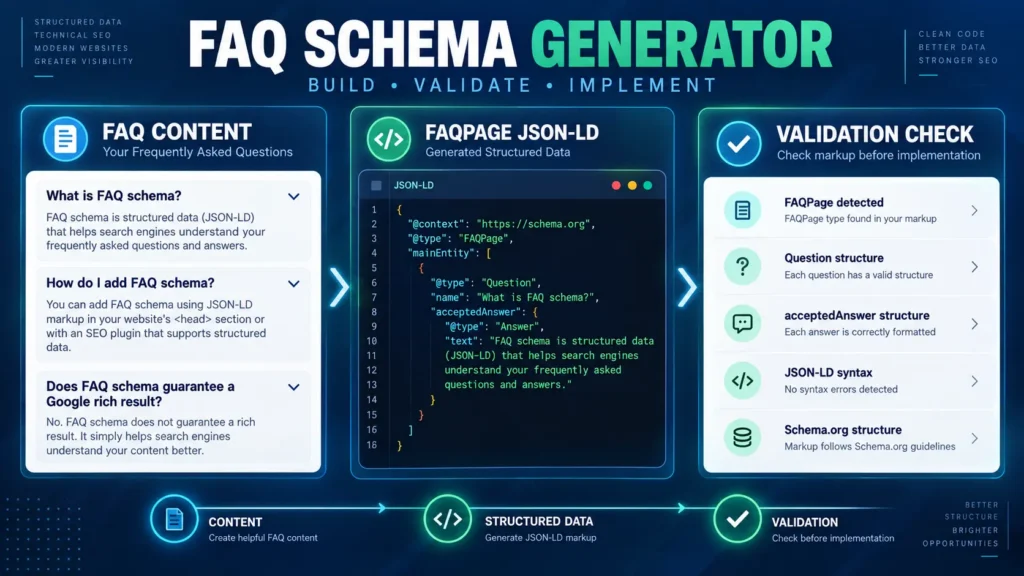
If you want a deeper practical framework for Answer Engine Optimization, explore the AEO Masterclass. For related workflows, see the FAQ Schema Generator and Crawled – Currently Not Indexed guides. For AI-search strategy, see ChatGPT SEO. For implementation support, MarketLatch also offers GEO/AEO services.
About the author

Nadeem Alam is the founder of Market Latch, a digital marketing agency working with clients across the USA, UK, Canada, Australia, the UAE and Pakistan. He is a digital growth strategist and WordPress specialist with about five years of experience in search, with hands-on experience in technical SEO, on-page SEO, structured data, WordPress, WooCommerce, Elementor, generative engine optimization, answer engine optimization, and Google and Meta Ads.
For WordPress SEO, his work includes structured-data implementation, schema auditing, entity relationships, JSON-LD, technical SEO, and validating markup against Google’s current documentation. This guide reflects that practical approach: auditing what WordPress and SEO plugins already generate, identifying which entities and schema types are actually supported by the page, and adding only accurate markup that matches visible content and search-engine requirements.
Nadeem is also the author of the Generative Engine Optimization Book, the AEO Masterclass Guide and the AI SEO Implementation Checklist 2026. His training and certifications include Google Digital Garage, Semrush Academy, Coursera, uConnect and Virtual University (DigiSkills).