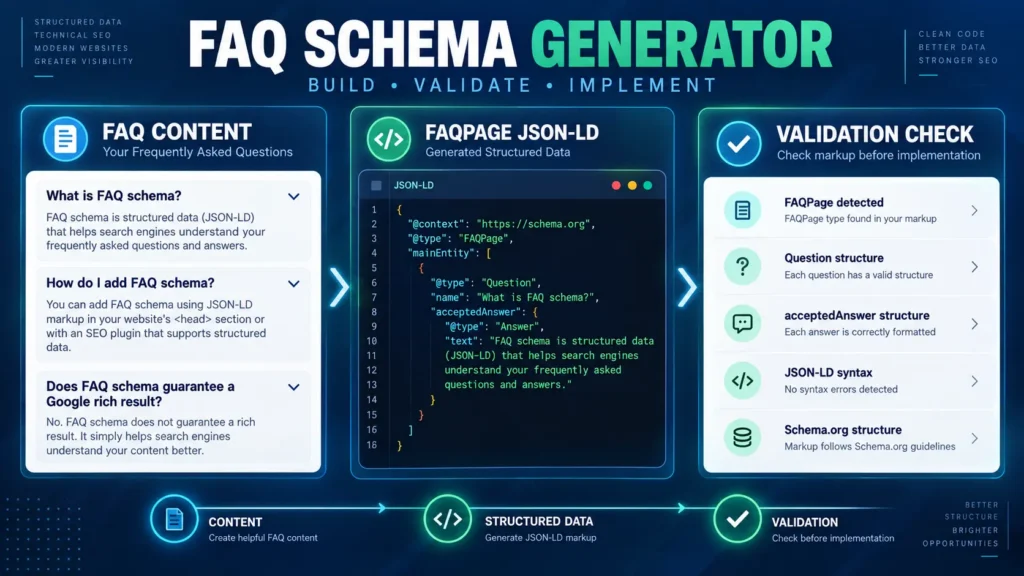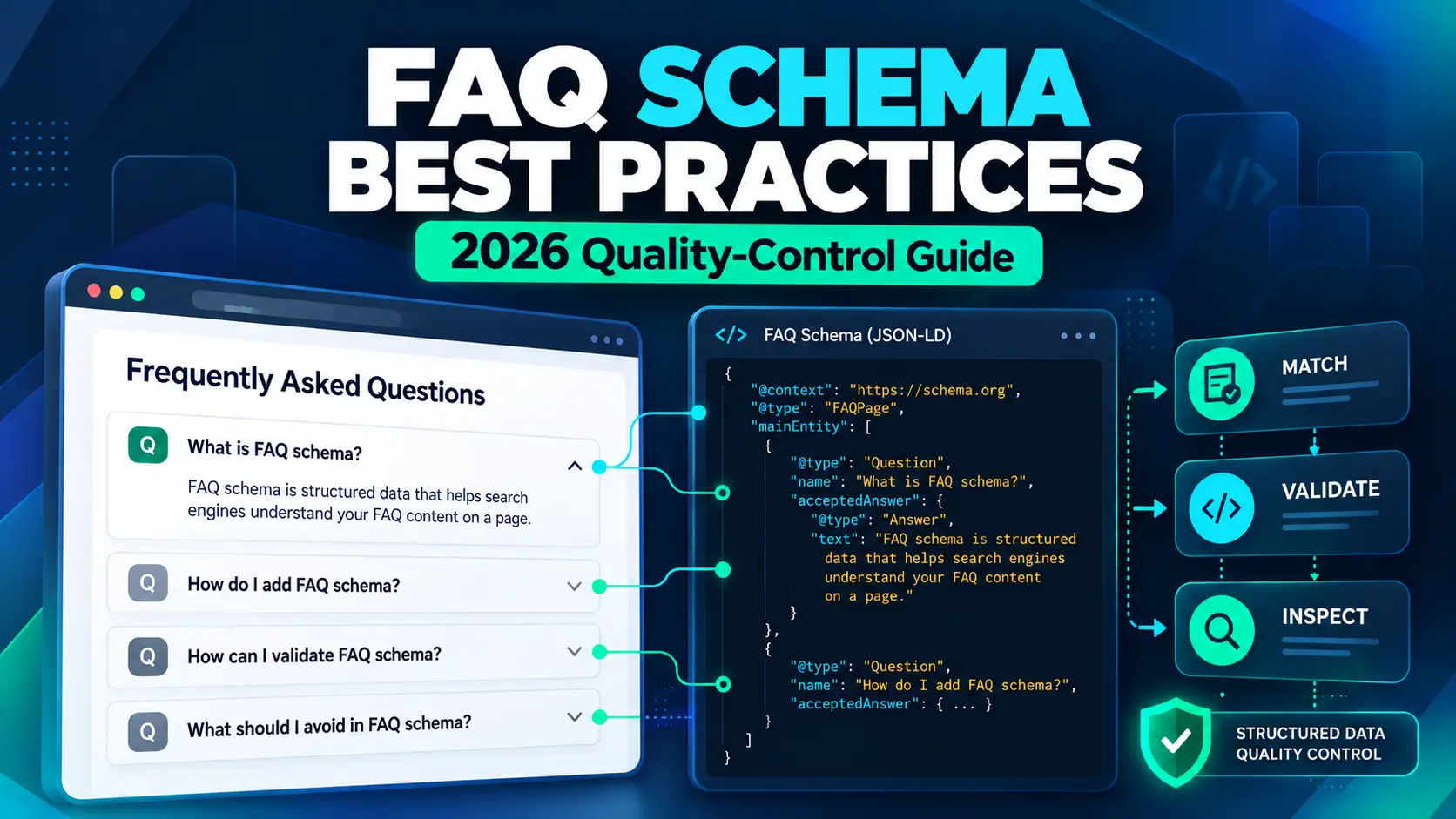
FAQ schema best practices need a different approach in 2026.
Google stopped showing the general FAQ rich result in Search starting May 7, 2026. That changed the search-appearance expectation around FAQ structured data, but it did not make the Schema.org FAQPage type disappear. Schema.org still defines FAQPage as a WebPage presenting one or more frequently asked questions and their answers.
The practical question is therefore no longer simply, “How do I add FAQ schema?”
It is:
Does this page contain genuine FAQ content, does the structured data accurately represent it, is the schema type correct, and does the published implementation stay synchronized with the page?
That is the approach used in this guide.
Instead of treating FAQ structured data as an SEO button, treat it as a quality-control problem:
Evaluate → Match → Model → Validate → Inspect → Maintain → Fix/Remove
This distinction matters because valid structured data does not guarantee a particular appearance in Google Search. It also should not be presented as a direct guarantee of rankings or AI-search citations.
What FAQ Schema Means in 2026
For a publisher-authored FAQ, FAQPage is the Schema.org content model for a WebPage presenting one or more frequently asked questions and their answers.
The important terminology is:
- FAQ schema — common industry shorthand.
- FAQPage — the Schema.org type.
- FAQ structured data — the machine-readable implementation.
- FAQPage JSON-LD — one common implementation format.
- Google FAQ rich result — the former Google Search feature that stopped appearing in May 2026.
These terms are not interchangeable.
Google’s former FAQ rich result was a Search appearance. FAQPage is a Schema.org vocabulary type. The first was retired; the second still exists.
Google’s current structured-data guidance also makes an important distinction: structured data helps describe page content, but valid markup does not guarantee that Google will display a particular search feature.
For that reason, the goal of FAQ structured data should be accurate representation, not an assumed search-result reward.
The FAQ Schema Quality-Control Framework
A practical way to work with FAQ structured data is to treat the implementation as a seven-stage quality-control process.
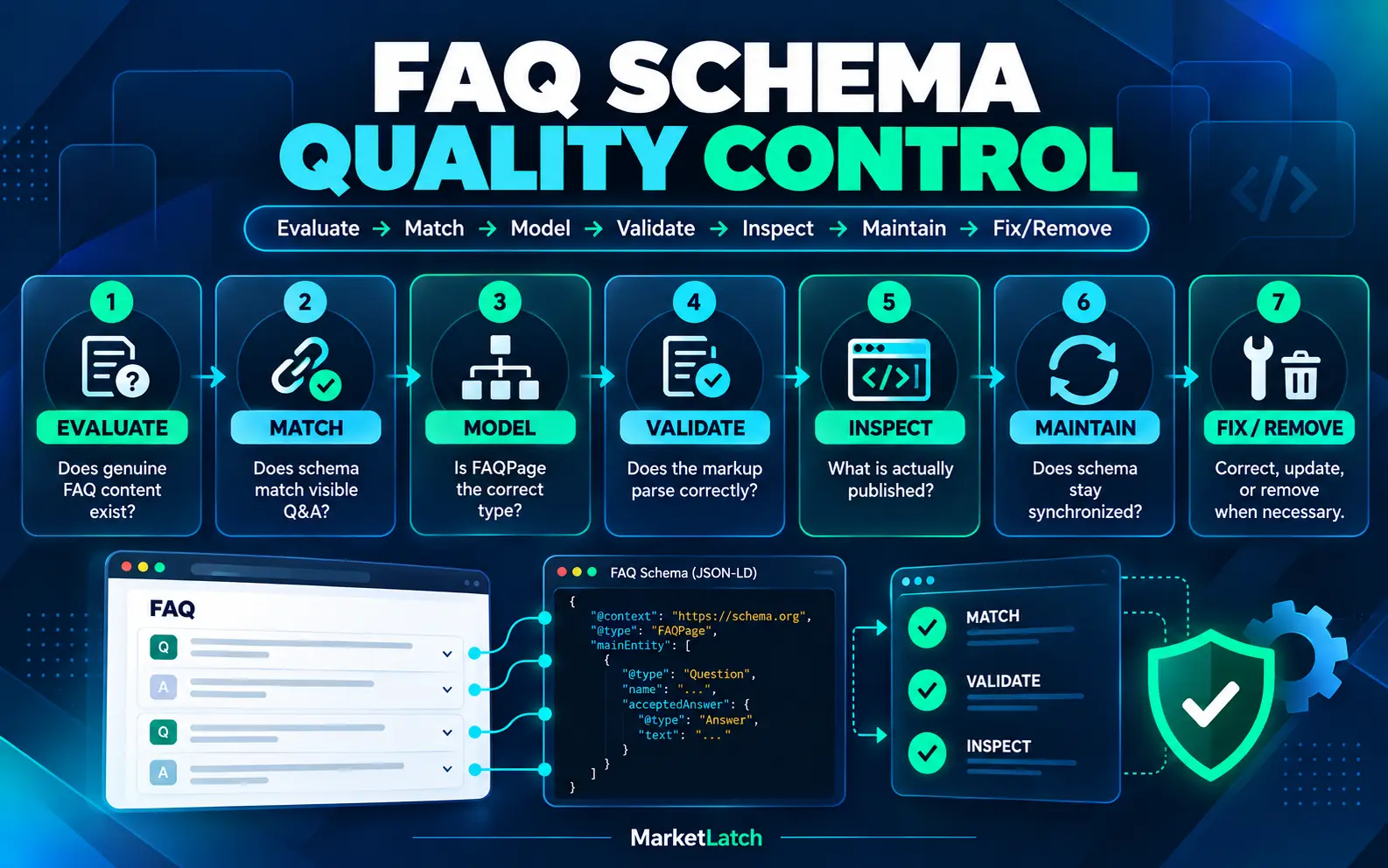
1. EVALUATE
Does genuine FAQ content exist?
Before writing JSON-LD, determine whether the page actually contains useful frequently asked questions and answers.
2. MATCH
Does the structured data match the visible Q&A?
The questions and answers represented in structured data should correspond to content available to users on the page.
3. MODEL
Is FAQPage the correct content model?
Do not choose a schema type simply because a plugin offers it. The schema should describe the page that actually exists.
4. VALIDATE
Does the markup parse correctly?
Check the structured data for syntax and structural problems.
5. INSPECT
What is actually published?
Do not stop with the code you intended to publish. Inspect the live implementation.
6. MAINTAIN
Does the schema stay synchronized when the FAQ changes?
A visible answer can change while an older manually maintained JSON-LD block remains unchanged.
7. FIX / REMOVE
What should happen when the implementation is wrong?
Correct inaccurate markup, update stale information, remove unnecessary duplicate implementations, or remove structured data that no longer represents the page.
This is the central principle of this article:
Good FAQ structured data is not merely valid code. It is an accurate, appropriate, synchronized, and maintainable representation of real page content.
6 FAQ Schema Best Practices for 2026
Start With Real FAQ Content
The first step is not opening a schema generator; it is confirming that the page has useful FAQ content.
Start with the questions a real visitor needs answered.
An FAQ section should have a useful reason to exist independently of structured data. The questions should address genuine uncertainty, objections, implementation questions, or common problems related to the page.
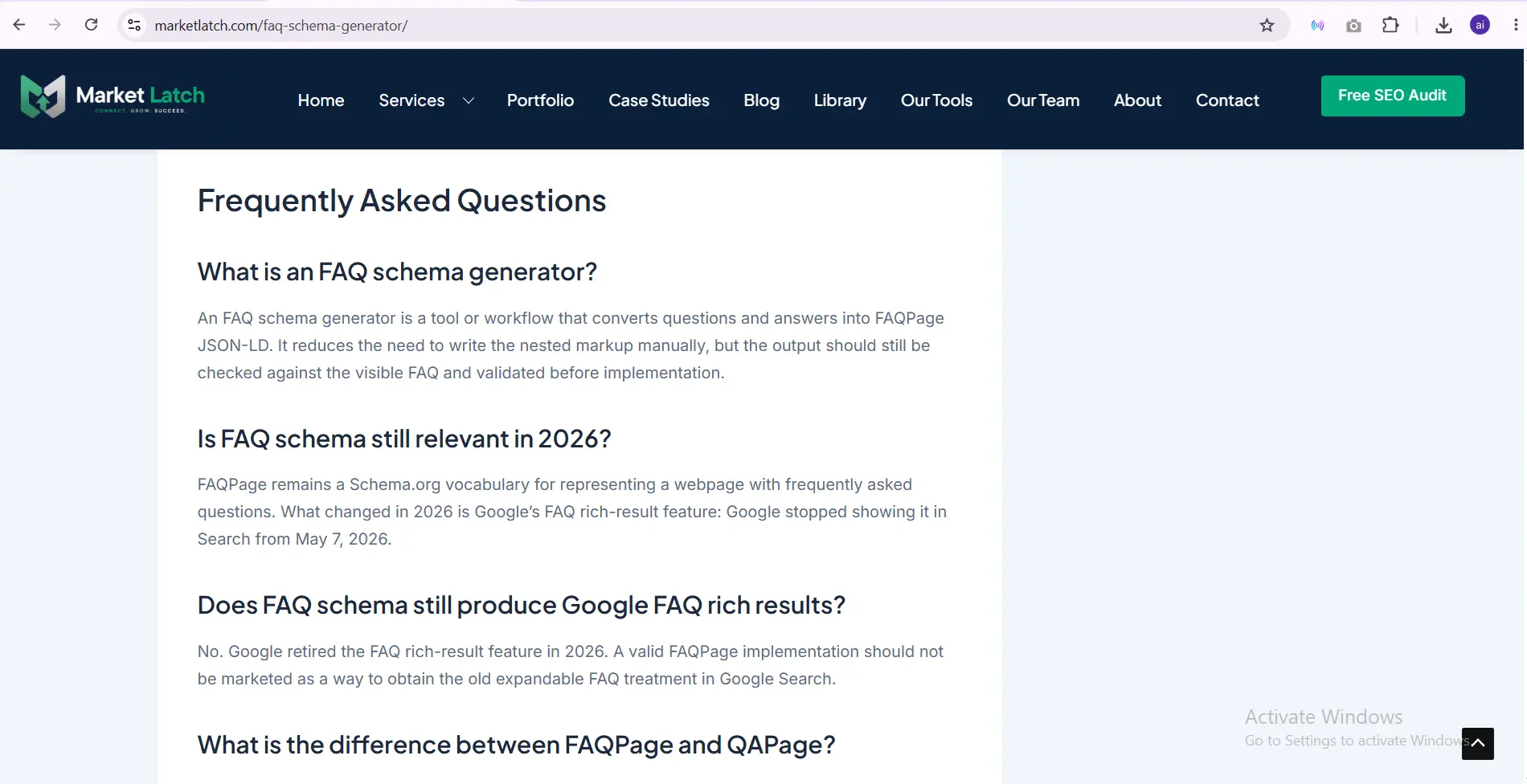
The screenshot above shows the principle: the visible FAQ comes first.
The structured data should describe that content rather than creating a second, invisible version of the page.
This is particularly important when using a generator. A generator can construct JSON-LD, but it cannot decide whether your questions are useful, whether they belong on the page, or whether the answers accurately represent what users can read.
A practical order is:
- Write the useful FAQ.
- Review the questions and answers.
- Publish the visible content.
- Generate or configure the structured data.
- Validate the implementation.
- Inspect the live page.
The schema should follow the content.
It should not become a reason to create content that exists only for markup.
Match Schema to Visible Content
Google’s structured-data guidelines require structured data to accurately represent the content available to users.
That makes visible-content matching one of the most important checks.
Suppose the visible FAQ contains:
Question: What is FAQ schema?
Answer: FAQ schema is structured data used to describe frequently asked questions and their answers.
The corresponding structured data should describe that same question and answer.
It should not contain:
- a different question,
- a longer hidden answer,
- keyword variations that users cannot see,
- old answers,
- unrelated questions,
- or information copied into JSON-LD solely to target additional searches.
The same principle applies when content changes.
If you update the visible answer but leave an old manually maintained JSON-LD answer behind, the page can become internally inconsistent.
Use FAQPage for the Right Content Mode
For a publisher-authored FAQ, FAQPage is the appropriate Schema.org content model when the page presents frequently asked questions and their answers.
But FAQPage and QAPage are not interchangeable.
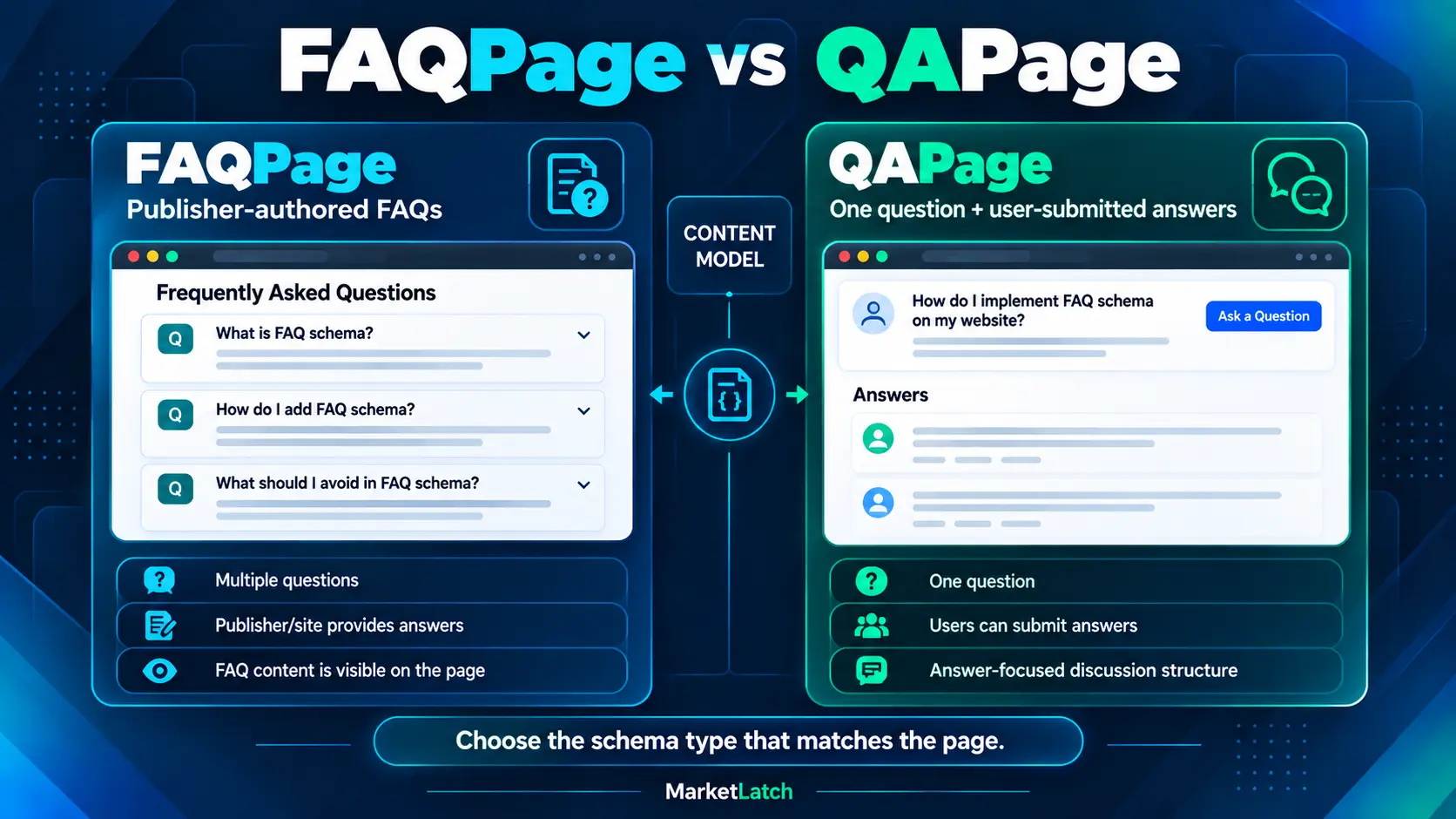
A useful distinction is:
| Content situation | Appropriate model |
| Multiple site-authored FAQs | FAQPage |
| One main question with user-submitted answers | QAPage |
| Blog post answering a question | Blog/article content, not automatically QAPage |
| How-to article | HowTo/article content as appropriate |
| Product page containing several questions | Do not automatically treat it as QAPage |
Google’s QAPage documentation specifically says not to use QAPage for ordinary FAQ pages or pages with multiple questions. QAPage is intended for a single main question followed by answers, where users can submit answers.
The important lesson is simple:
Choose the schema type based on the content model, not the presence of question marks.
Decision rule: Use FAQPage for publisher-authored FAQs. Use QAPage only when one main question is the focus and users can submit answers. If neither description fits, do not force FAQPage or QAPage markup.
Avoid Duplicate or Conflicting Schema
Duplicate schema is a practical WordPress implementation problem.
It can happen when:
- an SEO plugin generates FAQ structured data,
- an FAQ plugin generates another copy,
- a page builder adds structured data,
- and someone manually inserts JSON-LD.
The answer is not to assume that every implementation should remain active.
First inspect what the page already generates.
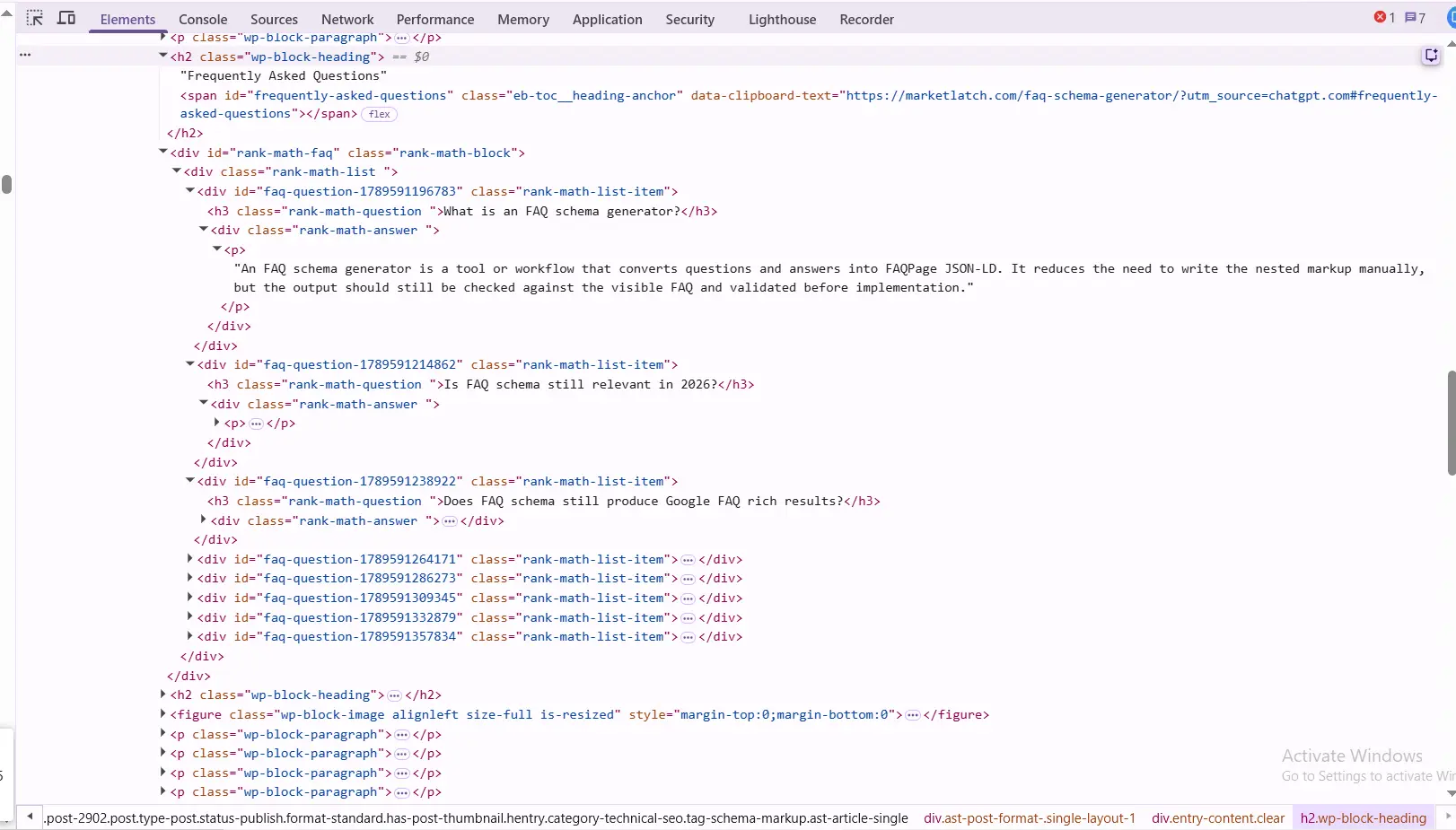
The live page inspection shown here demonstrates the published FAQ block and its questions and answers.
It should be treated as live DOM/content evidence, not as the sole proof of the exact JSON-LD script.
For the actual structured-data implementation, inspect the published source and the structured-data output separately.
The MarketLatch approach is:
Audit first → identify the existing generator → inspect the output → then decide whether anything needs to be added or changed.
If an existing implementation already accurately represents the page, adding another implementation simply because it is possible is unnecessary.
For the broader WordPress schema audit process covering what to keep, add, fix, or skip, see the Schema Markup for WordPress guide on MarketLatch.
Validate the Actual Implementation
Generation and validation are different tasks.
A generator can produce syntactically neat JSON-LD. That does not mean the final page is correctly implemented.
Validation should happen at the appropriate levels.
Schema vocabulary validation
The Schema.org Validator can help show how the vocabulary and relationships are interpreted.
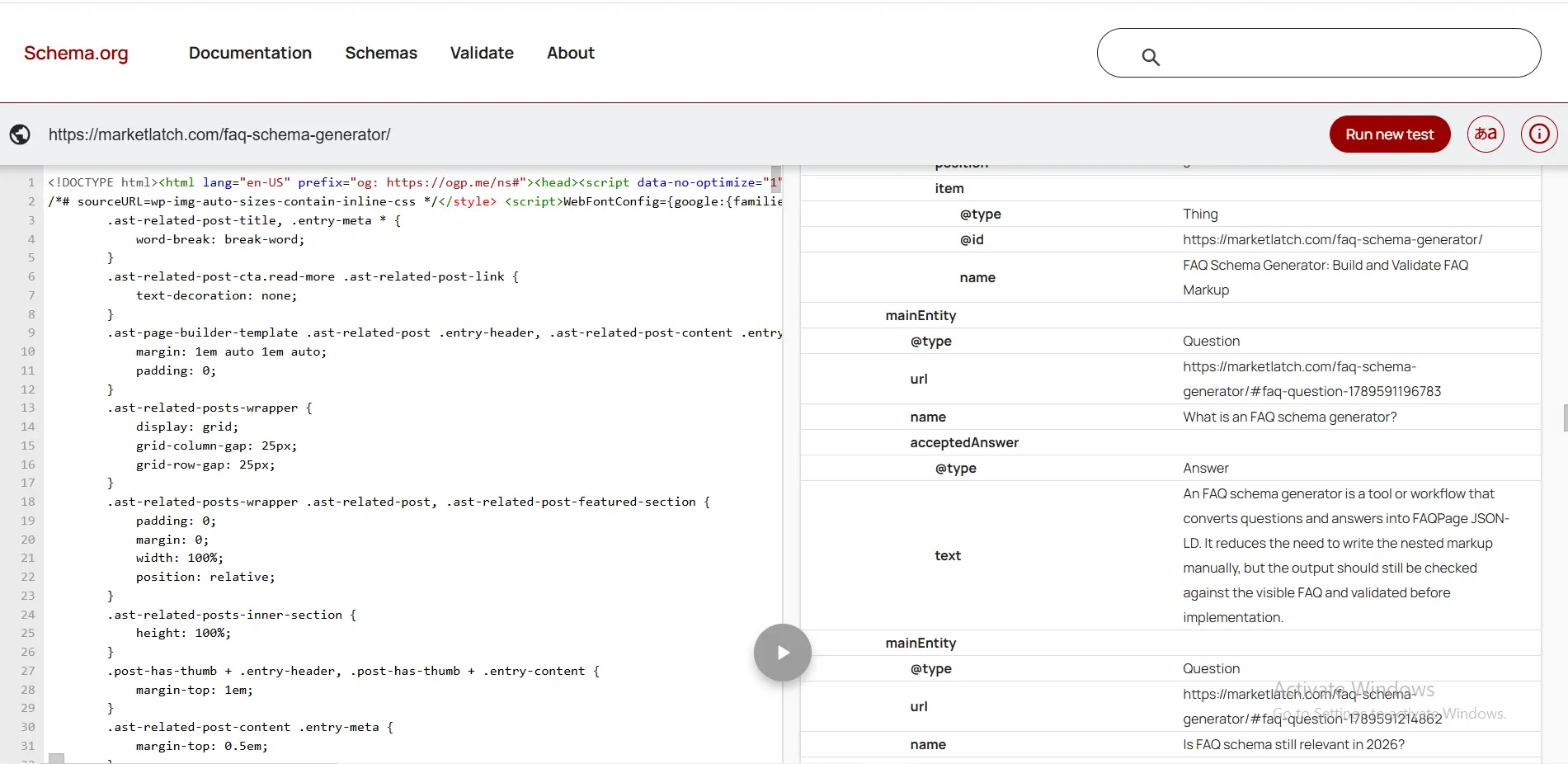
The captured validator result reports zero errors and zero warnings for the tested structure.
That is evidence that the validator parsed the tested structure without reporting those issues.
It is not a statement that Google has approved the page.
It is also not a guarantee of a Google Search appearance.
For the implementation and release process, see Google’s structured-data introduction. Valid structured data does not guarantee that a supported Search feature will appear.
After validation, perform a separate live implementation check.
Confirm:
- the markup exists on the published page,
- the FAQPage type is present where appropriate,
- the Questions correspond to visible questions,
- the Answers correspond to visible answers,
- there is no unnecessary duplicate implementation,
- the page is crawlable,
- the canonical URL is correct,
- and the implementation remains current.
Keep Schema Synchronized When FAQs Change (H3)
Structured data is not a set-and-forget task.
A page can change after publication.
For example:
Visible FAQ
“What is FAQ schema?”
↓
Answer updated in WordPress
↓
Visible page = new answer
↓
Old JSON-LD = previous answer
That creates a maintenance problem.
The risk is higher when the visible FAQ and JSON-LD are maintained separately.
A useful maintenance habit is to recheck FAQ structured data after:
- editing FAQ questions,
- changing FAQ answers,
- replacing an FAQ plugin,
- changing SEO plugins,
- changing themes or templates,
- changing page builders,
- adding custom schema,
- removing FAQ content,
- or restructuring the page.
The goal is simple:
If the visible FAQ changes, check whether the structured data needs to change too.
FAQ Schema Mistakes to Avoid
1. Treating FAQ schema as a Google rich-result shortcut
Google stopped showing the general FAQ rich result in Search starting May 7, 2026.
That means old advice promising the familiar expandable FAQ treatment is outdated.
FAQPage still exists as a Schema.org type, but that does not recreate Google’s retired Search feature. Google’s 2026 Search documentation updates record the retirement of the FAQ rich-result documentation and feature.
2. Saying that FAQPage itself was deprecated
This is a terminology error.
Google retired its FAQ rich-result feature.
That is not the same statement as saying that Schema.org’s `FAQPage` type no longer exists.
Schema.org continues to define FAQPage.
Keep those two concepts separate throughout your content.
3. Using QAPage for a normal FAQ
A site-authored FAQ with multiple questions is not automatically a QAPage.
QAPage is designed around one main question and user-submitted answers.
Using it simply because the page contains questions and answers is a content-model mistake.
4. Marking up hidden or unrelated questions
Do not add questions to JSON-LD merely because they contain valuable keywords.
The structured data should represent the content users can access on the page.
If a question isn’t genuinely part of the page, don’t add it to the FAQPage markup.
5. Validating only the code block
A code block can be valid while the published implementation is wrong or incomplete.
For example:
- the code was never published,
- the plugin removed it,
- another plugin generated a duplicate,
- the visible FAQ changed,
- the canonical URL changed,
- or the page became inaccessible to crawlers.
Validation is one step.
Live inspection is another.
6. Assuming valid FAQ schema guarantees rankings or AI visibility
It does not.
FAQPage structured data should not be presented as a guaranteed ranking factor, an AI citation mechanism, or a shortcut into Google AI Overviews, AI Mode, ChatGPT, or another generative system.
Google’s current guidance does not identify FAQPage structured data as a special requirement for AI Overviews or AI Mode. See Google’s guidance on generative AI features for the broader Search guidance.
FAQ Schema Example
FAQ Schema Example
{
“@context”: “https://schema.org”,
“@type”: “FAQPage”,
“mainEntity”: [
{
“@type”: “Question”,
“name”: “What is FAQ schema?”,
“acceptedAnswer”: {
“@type”: “Answer”,
“text”: “FAQ schema is structured data that describes frequently asked questions and their answers on a page.”
}
},
{
“@type”: “Question”,
“name”: “How do I validate FAQ schema?”,
“acceptedAnswer”: {
“@type”: “Answer”,
“text”: “Validate the structured data, then inspect the published page to confirm that the markup matches the visible FAQ content.”
}
}
]
}
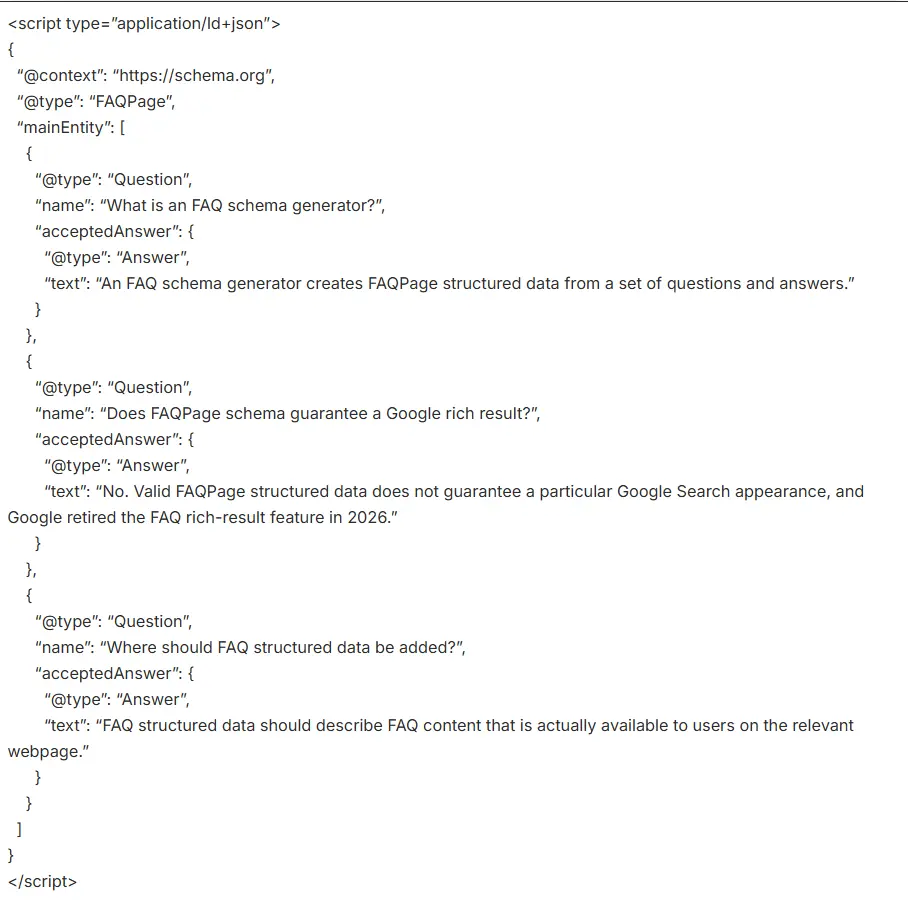
The important parts are the relationships:
FAQPage
↓
mainEntity
↓
Question
↓
acceptedAnswer
↓
Answer
The actual questions and answers should come from the page’s real FAQ content.
Do not copy the example questions into a production implementation unless they are genuinely the questions your page answers.
Google recommends JSON-LD as the preferred structured-data format in general. For WordPress sites, JSON-LD can also be practical to manage because it separates structured data from the visible HTML markup. See Google’s structured-data introduction for the implementation overview.
If you need to generate the markup itself, see the FAQ Schema Generator guide on MarketLatch.
How to Audit FAQ Schema on an Existing WordPress Page
If you’re auditing an existing WordPress page, don’t immediately open the schema generator.
Use an audit-first process.
Step 1: Identify the page purpose
Ask:
What is this page actually about?
If it is a blog article with a useful FAQ section, the page may use article-related structured data alongside an appropriate FAQ representation for the visible FAQ.
If it is a dedicated FAQ page, the page model is different.
Step 2: Inspect the visible FAQ
Look at the actual questions and answers users can see.
Record:
- questions,
- answers,
- section location,
- changes made recently,
- and whether the FAQ is still useful.
Step 3: Identify the schema generator
Check whether the structured data comes from:
- Rank Math,
- another SEO plugin,
- an FAQ plugin,
- the theme,
- the page builder,
- custom code,
- or more than one source.
Do not add another implementation until you know what already exists.
Step 4: Inspect the published structured data
Inspect the live page.
Look for:
- `FAQPage`
- `Question`
- `acceptedAnswer`
- `Answer`
- duplicate FAQPage blocks
- stale questions
- stale answers
- unrelated content
Step 5: Compare visible content with structured data
Use a simple comparison:
| Check | Visible page | Structured data |
| Question exists | Yes/No | Yes/No |
| Question text matches | Yes/No | Yes/No |
| Answer exists | Yes/No | Yes/No |
| Answer matches | Yes/No | Yes/No |
| Content is current | Yes/No | Yes/No |
| Duplicate implementation | — | Yes/No |
If the two sides do not agree, fix the implementation before considering the audit complete.
Step 6: Validate
Run the implementation through the appropriate validation tools, then perform a separate live-page inspection.A successful validation result is useful, but it is not the final step.
Validation tools are not interchangeable: Schema.org Validator checks how Schema.org vocabulary and relationships are parsed; Google Rich Results Test checks Google-supported structured-data features; Google URL Inspection checks the deployed URL as Google sees it. None of these alone guarantees a ranking, rich result, or AI citation.
Step 7: Inspect the live page again
After making changes:
- publish the page,
- inspect the live implementation,
- check the visible FAQ,
- verify the structured data,
- confirm the canonical,
- check indexing settings,
- and monitor the page after Google has had time to recrawl it.
For a broader WordPress structured-data decision process, see:
Does FAQ Schema Help With AI Search?
The short answer is:
Do not treat FAQPage structured data as an AI-search visibility switch.
Structured data can give search systems machine-readable information about page content. That is useful.
But that is different from saying:
“Add FAQPage and Google AI Overview will cite you.”
There is no basis for making that promise.
Google’s current guidance for generative AI features says that the same foundational SEO practices remain relevant and that there is no special Schema.org markup required for AI Overviews or AI Mode.
The stronger approach is to build pages that are:
- crawlable,
- understandable,
- useful,
- original,
- technically accessible,
- clearly structured,
- and genuinely helpful for the questions they address.
FAQ structured data can support the machine-readable representation of a real FAQ.
It does not replace the content itself.
For the broader relationship between technical SEO, content structure, and AI-search visibility, see the MarketLatch ChatGPT SEO guide.
FAQ Schema Pre-Publish Checklist
Use this checklist before publishing or updating an FAQ implementation.
Review in four passes: Content → Schema → Technical SEO → UX & Maintenance
- [ ] The FAQ answers real user questions.
- [ ] The FAQ is useful even without structured data.
- [ ] The questions are actually visible on the page.
- [ ] The answers are actually available on the page.
- [ ] FAQPage is appropriate for the content model.
- [ ] QAPage is not being used for a normal publisher-authored FAQ.
- [ ] `mainEntity` contains the appropriate Question items.
- [ ] Each Question has the appropriate question text.
- [ ] Each Question has an appropriate `acceptedAnswer`.
- [ ] Each Answer contains the actual answer content.
- [ ] The markup has been validated.
- [ ] The captured validator result is understood correctly and is not being treated as a Google approval.
- [ ] No unnecessary duplicate FAQPage implementation exists.
- [ ] The published markup matches the visible FAQ.
- [ ] The page is crawlable.
- [ ] The page is indexable.
- [ ] The canonical URL is correct.
- [ ] Robots settings do not unintentionally block the page.
- [ ] Relevant internal links work.
- [ ] External source links work.
- [ ] Images load correctly.
- [ ] Image alt text accurately describes each image.
- [ ] Mobile layout has been checked.
- [ ] Desktop layout has been checked.
- [ ] No intrusive element blocks the main content.
- [ ] The implementation is not being presented as a guarantee of rankings, rich results, or AI citations.
- [ ] The FAQ will be rechecked when its visible content changes.
FAQ
What is FAQ schema?
FAQ schema is common shorthand for structured data that describes frequently asked questions and their answers. In this article, the underlying Schema.org type is `FAQPage`.
Is FAQ schema still relevant in 2026?
FAQPage remains a Schema.org vocabulary for representing a webpage with frequently asked questions. What changed in 2026 is Google’s FAQ rich-result feature: Google stopped showing the general FAQ rich result in Search starting May 7, 2026.
Does FAQ schema still produce Google FAQ rich results?
No. Google retired the general FAQ rich-result feature in 2026. A valid FAQPage implementation should not be marketed as a way to obtain the old expandable FAQ treatment in Google Search.
What is the difference between FAQPage and QAPage?
FAQPage describes publisher-authored frequently asked questions and their answers. QAPage is designed around one main question followed by answers that users can submit. Google specifically says not to use QAPage for ordinary multi-question FAQ pages.
How do I add FAQ schema in WordPress?
You can use an SEO or FAQ plugin that generates the structured data, use a content component that keeps the visible FAQ and structured data together, or add controlled JSON-LD manually. Whichever method you use, inspect the final published page and confirm that the markup matches the visible FAQ.
How do I validate FAQ JSON-LD?
For Schema.org vocabulary validation, you can use the Schema.org Validator to inspect the parsed FAQPage, Question, and Answer structure. After implementation, inspect the live page as well to confirm that the published markup matches the visible content.
Can FAQ schema improve AI Overview or ChatGPT visibility?
There is no guarantee. FAQPage can describe question-and-answer content in a machine-readable way, but it should not be presented as a direct ticket into Google AI Overviews, AI Mode, ChatGPT, or another generative search system.
Can I generate FAQ schema manually?
Yes. FAQPage JSON-LD can be written manually. A generator is a convenience, not a requirement. Manual implementation makes it especially important to validate the markup and keep it synchronized with the visible FAQ.
Final Takeaway
The best FAQ schema practice in 2026 is not adding the maximum amount of markup.
It is adding the right markup to the right content and keeping it accurate over time.
Use this sequence:
Evaluate → Match → Model → Validate → Inspect → Maintain → Fix/Remove
- Start with genuine FAQ content.
- Make the structured data match what users can actually see.
- Use FAQPage when it accurately represents the content model.
- Do not use QAPage for a normal publisher-authored FAQ.
- Do not create duplicate implementations simply because several plugins can generate them.
- Validate the markup.
- Inspect the live page.
- And when the FAQ changes, check the structured data again.
Google’s FAQ rich result is gone, but accurate structured data remains part of a broader technical SEO system. The value is not in promising a particular search appearance. The value is in making the page’s information clearer and more consistently represented for machines as well as people.
About the author

Nadeem Alam is the founder of MarketLatch, a digital marketing agency serving clients across the USA, UK, Canada, Australia, the UAE, and Pakistan. He is a digital growth strategist and WordPress specialist with about five years of experience in SEO and digital marketing, with hands-on experience in technical SEO, on-page SEO, structured data, WordPress, WooCommerce, Elementor, Generative Engine Optimization, Answer Engine Optimization, Google Ads, and Meta Ads.
For WordPress SEO, his work includes structured-data implementation, schema auditing, entity relationships, JSON-LD, technical SEO, and validating structured data against Schema.org specifications and Google’s published documentation. This guide reflects that practical approach: auditing what WordPress, themes, page builders, and SEO plugins already generate; identifying which schema types and entities accurately represent the page; and adding only markup that matches the visible content and the appropriate structured-data model.
Nadeem is also the author of the Generative Engine Optimization Book, the AEO Masterclass Guide and the AI SEO Implementation Checklist 2026. His training and certifications include Google Digital Garage, Semrush Academy, Coursera, uConnect and Virtual University (DigiSkills).
Published: September 28, 2026. This guide is based on Google Search documentation and structured-data guidance available at the time of publication, practical WordPress SEO implementation, and the MarketLatch approach to schema auditing and structured-data quality control. Examples, recommendations, and workflows are provided for educational and informational purposes and should be adapted to the specific requirements of each website.
Search documentation, structured-data guidelines, and SEO practices can change over time. Always verify the latest applicable requirements and documentation before implementation. Examples and workflows in this guide do not disclose confidential client information. No guarantee is made regarding search rankings, rich-result eligibility or appearance, traffic, AI search visibility, or other SEO outcomes.