Google Business Profile Audit Checklist for a More Organized GBP Workflow
A Google Business Profile audit checklist gives you a structured way to review the profile, identify gaps, prioritize improvements, implement changes, and keep ongoing management organized.
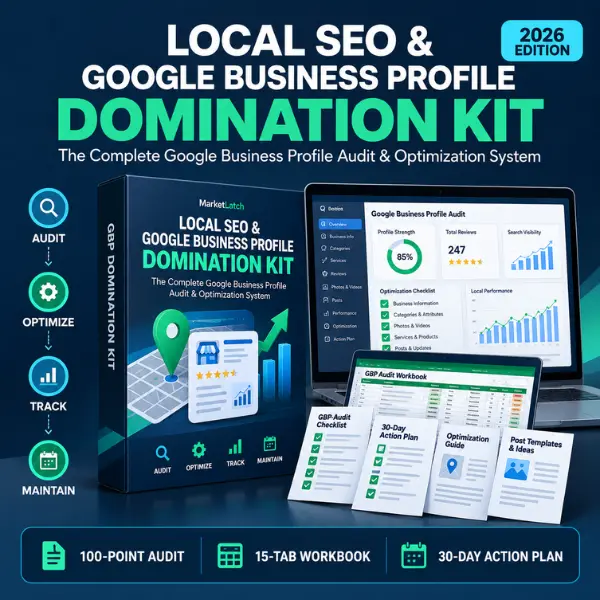
Stop managing your Google Business Profile with scattered notes, browser tabs, and one-off reminders. This kit brings the audit, optimization, tracking, implementation, and management workflow together in one practical system.
If you are still setting up the profile, start with the Google Business Profile optimization guide and use the kit when you are ready to document and manage the work.
A Complete Google Business Profile Audit & Management System
This is not a single checklist or a generic PDF. The kit combines an audit framework, an Excel workspace, implementation planning, review resources, content planning, tracking tools and a recurring management workflow.
The goal is simple: when you finish an audit, you should know what you found, what matters first, what you plan to change, and how you will keep track of the profile afterward.
Audit → Diagnose → Prioritize → Implement → Track → Maintain
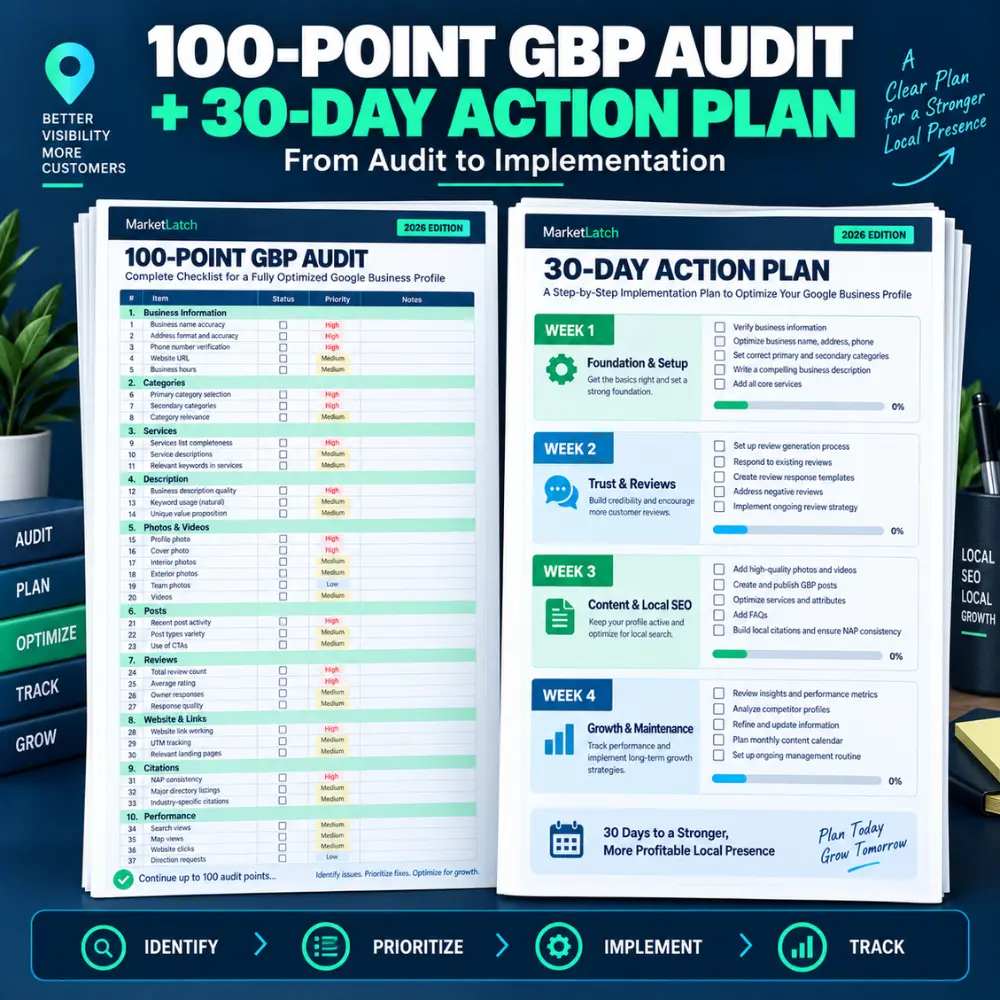
Start with the 100-point audit. Record the findings in the Command Center. Use the findings to decide what needs attention first. Move the work into the 30-day plan, then use the trackers and monthly SOP to keep the account organized after the initial cleanup.
What’s Included in This Google Business Profile Audit Checklist
You get a connected set of working files rather than one document that leaves the implementation up to you.
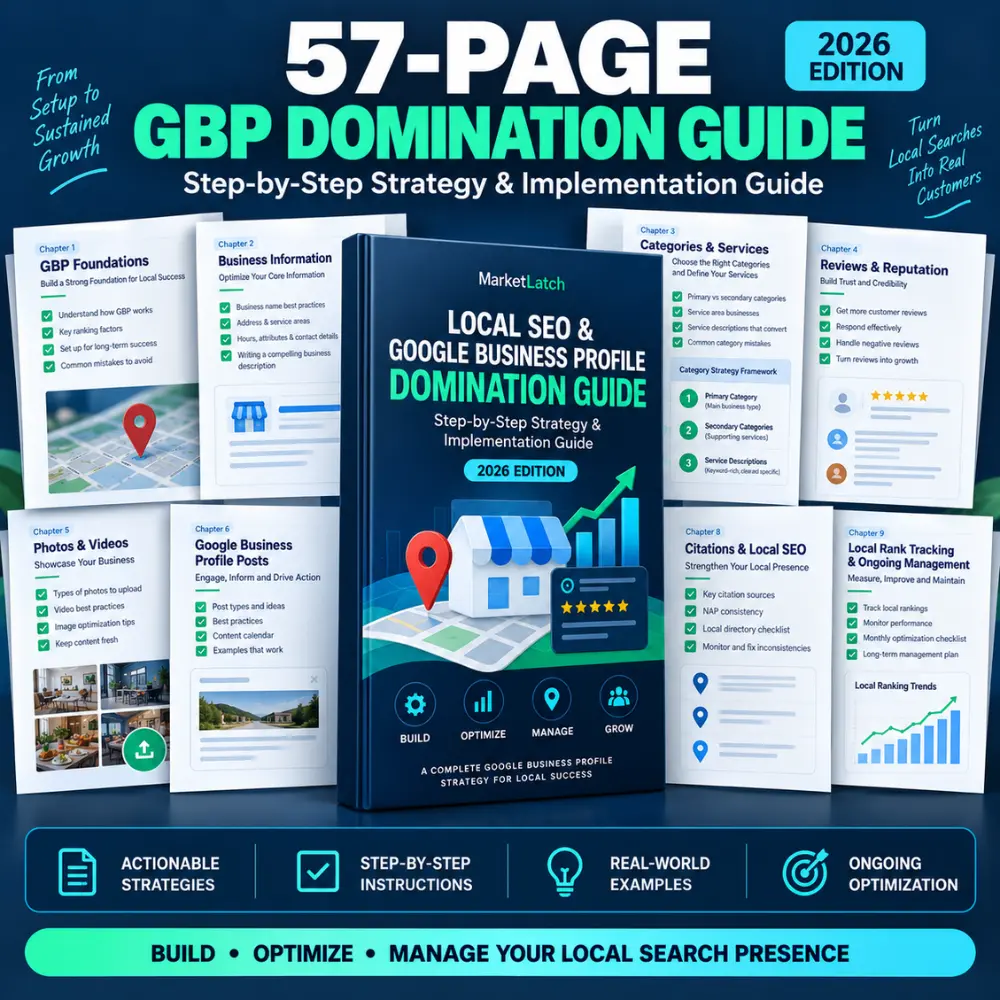
- 57-Page GBP Domination Guide — A practical guide for auditing, optimizing and maintaining a Google Business Profile.
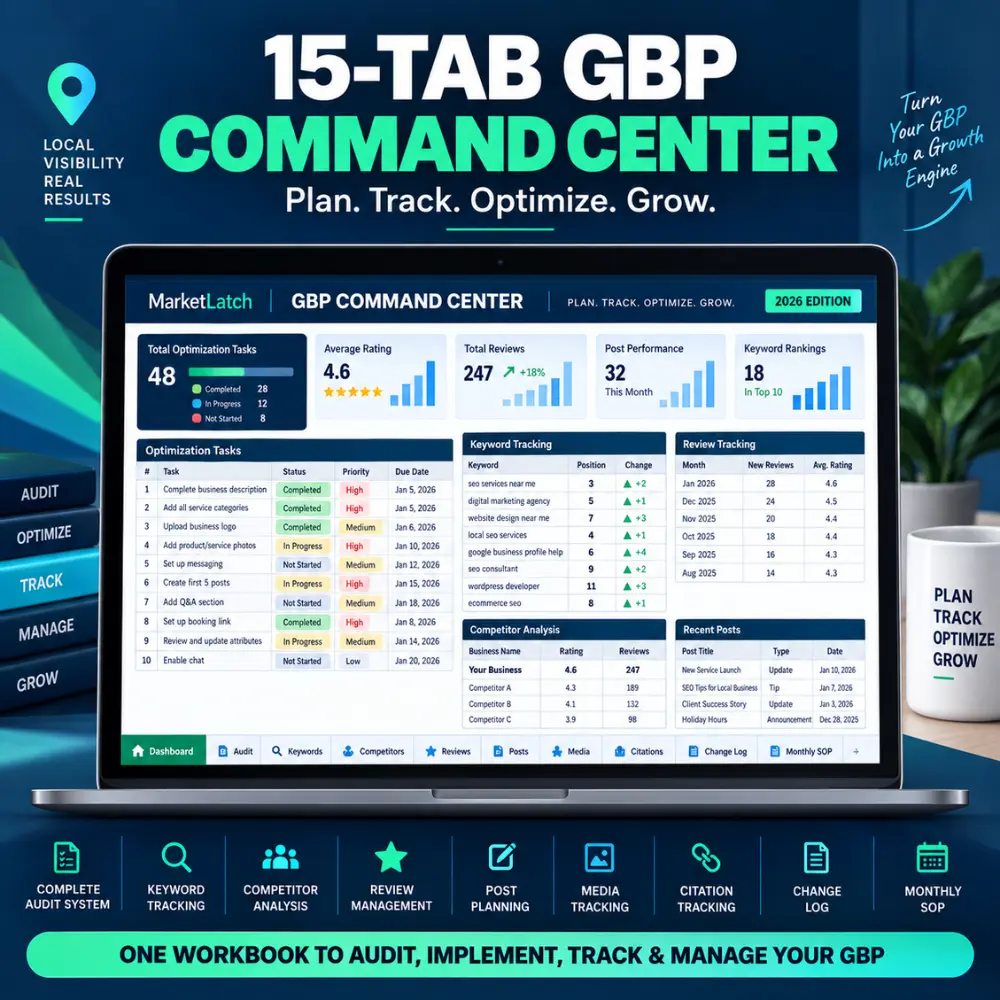
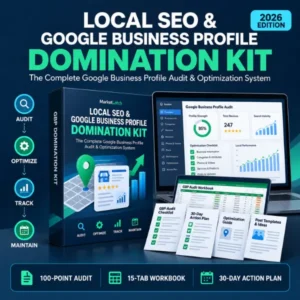
- 15-Tab GBP Command Center Excel Workbook —Use the Google Business Profile audit checklist alongside the 15-tab Command Center to turn audit findings into trackable implementation tasks.
- 100-Point GBP Audit Checklist —The Google Business Profile audit checklist helps you review the core areas that affect profile completeness, consistency, trust, customer experience, and ongoing management.
- Optimization Checklist — A companion checklist for moving from audit findings into implementation.
- Keyword Tracker — A place to record local keyword targets and related observations.
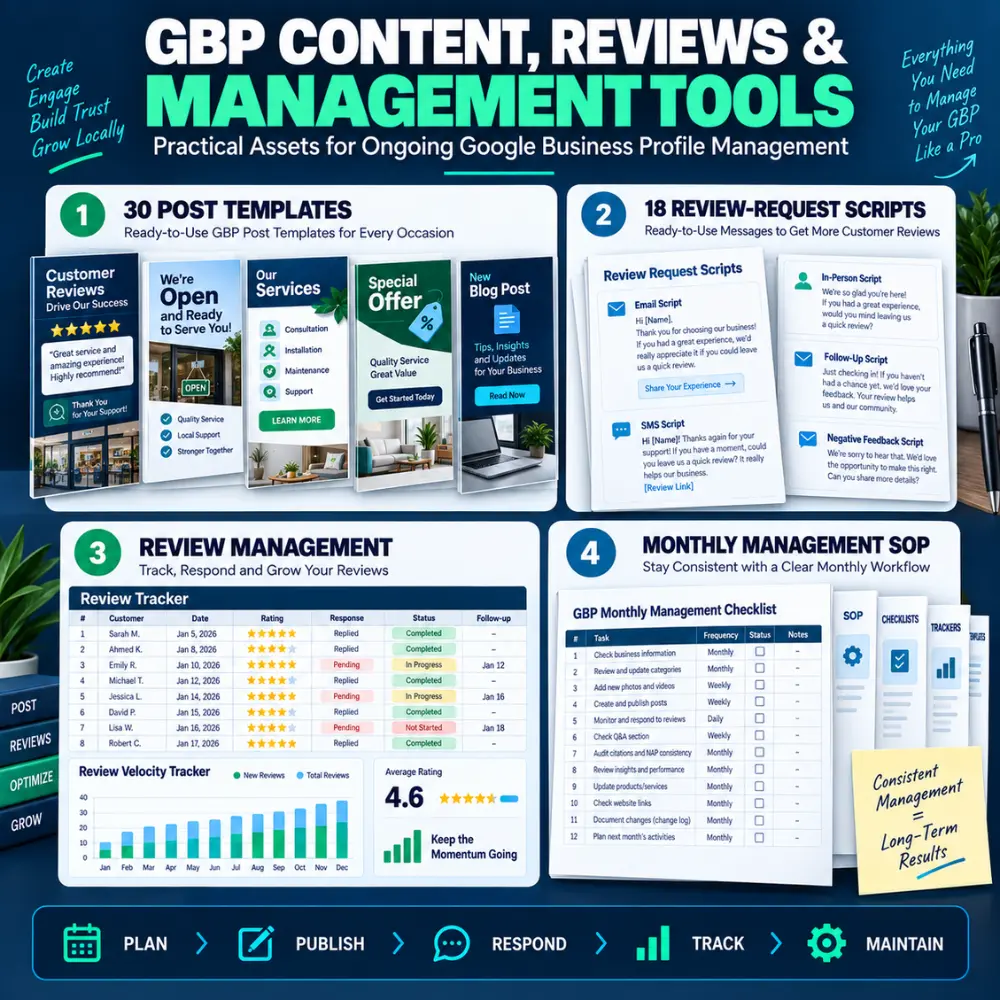
- Review Tracker — Track review activity, response status and follow-up work.
- Review Velocity Tracker — Record review growth over time rather than looking only at the current total.
- Competitor Analyzer — Compare selected local competitors using the fields you choose to monitor.
- GBP Post Planner — Plan recurring Google Business Profile post activity instead of improvising each time.
- Media Tracker — Organize profile media and planned additions.
- Citation Tracker — Document citation and business-information consistency work.
- Change Log — Keep a record of important profile changes so you can see what was changed and when.
- 30-Day Implementation Plan —The Google Business Profile audit checklist is designed to work beyond the initial audit, with a 30-day action plan that helps you move from findings to implementation.
- 30 Canva Post Specifications — Ready-to-use specifications for creating GBP post graphics and content variations in Canva.
- 18 Review-Request Scripts — Adaptable scripts for requesting genuine customer reviews.
- Review Response Framework —The review-management resources extend the Google Business Profile audit checklist into an ongoing workflow for review requests, responses, and review tracking.
- Monthly Management SOP — A recurring workflow for maintaining the profile after the initial optimization.
- Quick-Reference Checklist — A compact reference for recurring GBP work.
- Licensing Guide + Agency/Multi-Seat Addendum — Usage guidance for the included resources and agency-oriented workflows.
Want the complete system instead of piecing these tasks together yourself?
The 100-Point Audit: Find the Work Before You Fix It
The audit is designed to make the current state visible before you start changing things. It covers business information, categories, services, customer-facing information, photos and videos, posts, reviews, website links, citations and local-search observations. The framework helps you document what you found instead of relying on memory.
The 15-Tab Command Center: Keep the Work in One Place
The Command Center is the working hub for the kit. Its tabs bring audit work, keywords, competitors, reviews, posts, media, citations, change history and monthly management into one Excel workbook. That means you can return to the same file instead of rebuilding the tracking system for every client or every month.
Turn Findings Into a 30-Day Plan
For content planning beyond GBP posts, you can also use the 30-Day Content Calendar Template.
Reviews, Posts, Media, Citations and Competitors
These are the parts of GBP management that tend to become inconsistent after the initial optimization. Reviews need monitoring and responses. Posts need a plan. Media needs organization. Citation work needs documentation. Competitors need periodic observation. The change log gives you a simple history of important updates.
The kit keeps those tasks connected so the workflow does not stop when the first audit is finished.
Who This Kit Is For
For freelancers and local SEO consultants, the Google Business Profile audit checklist provides a repeatable structure for client audits and implementation work.
- Local business owners who want a structured way to audit and manage their profile.
- Small agencies handling several local clients and needing a repeatable workflow.
- Marketers who want one workbook for recurring GBP tasks, tracking and documentation.
Who This Kit Is Not For
- Businesses looking for a fully automated SaaS platform.
- Buyers expecting a guaranteed Google Maps position, traffic, calls or leads.
- Businesses that are not eligible to maintain a Google Business Profile.
- Anyone looking for a shortcut instead of doing the implementation work.
Basic Checklist vs. GBP Domination System
Basic checklist → GBP Domination Kit — Practical difference
Checklists → 100-point audit — Document findings instead of relying on memory.
Finds problems → Audit + diagnosis + prioritization — Turn findings into an order of work.
One-time optimization → 30-day implementation plan — Move from findings to scheduled tasks.
Basic review advice → Review + velocity trackers + scripts — Track activity and support a repeatable review workflow.
Basic post advice → Post planner + 30 specifications — Plan recurring content instead of improvising.
No change history → Change log — Keep a record of important profile changes.
No recurring process → Monthly management SOP — Give ongoing maintenance a defined workflow.
Single document → Guide + workbook + trackers + templates — Keep the working parts connected.
How to Use the Kit
Start with the Google Business Profile audit checklist, record the findings, prioritize the work, and then use the Command Center to track implementation.
- Run the 100-point audit and record the current state.
- Identify the findings that need attention first.
- Record baseline information in the relevant Command Center tabs.
- Move the work into the 30-day implementation plan.
- Use the review scripts, response framework and trackers for review management.
- Plan posts and media instead of leaving them as last-minute tasks.
- Record important profile changes in the change log.
- Move into the monthly SOP once the initial implementation cycle is complete.
Use the Kit With Google’s Current Rules
Google Business Profile rules can change, so the kit should be used alongside Google’s current documentation. Do not use it to add misleading business information, keyword-stuff a business name, create inappropriate duplicate profiles, incentivize reviews, or bypass verification or policy requirements.
For current eligibility and ownership rules, check Google Business Profile eligibility and ownership. For representation and profile-information rules, see Google’s guidelines for representing your business.
What This Kit Does Not Promise
This is an auditing, planning, optimization and management resource. It does not promise a specific Google ranking, Maps position, number of calls or leads, or review score. Search visibility depends on many factors outside the control of a workbook or template.
Frequently Asked Questions
What is a Google Business Profile audit checklist?
A Google Business Profile audit checklist is a structured set of checks used to review a business profile, identify missing or inconsistent information, document issues, and organize optimization and management work.
Is this a Google Business Profile management tool?
It is a human-operated management system made from guides, Excel workbooks, trackers, templates, scripts and SOP resources. It is not a replacement for Google’s Business Profile interface.
Can I use this for client work?
Yes, where your purchased license permits the intended use. Review the included licensing guide and agency/multi-seat addendum before distributing files across a team or client accounts.
Does it guarantee better Google Maps rankings?
No. It provides a structured workflow for the information and activities you control; it does not guarantee rankings, visibility, traffic, calls, leads or review outcomes.
Does it include a Google Business Profile audit report?
It includes an audit framework and tracking resources for documenting findings and organizing the work. It is not represented as an official Google audit report.
Is this suitable for service-area businesses?
The resources can support eligible service-area businesses, but eligibility and service-area rules should be checked against Google’s current guidance.
Do I need Excel?
The Command Center is an Excel workbook. Use a compatible spreadsheet application that supports the workbook’s functions and formatting.
Does the kit include review request scripts?
Yes. It includes 18 review-request scripts plus a review response framework.
Does the kit include GBP post planning resources?
Yes. It includes a GBP post planner and 30 Canva post specifications.
Can an agency use the same workflow across several clients?
The system is designed with agency workflows in mind. Follow the included licensing guide and agency/multi-seat addendum for the permitted scope of use.
Official Google Resources
Use the official Google documentation below when you need current platform rules or guidance:
Google Business Profile Help •
Google Business Profile policies •
Google Business Profile posts •
Google Business Profile review guidance •
Related MarketLatch Resources
For hands-on help, see Google Business Profile optimization services.
If you are setting up a new profile, use the add or claim your Google Business Profile guide.
If you need to remove a profile, use the Google Business Profile removal guide.
For broader digital marketing resources, browse the MarketLatch digital marketing library.
Get the GBP Domination Kit
If your current GBP process is a mix of browser tabs, scattered notes and reminders you keep rebuilding, this kit gives you a more organized way to run the work.
Audit the profile. Prioritize the fixes. Implement the work. Track what changes. Then keep the account moving with a recurring process.
Ready to put your Google Business Profile audit checklist into action?
Get the Local SEO & Google Business Profile Domination Kit →



Reviews
There are no reviews yet.