A Google Ads audit template built to move findings into action
A Google Ads audit can uncover account-structure problems, weak measurement, irrelevant search traffic, targeting gaps, budget-allocation issues and landing-page concerns. The difficult part is not simply spotting a possible issue. It is recording what was reviewed, preserving the supporting evidence, deciding whether the issue is confirmed or still uncertain, estimating potential exposure where the data supports it, and tracking the corrective action through review.
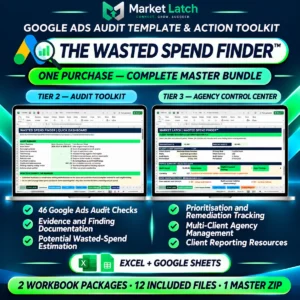
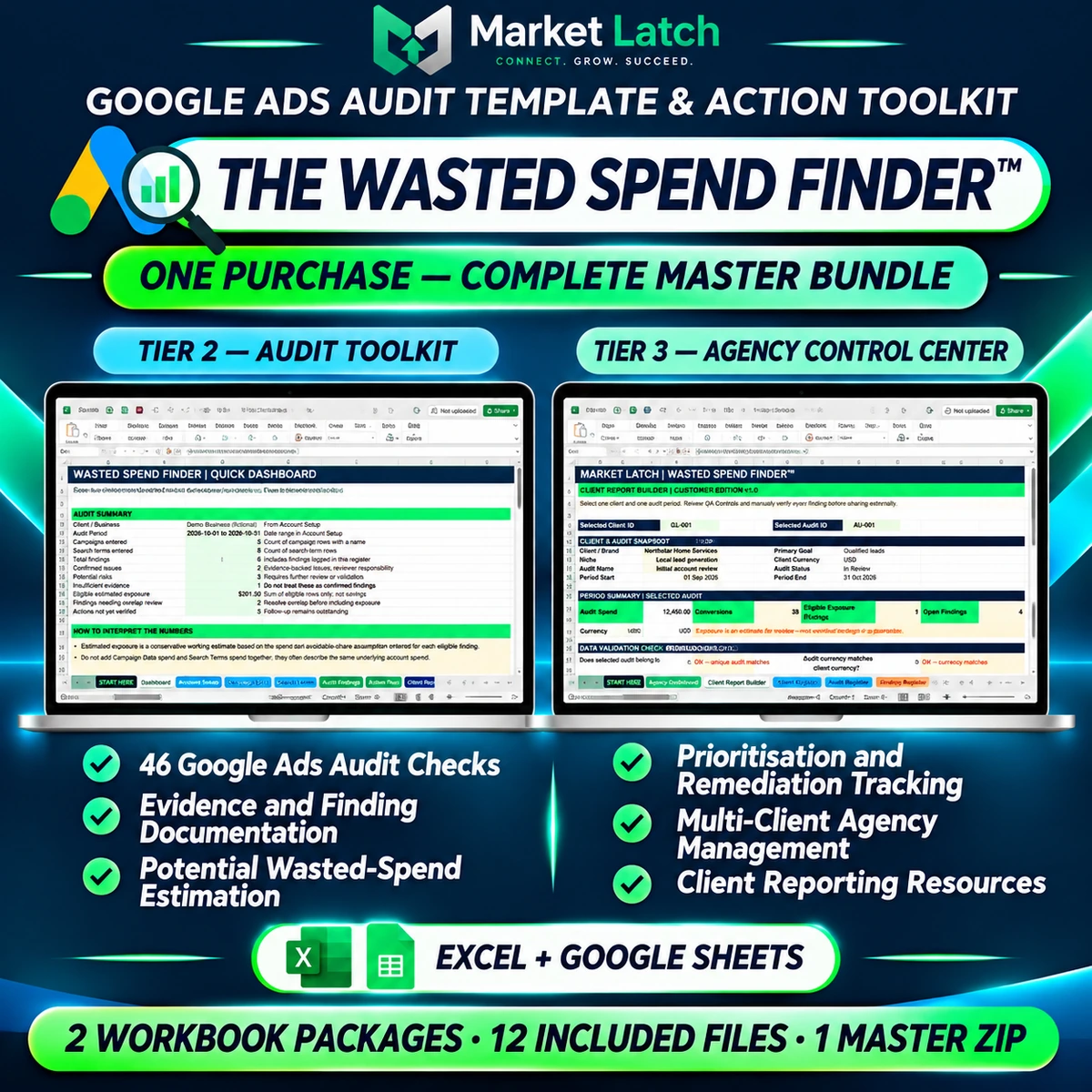
The Wasted Spend Finder™ is a spreadsheet-based Google Ads audit template and action toolkit from MarketLatch. It brings a structured 46-check audit workflow and a multi-client agency administration workbook into one purchase. Use it to document an account review, organize findings and evidence, assess potential spend exposure using your own inputs and assumptions, prioritize work, and prepare report content for human review.
For a Google Ads account audit, the bundle gives the reviewer a structured place to record the scope, evidence and follow-up. It is designed for PPC freelancers, Google Ads consultants, in-house paid-search teams and digital marketing agencies that want a repeatable manual workflow—not an autonomous auditing service or a live Google Ads connection.
One purchase includes both workbook packages
Your purchase includes one master ZIP containing two complementary workbook packages and 12 included files. Tier 2 supports the individual account audit process; Tier 3 organizes clients, audits, findings and actions across an agency workflow. They are included together in one bundle, not offered as separate checkout choices.
| Included package | What it is for | Included files |
| Tier 2 — Audit Toolkit | A structured individual Google Ads account audit, from review checks and evidence capture to potential-exposure assessment, prioritization, remediation and reporting resources. | 7 files |
| Tier 3 — Agency Control Center | A multi-client workbook for organizing client records, audit periods, findings, action ownership, period comparisons, QA and client-report summaries. | 5 files |
| Complete master download | Both inner ZIP packages in one customer download. | 12 files total |
The bundle is designed to work as a connected process: use Tier 2 for the detailed audit workflow and Tier 3 when you need a wider agency-level view of multiple clients and audit records.
Exact files included in the master ZIP:
The customer download contains the following two inner ZIP packages and their files:
Tier 2 — Audit Toolkit (7 files)
- 00-START-HERE.txt — opening instructions
- 01-Audit-Toolkit.xlsx — main audit workbook
- 02-Easy-Start-Template.xlsx — simplified starting workbook
- 03-Quick-Start-Guide.docx — operating guide
- 04-Client-Report-Template.docx — editable client report template
- 05-Worked-Example.xlsx — fictional worked example
- 06-Example-Guide.txt — explanation of the example
Tier 3 — Agency Control Center (5 files)
- 00-START-HERE.txt — opening instructions
- 01-Agency-Control-Center.xlsx — agency workbook
- 02-Quick-Start-Guide.docx — operating guide
- 03-Release-Notes-and-Limitations.docx — release notes and operating limits
- 04-Customer-Use-Terms.txt — plain-language customer-use summary
Tier 2 — Google Ads Audit Toolkit
The Tier 2 workbook is the core audit workspace. It contains 14 tabs that connect account context, audit prompts, evidence, potential exposure, prioritization, remediation and reporting.
Tier 2 workbook tab map
The 14 tabs are: START HERE, Dashboard, QA Controls, Client Report Builder, Finding-to-Action Matrix, Account Snapshot, Audit Checks, Evidence Ledger, Waste Calculator, Prioritisation, Remediation Tracker, Sample Audit, Report Summary and Version Notes.
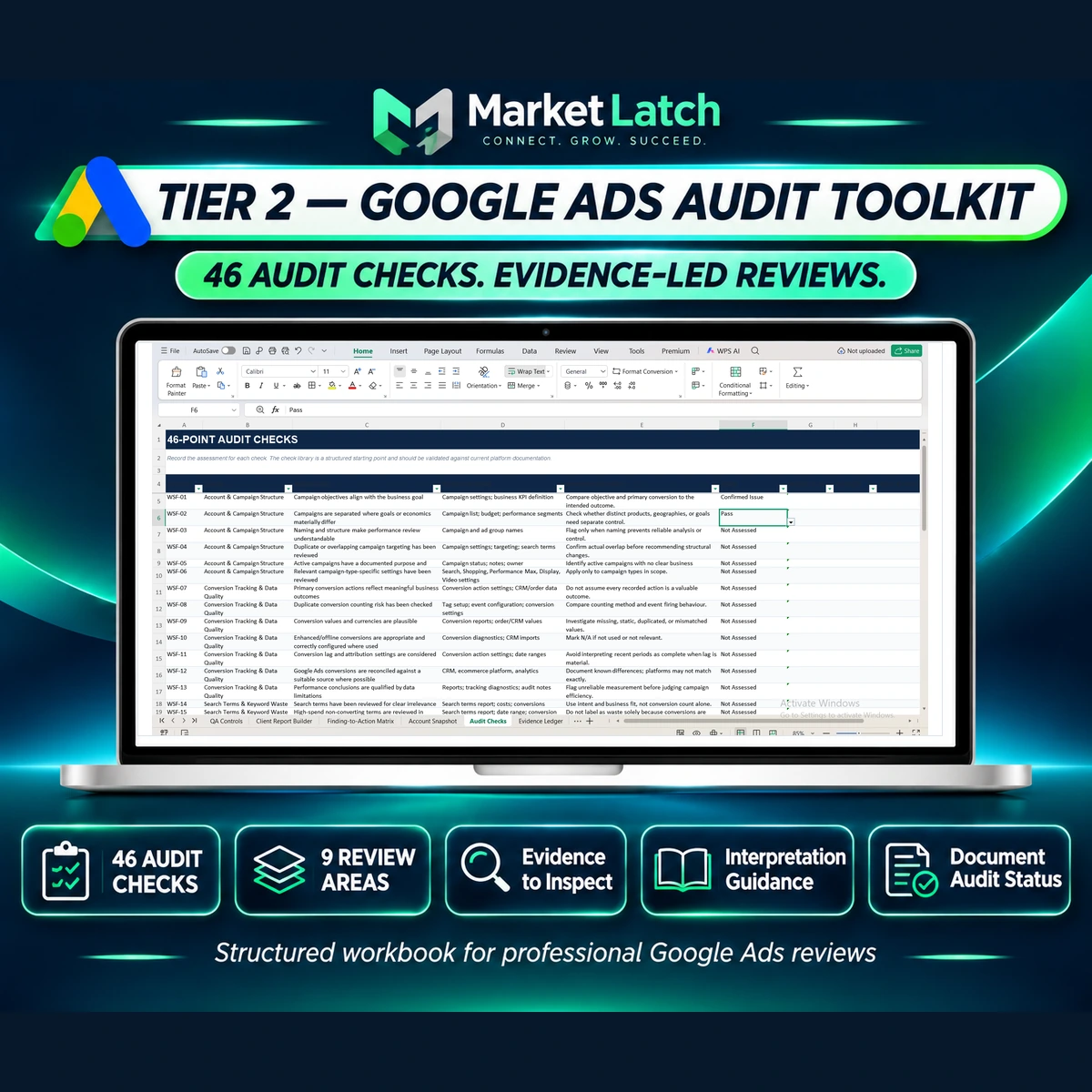
A 46-point Google Ads audit checklist across nine review areas
The Audit Checks worksheet contains 46 review prompts grouped into nine areas. Each check is structured around what to review, what evidence to inspect, how to interpret the observation and where to record its status. This makes the workbook more than a plain tick-box Google Ads audit checklist, while still leaving account-specific judgment with the person conducting the audit.
| Review area | Checks |
| Account & Campaign Structure | 6 |
| Conversion Tracking & Data Quality | 7 |
| Search Terms & Keyword Waste | 6 |
| Negative Keywords | 4 |
| Ads & Asset Relevance | 5 |
| Quality Score & Relevance | 4 |
| Budget & Bidding | 5 |
| Location & Audience Targeting | 4 |
| Landing Page & Conversion Experience | 5 |
| Total | 46 |
The checklist is a structured review framework, not a click-by-click tutorial containing menu paths for every Google Ads setting. Use current platform documentation when you need to confirm a setting or implementation detail.
Evidence Ledger — connect observations to supporting evidence
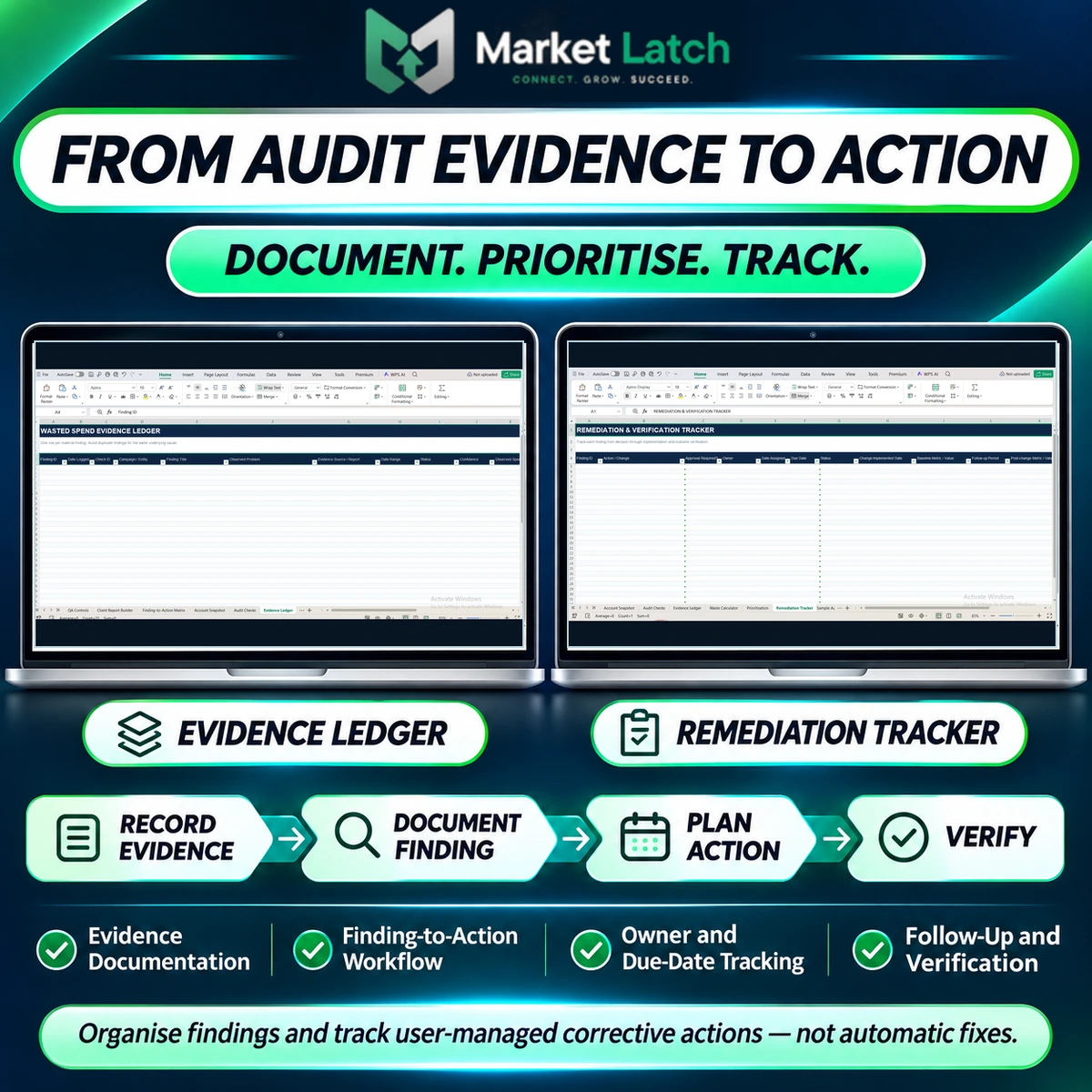
Use the Evidence Ledger to record material observations alongside the source report or account evidence, review context, evidence strength, finding status and relevant notes. Keep confirmed issues separate from potential risks and insufficient evidence. A missing report or incomplete data should not automatically be treated as proof of poor performance.
Waste Calculator — estimate potential financial exposure carefully
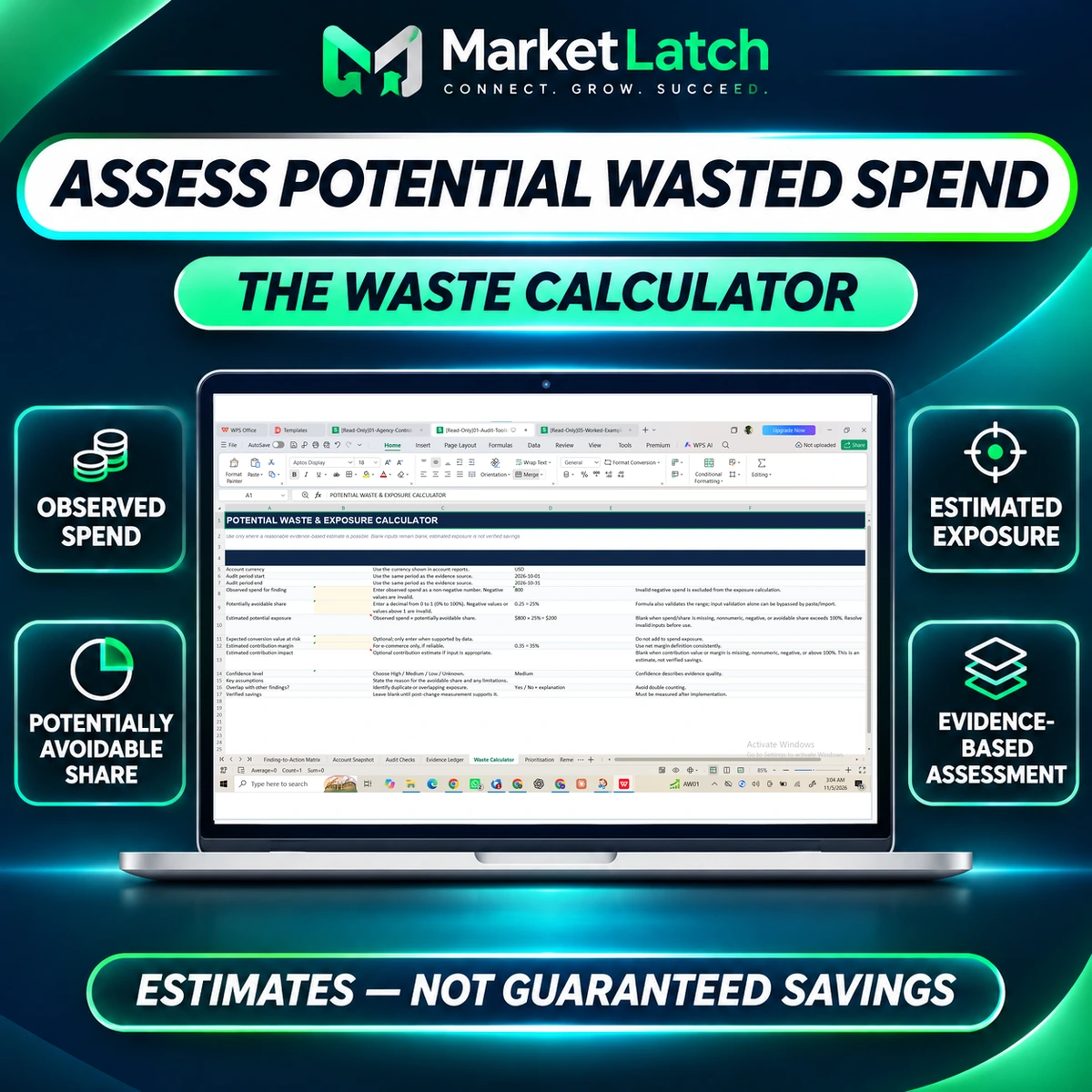
The Waste Calculator uses user-entered observed spend and a potentially avoidable share to calculate an estimated exposure amount:
Estimated potential exposure = observed spend × potentially avoidable share
For example, an observed spend input of $800 with a documented potentially avoidable share of 25% produces a $200 estimate. This is an illustrative calculation, not a customer result or a claim that $200 will be saved.
The calculator includes validation safeguards for key inputs. Missing, invalid, negative, or out-of-range values can leave selected results blank rather than present an unsupported number. Optional conversion-value and contribution-impact estimates require suitable source data and clearly stated assumptions. Review overlap between findings to avoid double counting the same underlying spend.
Potential exposure is not verified wasted spend, recovered budget, realised savings, a forecast, or a guarantee. Verified savings can only be discussed after changes have been implemented and suitable post-change evidence supports the outcome.
Prioritisation and the Finding-to-Action Matrix
The Prioritisation worksheet helps sort findings using the workbook’s severity, exposure, confidence and priority logic. The scoring method is a MarketLatch-designed heuristic, not an industry standard, independent benchmark, or prediction of savings. Use professional judgment and override rules for critical measurement or business risks.
The Finding-to-Action Matrix connects review observations to candidate next steps, evidence requirements and change guardrails. It is intended to help a reviewer decide what to investigate or consider next—not to diagnose an account automatically or authorize a change.
Remediation Tracker and reporting resources
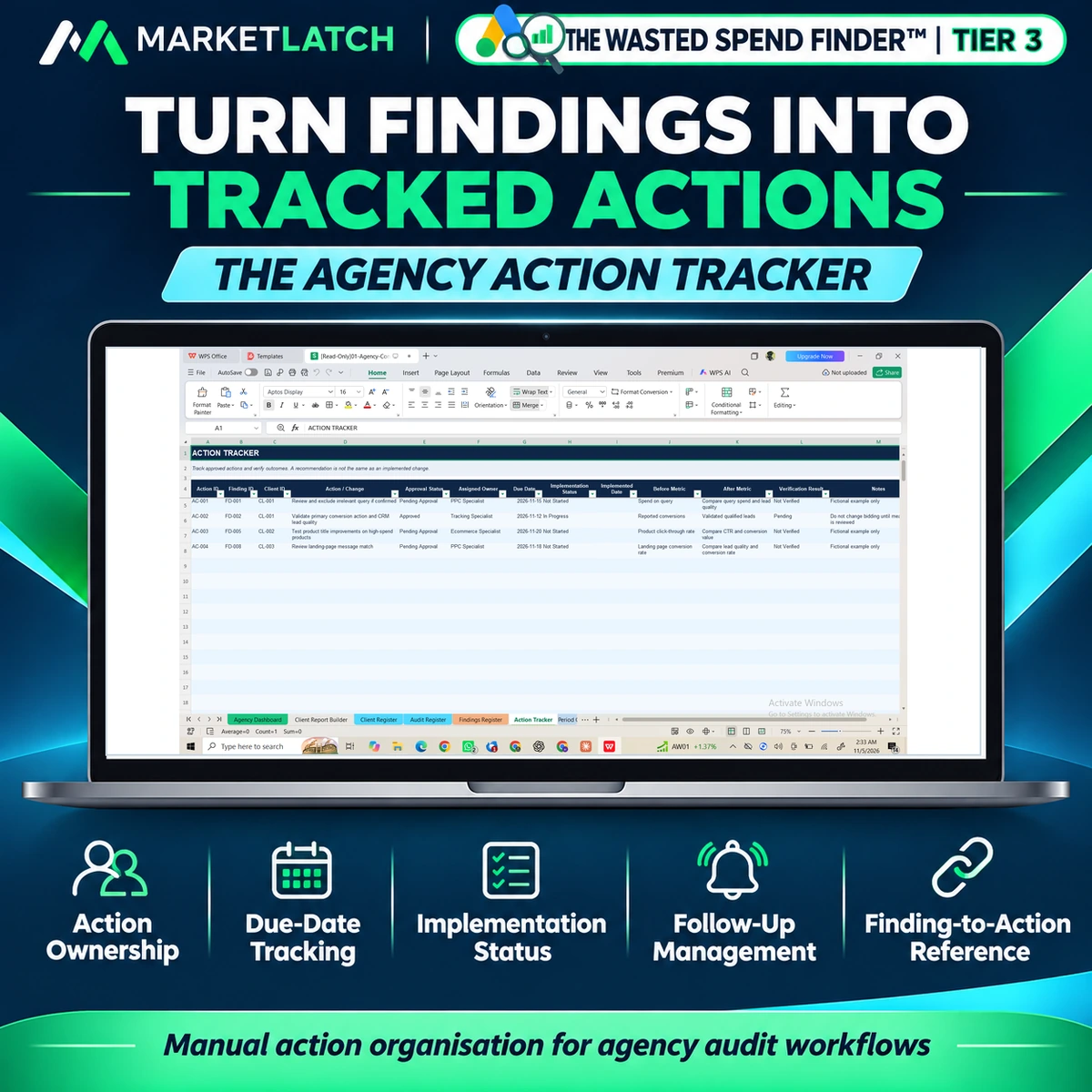
Use the Remediation Tracker to organize corrective actions, owners, due dates, approvals, implementation notes and verification follow-up. A high-priority score alone is not an instruction to change bids, budgets, targeting, conversion settings or keywords. Confirm the source evidence and obtain the required approval before implementation.
Tier 2 also includes a Client Report Builder, Report Summary, a separate Word Client Report Template, a worked example and an Easy Start Template. The linked finding register in the Client Report Builder displays the first 10 Evidence Ledger entries. For a larger audit, review the complete ledger and attach the additional evidence as an appendix. The reporting tools support preparation; they do not create a fully automated, polished PDF report. Use the linked workbook fields as a starting point for a client-facing Google Ads audit report template, then complete the interpretation, supporting evidence and next-step narrative yourself. The separate Word report template is provided for that human-reviewed reporting workflow.
Tier 3 — Agency Control Center
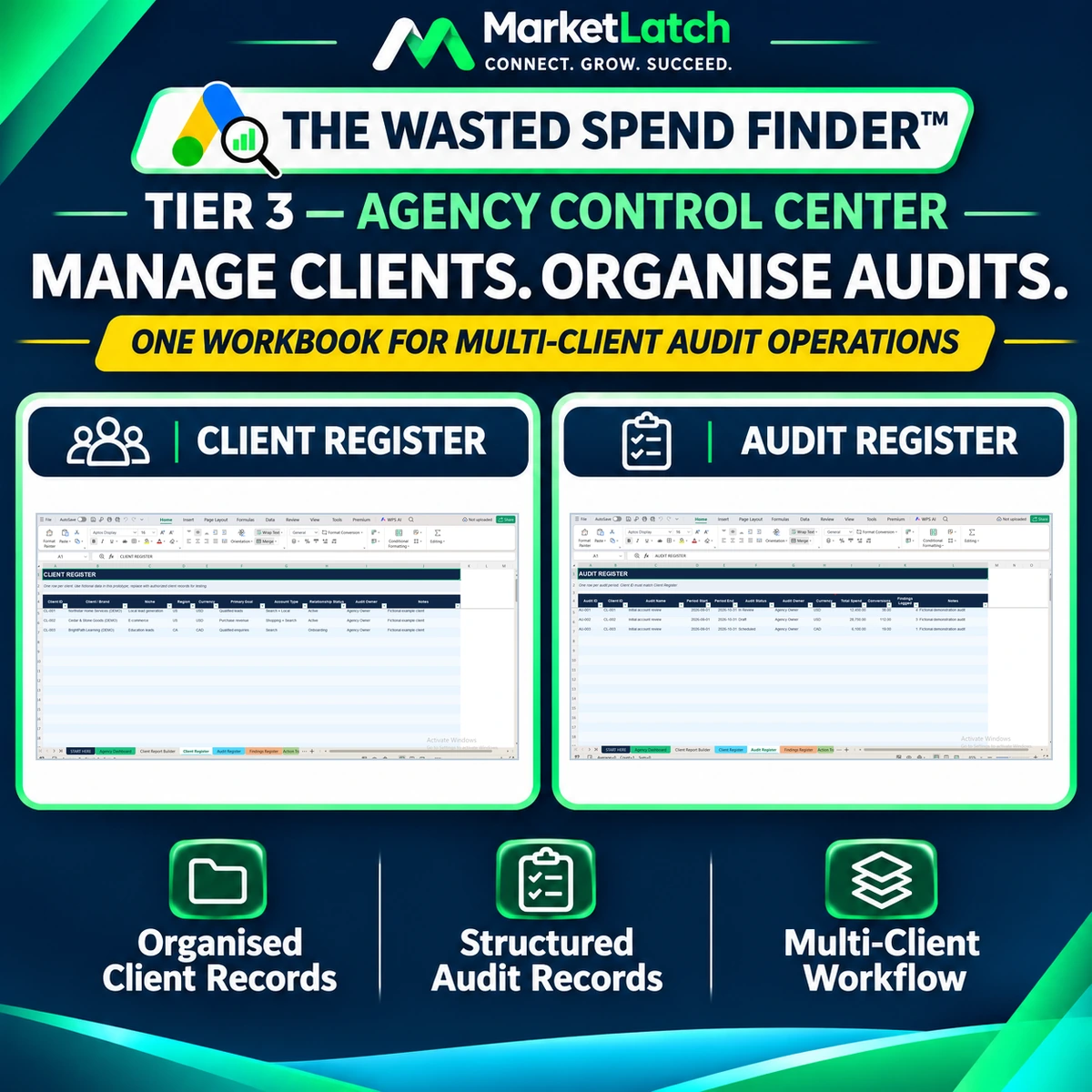
The Tier 3 Agency Control Center extends the workflow to multi-client administration. It is intended for consultants and agencies that need consistent client, audit, finding and action records across more than one engagement.
Tier 3 workbook tab map
The 10 tabs are: START HERE, Agency Dashboard, Client Report Builder, Client Register, Audit Register, Findings Register, Action Tracker, Period Comparison, QA Controls and Dropdown Lists.
Client Register and Audit Register
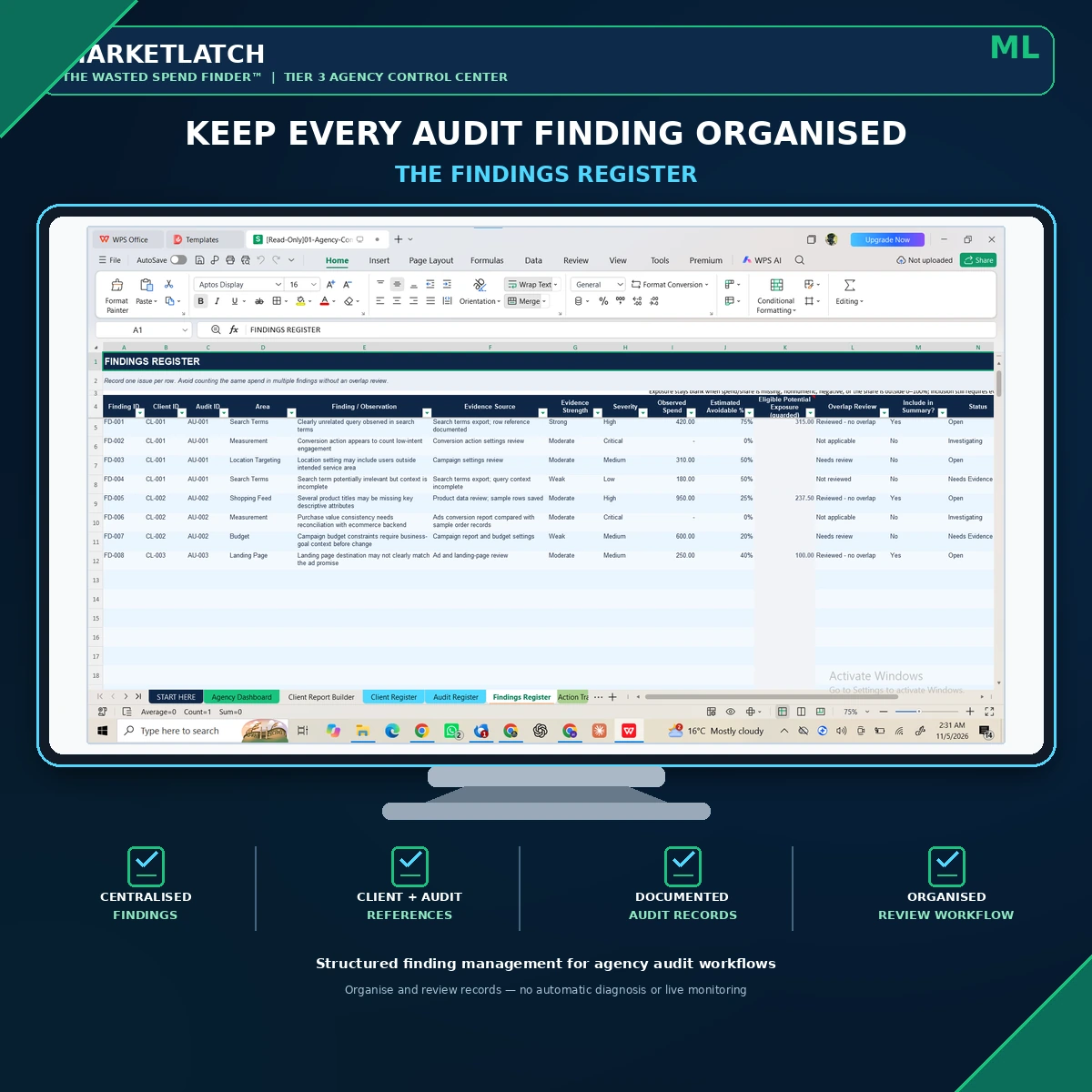
The Client Register organizes client identifiers and key working details. The Audit Register records each audit period and connects it to the relevant client. Use consistent, unique IDs so findings, actions, dashboard summaries and report selections remain correctly associated.
Findings Register and Action Tracker
The Findings Register keeps audit observations and evidence references organized across client engagements. The Action Tracker connects findings to recommended actions, owners, due dates, approval and implementation status, and verification outcomes. QA checks help flag defined data and relationship inconsistencies, including client/audit/finding mismatches. They are safeguards for specified conditions, not a guarantee that every possible data problem will be detected.
Agency Dashboard, Period Comparison and Client Report Builder
The Agency Dashboard provides a portfolio view of the agency records, with its client view showing the first 25 Client Register rows. Period Comparison helps display changes between selected audit periods; differences are descriptive indicators and do not establish that one action caused a performance change.
The Client Report Builder uses selected client and audit records to produce a linked summary snapshot and prompts. Review the selected IDs, currency checks, QA warnings, findings and action details. The final narrative and report output require human preparation and approval; this is not automatic PDF generation or a live reporting integration.
Documented record capacities and workbook limits
| Tier 2 area | Prepared scope |
| Audit Checks | 46 predefined audit checks |
| Evidence Ledger | 50 prepared evidence rows |
| Prioritisation | 30 prepared rows |
| Remediation Tracker | 30 prepared rows |
| Client Report Builder | First 10 Evidence Ledger entries displayed in linked register |
| Tier 3 register/view | Prepared capacity |
| Client Register | 100 client records |
| Audit Register | 100 audit records |
| Findings Register | 200 findings |
| Action Tracker | 200 actions |
| Agency Dashboard client view | First 25 client rows |
Do not extend a worksheet by simply inserting rows and assuming all formulas, validations, summaries, dashboard ranges and QA checks will expand correctly. Capacity changes require workbook updates and regression testing before operational use.
How the audit-to-action workflow works
The two workbook packages are designed to support a practical sequence:
- Define the audit scope. Record the client/account context, reporting period, currency and data sources available.
- Review the 46 audit checks. Assess the relevant account areas and record Pass, issue, risk, not-applicable or insufficient-evidence outcomes as appropriate.
- Document material findings. Connect each observation to its supporting report, date range, relevant check and evidence notes.
- Assess potential exposure where supportable. Enter observed spend and a reasoned avoidable-share assumption; state confidence and limitations.
- Prioritize the work. Use the workbook’s sorting logic as a review aid, while applying professional judgment to urgent risks.
- Plan and track corrective action. Record approval, owner, due date, implementation and follow-up requirements.
- Verify and report. Review post-change evidence, note relevant timing or attribution limitations, and prepare client-facing summaries for human approval.
Illustrative example: from a search-term observation to a tracked action
Consider a fictional account review in which a search-terms report contains queries that appear unrelated to the advertiser’s offer. The reviewer records the observation, links the source report and period, checks whether the queries are relevant to the business, and distinguishes a confirmed issue from a potential risk or insufficient evidence.
Where a negative keyword is appropriate, the reviewer documents the proposed action, checks for unintended exclusions, obtains approval and records implementation and verification. If an exposure estimate is considered, the reviewer states the spend basis, avoidable-share assumption and overlap review. The workbook helps document the process; it does not decide automatically that every questionable search term should be excluded.
The example is illustrative only. It is not a real client case study, benchmark, performance result or promise of savings.
How this toolkit fits alongside other Google Ads audit resources
Different Google Ads audit resources serve different needs. A free checklist can be useful for a quick review or a starting list. An automated PPC audit platform may connect to an account, run recurring checks and deliver alerts. A reporting dashboard may focus on visualizing campaign performance across accounts. The Wasted Spend Finder™ takes a manual spreadsheet approach: it combines a structured audit checklist with evidence records, potential-exposure assessment, prioritization, remediation tracking and a separate multi-client agency workbook.
It is not positioned as a replacement for live account monitoring or automated PPC software. Its role is to give the reviewer a structured place to document their own evidence, decisions, assumptions, actions and follow-up. If you need automatic account connections, daily monitoring, alerts or changes applied within Google Ads, choose a platform designed for those functions instead.
For campaign setup, reporting or ongoing account management resources, explore the related MarketLatch tools and services below. The toolkit can sit alongside a Google Ads optimization checklist, a PPC account audit checklist or a broader PPC audit report template; it is intended to organize the evidence and follow-up that those resources may not cover in the same workbook workflow.
Who should use the Wasted Spend Finder™?
- Freelance PPC specialists who conduct structured account reviews and need a consistent audit record.
- Google Ads consultants who document evidence, communicate findings and organize corrective-action follow-up.
- Digital marketing agencies that manage multiple client audits and need linked client, audit, findings and action records.
- In-house paid-search teams that want a repeatable manual review and action-documentation process.
- Marketing professionals who need a practical PPC audit template and reporting workflow to support account-specific judgment.
Compatibility, responsible use and important limitations
This is a downloadable spreadsheet product designed for use in Excel and Google Sheets. Spreadsheet behavior, formulas, dropdowns, formatting and display can vary by application and version. Test the workbook in your intended environment before relying on client-facing outputs; no universal compatibility certification is claimed.
- No live Google Ads connection: the workbooks do not connect to accounts, import live data, monitor accounts or independently verify settings and performance.
- Manual evidence and review: users provide the source data, assess relevance, verify findings, review recommendations and approve changes.
- Estimates are not savings: potential exposure depends on user-entered data and assumptions; it is not verified waste, recovered spend or guaranteed financial benefit.
- Human-reviewed reporting: report builders provide linked information and prompts, not a fully automated finished report or PDF export service.
- Finite capacity: observe the prepared row limits and test any modifications before use.
- Data protection: use appropriate client permission, protect the workbook and exported reports, restrict sharing, maintain backups and do not enter passwords, payment information or access tokens.
- Professional responsibility: verify platform settings against current Google Ads documentation and secure appropriate approval before implementing account changes.
The included Customer Use Terms are a plain-language summary rather than legal advice. Review the final seller licence, refund policy and purchase terms presented at checkout before buying.
Related MarketLatch resources
Use these related resources alongside the workbook when you need more detail on a specific part of paid-search work:
- Google Ads negative keywords list and guidance— supporting resource for reviewing irrelevant search traffic and exclusion decisions.
- Google Ads campaign structure template— a related resource for planning and organizing campaign structure.
- Google Ads report template— a related resource for campaign performance reporting and client communication.
- Google Ads management services from MarketLatch— information about professional Google Ads management support.
Official Google Ads references
The workbook is a manual review aid. Google Ads features and interface paths can change, so consult current official documentation when checking a setting or implementing a recommendation:
- Google’s guide to negative keywords— how exclusions work and how negative keyword matching differs from positive keyword matching.
- Google’s Search terms report documentation— how to review the searches that triggered ads and interpret report data.
- Google’s web conversion setup documentation— guidance for configuring and verifying website conversion measurement.
Frequently asked questions about the Google Ads audit template
Does the Wasted Spend Finder™ connect directly to Google Ads?
No. It is a manual spreadsheet workflow. You export or gather relevant account information, enter the required inputs and verify the source evidence yourself.
Is this a Google Ads audit checklist or a complete audit system?
It includes a 46-check Google Ads audit checklist and a structured Google Ads optimization checklist-style review process, but the bundle also includes evidence documentation, potential-exposure assessment, prioritization, remediation tracking, reporting resources and a multi-client agency workbook.
Does the Waste Calculator identify guaranteed savings?
No. It estimates potential exposure from user-entered observed spend and a potentially avoidable share. The result depends on the evidence and assumptions entered and must not be presented as recovered spend or guaranteed savings.
Does it automatically fix Google Ads problems?
No. It helps document findings and organize candidate actions. A qualified person must verify the issue, assess the recommendation, obtain approval and implement any account change separately.
Does it create a finished client report automatically?
No. The report builders provide linked summaries, registers and prompts. You must review the selected records, complete the narrative, add supporting evidence where needed and approve the final report. The Tier 2 linked evidence register displays the first 10 entries; attach the complete ledger when additional findings need to be included.
Can I manage multiple clients?
Yes. The Tier 3 Agency Control Center is designed for multi-client administration within its prepared capacities: 100 client records, 100 audit records, 200 findings and 200 actions. The dashboard client view displays the first 25 client rows.
How many audit checks are included?
Tier 2 includes 46 audit checks across nine review areas, covering account and campaign structure, conversion tracking, search terms, negative keywords, ads and assets, Quality Score and relevance, budgets and bidding, location and audience targeting, and landing-page experience.
Can I add more rows to the workbooks?
The included workbooks have finite prepared ranges. Extending them safely requires updating formulas, validations, summaries, dashboard ranges and QA controls, then testing the modified workbook. Do not assume that inserting rows alone expands every control.
Does it work in Excel and Google Sheets?
The workbooks are intended for spreadsheet use in Excel and Google Sheets. Behavior can vary across application versions, so test formulas, dropdowns and formatting in your own environment before relying on customer-facing results. No universal compatibility certification is claimed.
Are the worked examples real client results?
No. Example clients, records and figures are fictional demonstrations. They are included to illustrate how the workflow can be completed and must not be represented as real performance results.
Who is this Google Ads audit template designed for?
It is designed for PPC freelancers, Google Ads consultants, agencies, in-house paid-search teams and marketing professionals who need a structured manual workflow for documenting account reviews and follow-up.
Get the complete Wasted Spend Finder™ Master Bundle
Bring audit checks, evidence, potential-exposure assessment, prioritization, remediation tracking and multi-client organization into one documented spreadsheet workflow. Your purchase includes both the Tier 2 Audit Toolkit and Tier 3 Agency Control Center, with 12 included files inside one master ZIP.
GET THE COMPLETE WASTED SPEND FINDER™ MASTER BUNDLE
Review the final product price, licence terms, refund policy and delivery details on the purchase page before checkout.